Shopping Cart (0)
Close


No products in the cart.
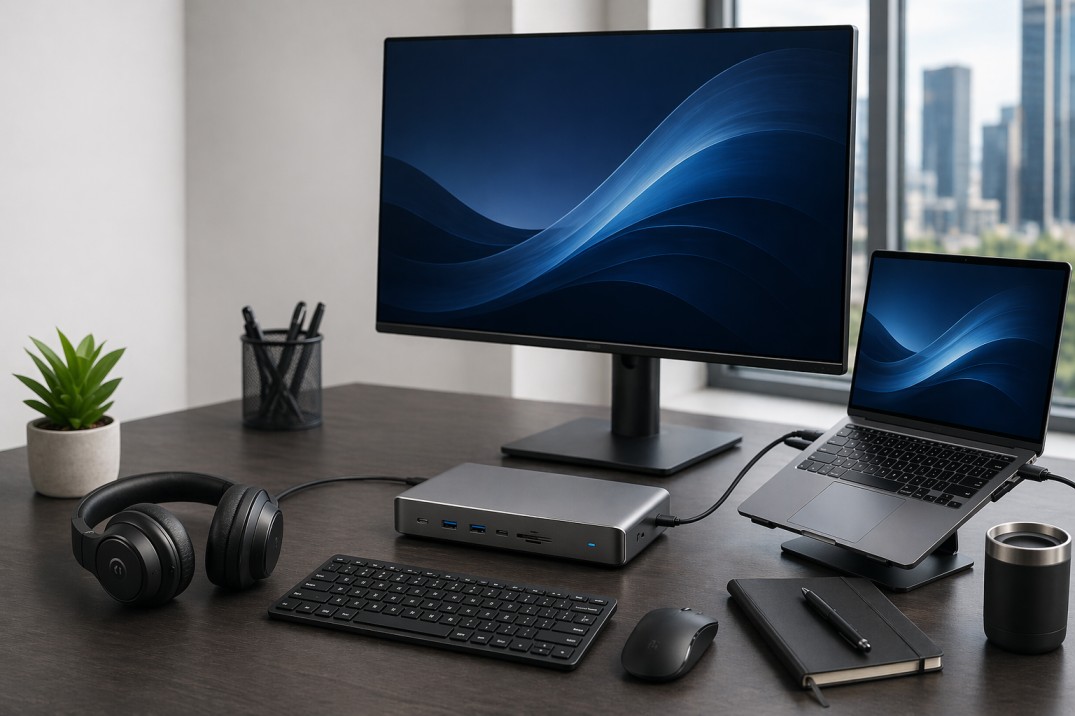
Modern workspaces are evolving fast. In 2026, a powerful laptop alone is not enough to stay productive. No matter whether you perform your tasks in the office environment, hybrid model, or from home, the right laptop accessories will make an enormous difference in your productivity.
From docking stations to external monitors and ergonomic tools, business professionals today rely on a complete setup, not just a device.
This guide will help you choose the best laptop accessories for business in 2026,taking into account various aspects of their practical application.
A laptop is just the starting point. Accessories will help you with:
Enhanced efficiency and multitasking
Reduce physical strain during extended work hours
Expand connectivity options
Create a professional and efficient workspace
For businesses in the UAE and globally, investing in the right accessories means better employee performance and fewer workflow interruptions.
A docking station is one of the key accessories for business users. It turns your laptop into a full workstation instantly.
Connect multiple monitors.
Add USB ports, Ethernet, and audio.
Provide fast charging.
Reduce cable clutter.
Remote workers .
Office professionals.
IT teams managing multiple devices.
Brands like Dell, HP, and Lenovo offer high-performance docking stations compatible with most business laptops.
If you are building a professional setup, pairing your laptop with a docking solution is essential. You can explore compatible options in our server and infrastructure category:
https://gadgetlyuae.com/product-category/server/
With just one laptop screen, you cannot maximize your efficiency. But by using an external monitor or even two, you can easily enhance your efficiency.
Easier multitasking.
Better visual clarity.
Reduced eye strain.
Improved workflow.
24”-27” monitors for office work.
QHD or 4K resolution for clarity.
IPS panels for better viewing angles.
Professionals often prefer brands like Samsung and LG for business displays.
Check out high quality display solutions in our product listings:
https://gadgetlyuae.com/product-category/accessories/
Constant use of the laptop keyboard may lead to discomfort. Using wireless keyboards & mice will help you be more productive and comfortable while typing.
For better typing posture.
For increased productivity.
For a cleaner workspace.
Ergonomic designs are especially important for professionals working long hours.
A laptop stand helps align your screen with eye level, reducing neck and back strain.
Correct posture.
Enhanced airflow (to prevent overheating).
More desk space.
Portable aluminum rises are strongly recommended for professional users.
Data is crucial to any organization. You can keep all your data safe through external storage.
Portable SSDs for speed.
External HDDs for bulk storage.
Cloud backup integration.
Brands like Seagate and Western Digital remain popular choices.
If you are upgrading storage for performance, read our guide:
https://gadgetlyuae.com/best-server-processor-for-virtualization-2026-guide/
In hybrid and remote work environments, clear communication is essential.
Better audio quality during calls
Reduced background noise
Professional communication
Active noise cancellation
Long battery life
Comfortable ear cushions
Modern laptops often come with limited ports. USB C hubs solve this problem.
HDMI or DisplayPort.
USB A ports.
SD card readers.
Ethernet.
This is especially useful for business travelers and mobile professionals.
Power interruptions can cause data loss and hardware damage. A UPS is crucial for businesses.
Prevents sudden shutdowns.
Protects hardware.
Ensures workflow continuity.
Check enterprise grade power solutions here:
https://gadgetlyuae.com/product-category/server/
Even though many laptops include webcams, external webcams offer much better quality.
Online meetings.
Client presentations.
Remote interviews.
Pairing a webcam with proper lighting improves your professional image significantly.
For professionals who travel more, protection and portability matter.
Shockproof design.
Water resistance.
Organized compartments.
A good laptop bag protects your investment while keeping accessories organized.
Before buying, consider:
1. Your work style : Are you remote, hybrid, or office based?
2. Compatibility : Ensure accessories work with your laptop ports and OS.
3. Budget vs value : Focus on long term productivity rather than just cost.
4. Scalability : Choose accessories that support future upgrades.
Here’s a simple setup for a professional workstation:
Laptop & Docking Station.
Dual Monitors.
Wireless Keyboard & Mouse.
Laptop Stand.
External SSD.
Noise Cancelling Headset.
This setup improves efficiency, reduces fatigue, and creates a professional workspace.
At Gadgetly, we focus on business grade IT solutions tailored for professionals and companies in the UAE.
What we offer:
Enterprise level products.
Reliable brands.
Competitive pricing.
Fast availability.
Browse all categories here:
https://gadgetlyuae.com/
The most important accessories include a docking station, external monitor, wireless keyboard and mouse, and external storage. These improve productivity and workflow efficiency.
Yes, a docking station allows you to connect multiple devices and monitors, making your setup more efficient and organized.
Most professionals benefit from dual monitors. It improves multitasking and reduces time spent switching between applications.
A USB C hub is portable and basic, while a docking station offers more power, connectivity, and performance for a full workstation setup.
If you work with important data or critical systems, a UPS is highly recommended to prevent data loss during power outages.
24 to 27 inches is ideal for most office tasks. Larger screens or ultrawide monitors are better for multitasking heavy roles.
Yes, modern wireless keyboards and mice are highly reliable and reduce desk clutter while improving usability.
Conclusion: In 2026, productivity is no longer just about having a powerful laptop. It’s about building a complete, efficient workspace.
The right accessories will help you to work faster, stay comfortable, and maintain professionalism.
If you are serious about improving your workflow, start upgrading your setup today with the right tool.
ABOUT US
Gadgetly is an IT trading company based in the UAE supplying computer systems, networking products, peripherals, and technology accessories across the region. Through our online platform, customers can source genuine IT products with reliable delivery options and competitive pricing.

Gadgetly ©2026 . All Rights Reserved. TL No – 2306964
Get an instant 10% off on 1st Purchse