Shopping Cart (0)
Close


No products in the cart.
 13
May
13
May
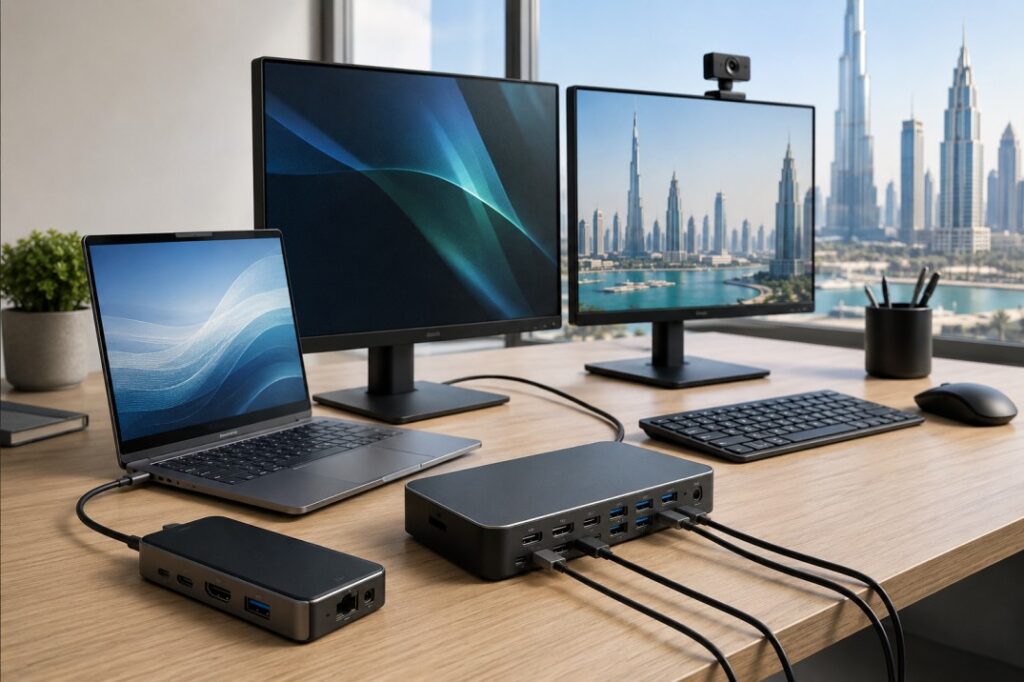
Docking stations can greatly simplify office work.
They facilitate transforming your laptop into a desktop computer. This allows connecting a monitor, keyboard, mouse, Ethernet cable, speaker, and power supply to a laptop from one gadget. This simplifies the process, eliminates clutter, and increases efficiency.
The use of docking stations is highly beneficial for most enterprises in the UAE.
If your office is still building its setup, this topic connects well with our guides on Best Laptop Accessories for Business in 2026, Office IT Setup Guide UAE for Small Businesses, and Best WiFi Router for Office UAE.
A docking station is a tool which increases the number of ports on a laptop computer.
Modern laptops designed to be used in business environments are usually lightweight and compact. This makes them convenient for traveling but not so useful when working from a desk.
Docking stations can solve this issue.
You plug one cable into the laptop, and the dock connects everything else. This makes the desk simpler and faster to use.
A docking station becomes handy when you use your laptop as a primary workstation.
It becomes extremely useful when you:
have one or two monitors
require wired internet connectivity
prefer working at the same table often
utilize keyboard and mouse
want to keep a clean workspace.
It saves time too. You do not need to connect every device separately each time you sit down.
There are a few types of docking stations.
This is the most popular type.
It serves well for the majority of modern laptops used for business purposes and is often sufficient for office needs.
It will suit users requiring higher speeds and display performance.
It is a suitable option for people using several monitors or complex programs.
This is useful in offices with different laptop brands.
It gives flexibility when not everyone uses the same machine.
Before buying a docking station, check a few things.
Not every dock works with every laptop.
Check whether your laptop supports USB-C, DisplayPort, or Thunderbolt.
Consider how many monitors you have.
In case you use just one monitor, almost all types of docks can be used.
For dual monitors, a dock that can support dual displays should be considered.
There are some docks that also charge the laptop.
This feature is very convenient because you don’t have to carry an extra charger.
Look at the devices you use every day.
You may need:
USB ports
HDMI or DisplayPort
Ethernet
audio jack
SD card slot
Docking stations are meant to be used daily. Hence, their durability is important. Buying an inexpensive one can save money for now, but in most cases, a higher quality product pays off in the long run.
The best setup depends on your work style.
If you work on emails, documents, and web browsing, the USB-C dock might do just fine.
In case your office uses large files, multiple monitors, or design software, the Thunderbolt dock might be the way to go.
For an office where there are multiple types of laptops used by different users, a universal dock is generally the best choice.
Many offices in the UAE use compact desks and hybrid work setups.
A docking station helps keep the desk clean and work efficient. It also makes it easier to move between office and home.
People often buy the wrong dock because they do not check the details.
Here are some common mistakes:
buying without checking laptop compatibility
purchasing docks that cannot accommodate more than two monitors
neglecting the charging capacity of the dock
opting for inexpensive models with poor quality
buying extra features that the office does not require
It is always better to choose based on real use, not just on brand name or price.
A USB-C dock is usually enough.
A Thunderbolt dock is better.
A universal dock gives more flexibility.
A dock with multiple ports and easy plug in support is a good choice.
A docking station is one of the most useful accessories for a business laptop.
It makes the desk neater, saves time, and improves the daily work experience.
The right choice depends on how your team works, how many monitors you use, and what laptop ports you have.
For many UAE businesses, a good docking station is not just an extra accessory. It is part of a better office setup.
It connects many office devices to a laptop through one setup.
No. Compatibility depends on the laptop’s port type and support.
Thunderbolt is usually better for heavy use, but USB-C is enough for many office users.
Yes, many docking stations support charging.
That depends on the model. Some support one screen, while others support two or more.
Yes, especially if different laptop brands are used in the same office.
If you use a laptop daily with monitors, keyboard, mouse, and Ethernet, then yes, it is very useful.
 13
May
13
May
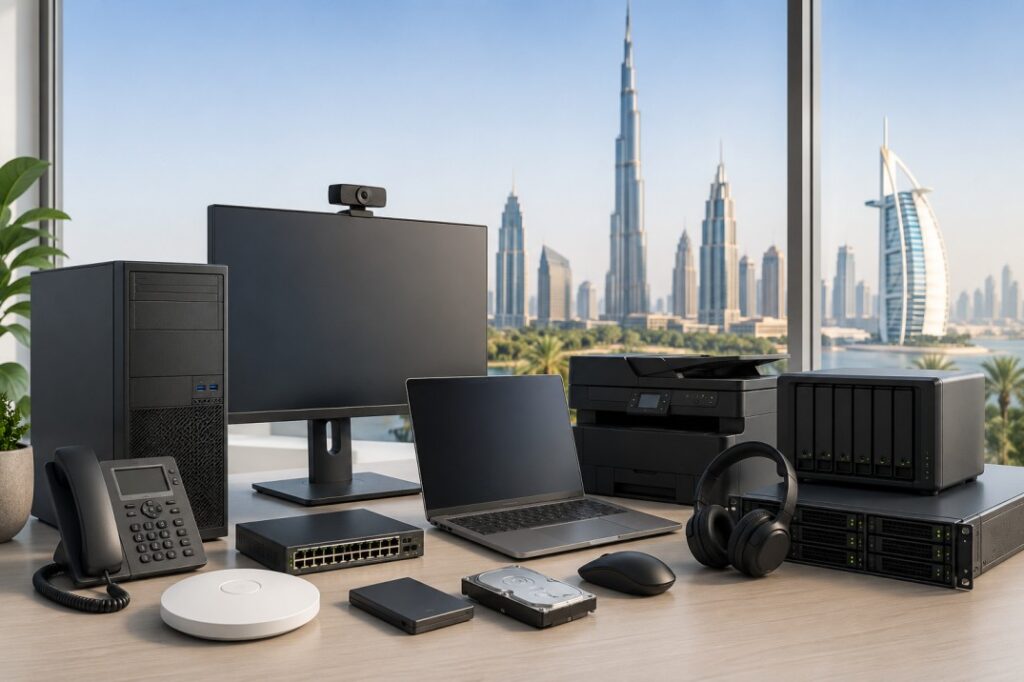
Buying IT hardware for a business is not easy anymore. It is due to the large number of available options and technical terminologies, which may be overwhelming for a business owner. Often times, firms invest in equipment that is either too costly for their requirements or too underpowered to meet the demands of day to day operations.
The good news is that selecting the right office hardware becomes much simpler when you focus on how your business actually works.
If you are planning a new office setup or upgrading old devices, this guide will help you make smarter decisions.
Best WiFi Router for Office UAE, Firewall Buying Guide for UAE Businesses, and Backup Strategy for Small Businesses: Local vs Cloud.
Good hardware helps employees work faster and with fewer problems.
Slow laptops, weak WiFi, poor storage, and unstable office networks waste time every day. Over time, those small delays reduce productivity and increase frustration.
The right setup improves:
work speed
communication
security
collaboration
reliability
This is why IT hardware should be seen as a business investment, not just an expense.
Before making any purchase, consider these factors:
How many employees will use the system?
Will employees work remotely?
Do you use heavy software or mostly web applications?
How much storage do you need?
Will the business grow soon?
These questions help you avoid buying the wrong equipment.
A small office with five employees does not need the same setup as a company with fifty employees.
Here are the main hardware categories most UAE businesses should focus on.
Hardware | Why It Matters |
Business laptops | Main work device |
Monitors | Better productivity |
Docking stations | Cleaner desk setup |
Routers & WiFi | Stable internet |
Switches & access points | Better office networking |
Backup storage | Protects business data |
Firewall | Improves security |
UPS backup | Prevents sudden shutdown issues |
A good office setup does not always mean buying expensive products. It means buying the right products.
The laptop is the most important device for most businesses.
A good business laptop should be:
reliable
fast enough for daily work
easy to carry
future ready
For normal office work, most businesses should focus on:
Intel Core i5 or higher
16GB RAM
SSD storage
Windows 11 compatibility
Avoid buying the cheapest consumer laptops for office work. They may save money at first but often create more issues later.
If you are comparing processors, our guide on Intel Core i5 vs i7 vs Ultra Series can help you understand the differences.
You can also read:
Organizations often overlook the necessity of having high quality monitors. Employees who work on spreadsheets, emails, reports, or design tasks usually work faster with larger screens.
The use of dual monitors is rapidly increasing since it allows employees to multitask effectively.
For Office Tasks:
24 inch monitors are perfect for most individuals
27 inch monitors are recommended for multitasking
IPS monitors offer improved visual quality.
A good monitor setup reduces eye strain and makes work more comfortable.
Modern laptops are thin and portable, but they often have limited ports.
That is why docking stations are useful.
A docking station allows employees to connect:
monitor
keyboard
mouse
Ethernet
charger
storage devices
through one connection.This creates a cleaner desk setup and saves time every day.
If your office uses hybrid work or shared desks, docking stations become even more useful.
Even powerful laptops feel slow if the office network is weak.
A proper business network should include:
business router
access points
switches
structured cabling
Small offices may only need one router and one access point. Larger offices may need multiple access points for stable WiFi coverage.
If your office has dead zones or weak internet, it usually means the WiFi setup is not designed properly.
Our networking guides can help:
Many small businesses think firewalls are only for large companies.
That is not true.
A firewall helps protect the office network from:
cyberattacks
suspicious traffic
unauthorized access
malware
As businesses rely more on cloud apps and online work, network security becomes more important.
A firewall is especially useful if employees:
work remotely
access shared business files
use online systems daily
One of the biggest mistakes businesses make is ignoring backup planning.
Business data includes:
invoices
customer records
contracts
project files
emails
financial data
If that data is lost, work may stop completely.
That is why every business should have a backup strategy.
There are three common backup options:
Backup Type | Best For |
External SSD | Quick local backup |
NAS Storage | Office file sharing |
Cloud Backup | Off-site protection |
Most businesses should use a combination of local and cloud backup.
This gives better protection if:
a laptop fails
ransomware attacks happen
files are deleted accidentally
hardware gets damaged
A UPS (Uninterruptible Power Supply) protects devices during power issues.
Many businesses ignore this until something goes wrong.
A UPS helps protect:
routers
servers
NAS devices
desktop PCs
from sudden shutdowns and data corruption.
Even a small UPS can prevent major problems during power interruptions.
Many people ask:
“Can I just buy normal consumer devices?” Sometimes yes, but business hardware is usually better for office use.
Business grade devices are designed for:
longer daily usage
better reliability
improved support
stronger security
A home router may work for a tiny office, but a business router usually performs better when many users are connected.
The same applies to laptops and networking devices.
Here are some common mistakes businesses make.
Buying only based on price – Cheap devices may create long term problems.
Ignoring future growth – Always think about the next 2-3 years.
Choosing consumer grade networking – Office networks need stability.
No backup planning – Data loss can stop operations completely.
Ignoring security – Security should be part of the setup from day one.
Office Size | Recommended Setup |
1-5 users | Business laptops, router, cloud backup |
5-20 users | Docking stations, access points, firewall |
20+ users | Managed network, NAS storage, UPS, advanced security |
This is not a fixed rule, but it gives a good starting point.
The best IT hardware setup is not the most expensive one.
It is the setup that helps your business work smoothly every day.
A strong office setup should focus on:
reliability
security
productivity
future growth
Start with the basics:
good laptops
stable networking
proper backup
strong security
Then improve the setup as the business grows.
When the right hardware works together properly, employees work faster, downtime reduces, and the whole office becomes more efficient. That is why smart IT buying decisions matter.
Most small businesses need laptops, WiFi networking, backup storage, and basic security tools.
Usually every 3-5 years depending on performance and business needs.
Yes. Business laptops are generally more reliable and better for long-term office use.
Backup protects important business data from accidental deletion, hardware failure, or cyberattacks.
It depends on office size, but most businesses need a business router, access points, and stable WiFi coverage.
Cloud backup is useful, but many businesses benefit from both local and cloud backup together.
Docking stations make it easier to connect monitors, keyboard, mouse, and charging through one setup.
Ignoring backup and security planning is one of the biggest mistakes.
 05
May
05
May
WiFi configuration is often considered more critical than what people might think at first glance. A lagging or unstable connection could slow down office operations, postpone deadlines, disrupt meetings, and make staff annoyed. For many businesses, the dilemma comes down to deciding on access points vs mesh WiFi.
Access points and mesh WiFi can both enhance wireless networking capabilities. However, their design and functionality are aimed at specific environments, which can differ substantially from small offices to rapidly developing businesses and expansive multilevel office spaces. Therefore, the best WiFi option will depend on the architectural design of the office space and the number of users who will be accessing the system.
In this guide, we will explain the difference between access points and mesh WiFi in simple terms. We will also help you understand which one is better for office spaces and why.
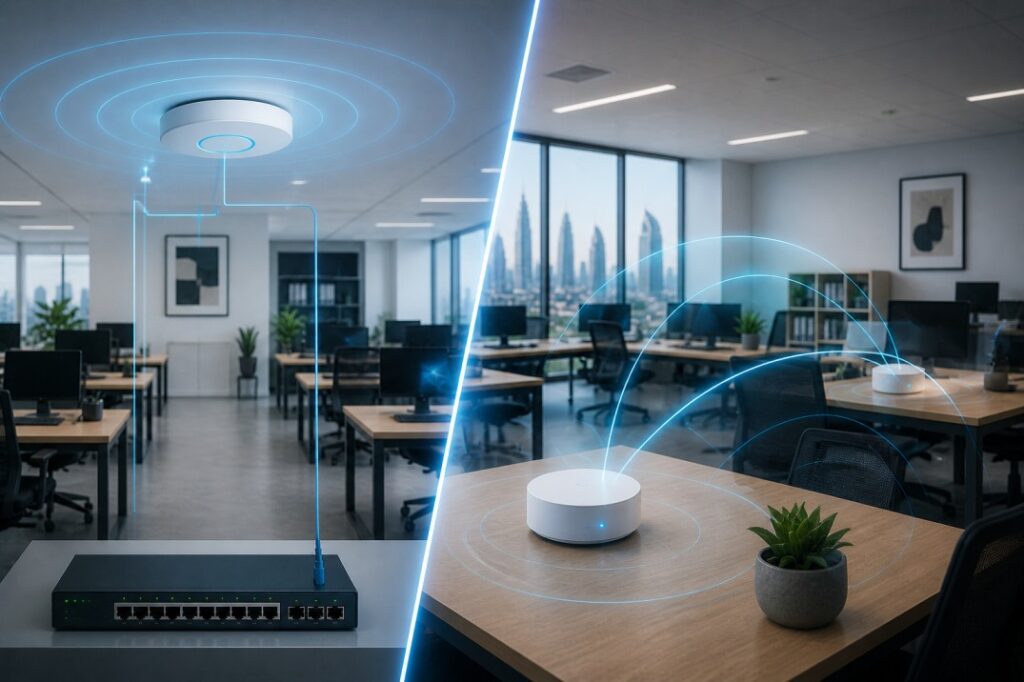
An access point is a device that connects to your main network through an Ethernet cable and then broadcasts WiFi to a specific area.In office settings, access points tend to be mounted on ceilings and walls in order to achieve reliable wireless coverage.
Access points are commonly used in the business setting owing to their ability to accommodate multiple users simultaneously, whereas home grade WiFi equipment cannot guarantee the same level of reliability.
Since they are wired to the network, they do not depend on wireless signals to communicate with each other.
This makes them a strong option for offices where speed, reliability, and scalability matter.
Mesh WiFi utilizes a router along with one or several satellites that cover an area by connecting to each other using wireless connection or Ethernet, based on the system.
There are plenty of advantages of using a mesh system. First, this type is user friendly and can solve problems of dead spots in households or small offices. Another advantage is that it creates just one network that works seamlessly with all devices.
For a small office with light usage, mesh WiFi can be a convenient solution. But it may not always be the best choice for a business that depends on heavy traffic, online meetings, cloud tools, and multiple connected devices.
The key distinguishing factor between access points and mesh WiFi technology lies in their method of communication.
Access points are wired to the network and thus provide greater speed and reliability. Conversely, mesh WiFi technology depends on wireless communication between nodes, an approach that can be detrimental to performance, particularly when several devices are added.
In short:
Access points work best where performance and reliable connection is paramount.
On the other hand, mesh WiFi technology works better in cases where there is a need for easy installation and smaller coverage areas.
An office does not function like a domestic space. Domestic WiFi configurations typically cater to only a few people, a couple of devices, and relatively low network traffic. In an office, there can be many people accessing the network simultaneously, along with computers, printers, telephones, video surveillance cameras, meeting room devices, and smart systems.
This puts a heavy load on the network.
In addition, an office needs:
stable video conferences
fast uploading and downloading of files
cloud application access
secure connection for devices
multi room/floor coverage
These requirements make it difficult for conventional WiFi configurations to operate effectively.This is where the choice between access points and mesh WiFi becomes important.
If you are planning your overall infrastructure, it’s also useful to understand server requirements. Read our guide on How to Choose the Right Server for Your Business in Dubai
Access points are usually the better option for offices in the following cases.
Access points are superior when there are multiple users are online at the same time because of their ability to cope with the heavy workload.
A bigger office will require multiple sources of wireless connectivity to ensure coverage throughout the premises. Access points can be distributed in various places in an office, which are then wired together.
Since access points are wired, they are less affected by signal loss between units. This gives better speed and consistency, especially in busy work environments.
Access points are easier to design around when setting up a structured office network. An IT team or network installer can place them based on floor plan, usage zones, and user density.
It will be easier to scale up the number of access points in the event of expansion of the company.
Mesh WiFi is not bad. In fact, it can be useful in certain office situations.
If your office is compact and has only a few users, a mesh system may be enough.
For popup offices, small studios, or temporary setups, mesh WiFi can be convenient because it is simple to install.
If running Ethernet cables is difficult or expensive, mesh WiFi can be a practical alternative.
If your team mainly uses email, browsing, cloud documents, and light communication tools, mesh WiFi may meet your needs.
Even then, the system should be chosen carefully. Not all mesh systems are built for business traffic, so performance can vary.
Let us compare them in the areas that matter most to office users.
Access points generally offer better speed because they are connected through cables. Mesh WiFi may lose some speed as the signal travels between units.
Access points are more stable, especially when many people are connected at once. Mesh systems can be more vulnerable to interference, especially in crowded office environments.
Both can cover a large area, but access points usually do it more reliably in offices with walls, floors, and heavy use.
Access points are easier to scale for growing businesses. Mesh systems can expand too, but performance may drop as more units are added.
Mesh WiFi is easier and faster to set up. Access points usually require more planning and cabling.
Mesh systems may appear cheaper at first. But for business use, access points often provide better value over time because they handle more users and last longer in demanding environments.
If your office setup includes storage heavy tasks, you should also check our comparison on SSD vs HDD for Business
Access points will always be better in offices compared to mesh Wi-Fi.
This is because an office requires more than just coverage; it needs performance. This includes stability, speed, security, and scalability. Access points are designed to offer this kind of performance.
Mesh Wi-Fi will suit you if you have a smaller office, little budget, or want a faster installation process. However, if you are trying to build a professional environment, it’s recommended that you use access points.
Choose mesh WiFi if:
your office is very small
you have a limited budget
you need a quick setup
your internet usage is light
Choose access points if:
your office has many users
your work depends on reliable internet
you need strong coverage across a larger area
you want a setup that can grow with your business
Most office owners tend to make their selection according to price. As a result, they face problems.
One common mistake is buying a home mesh system for a busy office. While it will function normally in the beginning, it can be overwhelmed with the number of devices.
Another thing to avoid is installing just one access point, believing it is enough to cover the entire area. The matter is that even a good device cannot cover everything.
Finally, companies usually neglect layout design. Walls, partitions, meeting rooms, and furniture affect wireless coverage.
Before choosing between access points and mesh WiFi, think about these points.
How many people will connect at the same time?
Is your office one room, one floor, or multiple floors?
Do you use cloud apps, video calls, large files, or business systems?
Are there walls or barriers that may weaken WiFi signals?
Will your team grow in the next year or two?
When you answer these questions, the right solution becomes much clearer.
Access points are the right option when you need to create an office network that is dependable in performance, stability, and scalability. Mesh WiFi is simpler to deploy and may suit small businesses with lower expectations.
In any case, mesh WiFi is a good solution to install in the office. For serious business needs, however, access points are considered a professional solution.
The ideal solution is the one that doesn’t cause any disruptions for your staff. It’s always better to choose a professional solution for the office rather than the one used for home purposes.
Yes, in most office environments access points perform better because they are wired, more stable, and easier to scale.
Yes, mesh WiFi can work well in a small office with light internet use and fewer users.
Yes, access points usually connect to the network using Ethernet cables, which improves performance and reliability.
It can, but performance may drop if too many users or devices are connected at once.
Mesh WiFi may cost less at the start, but access points often provide better long-term value for office use.
Access points are usually better for growing businesses because they can be expanded more easily.
Yes, in some cases businesses use a mixed setup, but it should be planned carefully to avoid network issues
 05
May
05
May
Losing business data is one of those problems that many owners only think about after something goes wrong. At first, it may sound like a file issue or a simple laptop problem. In reality, it can stop work, delay customers, create security trouble, and cost real money.
For a small company, data does not mean only files. It refers to invoices, client databases, quotations, business documentation, emails, accounting, and, in some cases, the entire workflow of the company.
Data loss can cause serious disruptions for the business. Therefore, data protection is not only the question of technology; it concerns the survival of the business as well.
If you are already planning your office setup, this guide connects well with our other articles on Backup Strategy for Small Businesses (Local vs Cloud), Firewall Buying Guide for UAE Businesses, and How to Choose the Right Server for Your Business in Dubai.
Business data loss occurs when critical information is erased, destroyed, locked up, or rendered inaccessible. This can result from hardware malfunction, accidental deletion, ransomware attacks, theft, electricity problems, or application bugs.
Occasionally, the issue will be limited to one file. At other times, it could involve a complete folder, disk, or computer.
The scary thing about business data loss is that businesses usually only realize their reliance on such information after it is too late. An erased invoice document may hinder accounting. The disappearance of a client list may impact sales. The destruction of an accounting document could disrupt finance processes.
The first thing that usually happens is confusion.
An employee attempts to access a document that simply isn’t there anymore. The network drive has stopped functioning. The system cannot be loaded. There is an exclamation, “Has anyone made any backups?” This marks the start of the trouble.
There will be a period of downtime while everyone looks for another copy of the file. People will check their mailboxes, personal folders, pen drives, cloud storage, and even common storage spaces. If there is indeed a backup, then recovery will be quick and easy.
However, if not, this could become quite a headache. Often times, the immediate impact of data loss is not on the actual lost files themselves, but on the tasks performed using the files.
With missing information, staff members will be unable to complete their tasks. The sales department might fail to locate customer data.
The finance department might fail to access invoices. The operations department might lack information about projects. The support department might be unable to locate any history of service.
A brief delay could lead to a domino effect.
Data loss often leads to direct financial loss.
A business may miss a billing cycle. A project may be delayed. Staff may sit idle while the issue is being fixed. IT support may be needed urgently. Recovery services may also cost money.
If the loss was caused by ransomware, the situation may become even more expensive because the business might be pressured to pay for recovery. Even then, there is no guarantee that everything will return.
Loss of data typically results in monetary loss. There can be a missed payment period. There could be a delay in the project. The employees could be idling as the problem gets sorted out. There could also be urgent IT support required. There are also recovery fees associated with it.
However, if the data was lost due to ransomware, the problem can get even costlier since the company will most likely have to pay for its recovery, but there is no guarantee of success.
Building trust takes time while losing it is quick. If there are any losses of data or breaches of privacy by the client, questions arise regarding the management of the firm. This may cause delays in starting new projects or even lead to loss of clients.
For service based businesses, this can be especially damaging because trust is a major part of the brand.
If the lost data includes customer information, payment details, employee records, or confidential business data, the situation can become more serious.
Many businesses have obligations to protect personal and business data properly. If that data is lost because of weak protection, the business may face complaints, investigations, or legal consequences.
This is one reason a solid security setup matters. A firewall, secure devices, and proper backup planning all work together. That is also why our Firewall Buying Guide for UAE Businesses and Office Network Setup Cost in UAE articles are useful next steps.
Most business owners think that recovery will happen quickly. In most cases, it does not.
When there is no proper backup, then the company will have to recover data manually. That will include going through all emails, invoices, shared folders, documents, or anything else available. It is a process that takes time.
Even with a proper backup, the process will take some time. Files will need to be restored and checked to ensure they are running well. Downtime, therefore, is where the main problem lies.
Small businesses often believe they are too small to be targeted. That is not true.
Smaller teams usually have fewer backup layers, less IT support, and less room for disruption. One laptop failure or one accidental deletion can affect the entire business.
A large company may be able to absorb a problem more easily. A small company may feel it immediately.
That is why small businesses should take backup and protection seriously from the beginning, not after a disaster.
Sometimes yes. Sometimes no.
Recovery depends on how the data was lost and whether a backup exists.
If a file was deleted recently, it may be restored from backup or recovery tools. If a hard drive failed, a specialist may recover some data. If ransomware encrypted the system, a clean backup may save the business.
But if there is no backup, the situation becomes much harder.
That is why the goal is not to “hope for recovery.” The goal is to prepare before anything goes wrong.
The best protection usually comes from using both local and cloud backup.
A local backup is fast to restore. It is helpful when you need a file back quickly. A cloud backup is safer if the office itself is damaged, stolen from, or hit by ransomware.
Local backup gives speed. Cloud backup gives distance and protection.
That is why many businesses use a hybrid approach.
If you have not planned this yet, our article on Backup Strategy for Small Businesses (Local vs Cloud) explains it in simple terms.
The first step is to stop and assess the issue.
Do not keep working blindly if you think the loss may be caused by malware or corruption. Check whether the problem is one file, one device, or the full system.
Then find out whether a backup exists.
If there is a backup, restore the most important data first. Start with customer records, financial files, and current work documents. Then test the restored files before using them fully.
If there is no backup, contact IT help quickly and document what happened. The sooner the issue is understood, the better the chance of recovery.
The best time to protect data is before there is a problem.
Here are the main things that help:
Keep regular backups.
Test those backups.
Store at least one copy off site.
Use secure laptops and encrypted storage.
Protect your network with a good firewall.
Use reliable office equipment and proper setup.
A strong office network also helps reduce problems. If your business is still building its setup, our guide on Best WiFi Router for Office UAE and Access Point vs Mesh WiFi for Office Spaces can help you plan the network side properly.
UAE businesses rely heavily on digital work. Many teams use cloud tools, remote access, online communication, and shared storage every day.
That means data loss can disrupt normal business faster than many people expect.
A smart business setup should include protection at the device level, network level, and backup level. It should not depend on one tool alone.
That is where good planning saves time, money, and stress.
If business data is lost, the impact goes far beyond missing files. Work slows down. Customers may lose trust. Costs rise. Recovery takes time. In some cases, the damage can be serious enough to threaten the future of the business.
The safest approach is simple: back up regularly, keep a copy off site, protect your network, and use secure hardware.
That is not just an IT best practice. It is a business survival habit.
The business may face downtime, lost income, recovery costs, customer trust issues, and possible compliance problems.
Sometimes yes, but only if there is a clean backup or a recoverable copy. Without backup, recovery becomes much harder.
Common causes include accidental deletion, hardware failure, ransomware, theft, power issues, and software corruption.
Cloud backup is better for off-site protection. Local backup is faster to restore. Using both is usually the best option.
Small businesses usually have fewer backup systems and less IT support, so one data loss event can affect the whole company.
First, identify the problem and check whether a backup exists. Then restore the most important files and make sure the system is safe.
Use regular backups, off site storage, secure devices, and a strong firewall. Also test your backup process often.
Yes. A proper office network, firewall, and secure storage setup all help reduce the chance of data loss.
 05
May
05
May
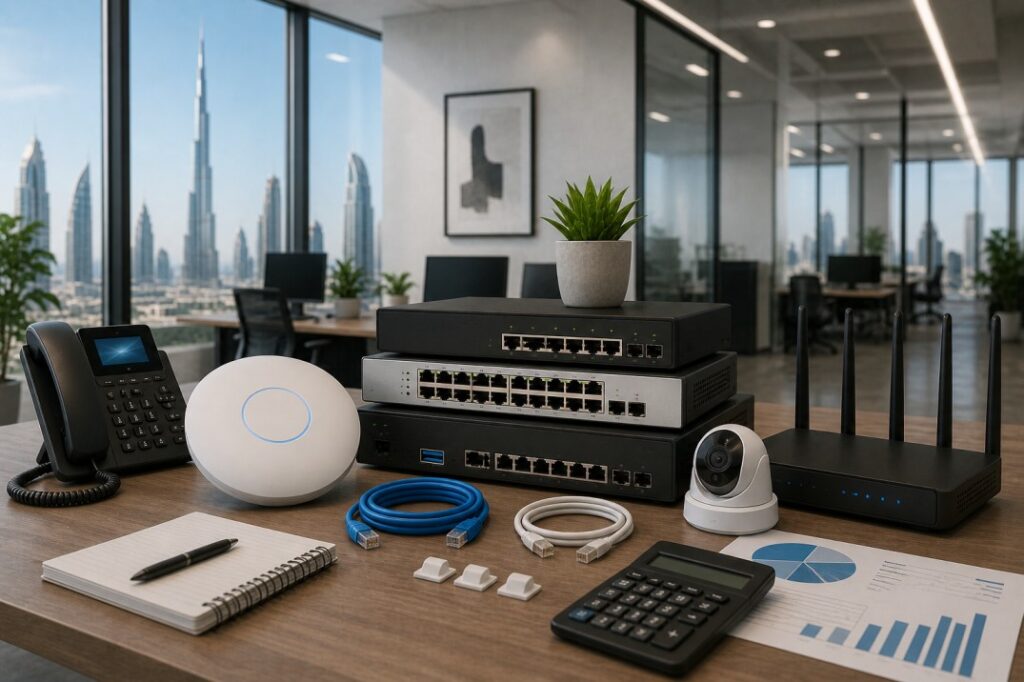
Installing an office network is not simply about purchasing one router. An efficient network in the corporate environment requires appropriate selection of a router, switch, WiFi points, cables, and security measures. Depending on the size of the office and the number of users, the total expenditure will vary in the UAE.
For a small office, the cost can stay low. On the contrary, when it comes to larger spaces, costs increase since more devices are needed. That is why it is better to plan the full setup before you buy anything.
If you are also planning your office internet and WiFi setup, you may find our guides on Best WiFi Router for Office UAE and Access Point vs Mesh WiFi for Office Spaces useful.
The price of an office network in the UAE is influenced by a number of factors.
First, office size plays a role. The smaller the office, the fewer devices it requires.
Secondly, the number of users matters. The more employees there are, the greater the need for devices.
Thirdly, the type of device used affects the cost. For example, a standard business router is cheaper than a firewall or managed switch.
Fourthly, installation contributes to the total cost of the solution.
Here is an easy way to understand the budget.
Office Type | Estimated Cost |
Small office | AED 2,000 to AED 4,000 |
Medium office | AED 5,000 to AED 10,000 |
Large office | AED 15,000+ |
These are rough estimates. The final cost depends on the brand, office layout, and installation work.
A normal office network setup usually includes:
Router
Switch
Access points
Ethernet cables
Firewall
Installation and configuration
Some offices also add a UPS, rack cabinet, or network storage.
If your business needs stronger security, you should also read our Firewall Buying Guide for UAE Businesses.
For a small office, the setup is usually simple. You may only need one router, one switch, one access point, and basic cabling.
This kind of setup works well for small teams, startups, and home style offices. It is also cheaper to maintain.
A small office network is usually enough if your team only uses email, cloud tools, and normal office work.
A medium office need a lot of planning. In some cases, it might be necessary to have two access points for full coverage. Another thing that can help is a good switch and firewall.
The medium office configuration works best for businesses having between 10 and 25 workers. This option is superior in terms of speed, WiFi coverage, and reliability.
Larger offices require a complete networking design. Multiple access points, a managed switch, enhanced security features, and cable management might be required.
The price tag will be higher for such an installation since it involves a larger office and multiple connections.
If the office has more than one floor, the cost can go up even more.
You do not need to purchase the most costly devices to create an effective network. The most cost effective thing would be to buy the devices required for your office.
Avoid buying enterprise devices that you will not use in your small office. Also, avoid purchasing inexpensive domestic devices that will work in your office environment.
Choose business level equipment that suits your number of employees.
Incorrect network configuration leads to slow internet speed, poor WiFi performance, and loss of work time. That is why proper planning is so important.
Before buying, count your users, devices, and network points. Also check the office layout. Walls, cabins, and meeting rooms can affect WiFi.
With a correct planning, you spend less money and get more results.
The cost of setting up the office network in the UAE may be low when it comes to a small office but high when it is about the cost of setting up an office network for a large office. If you plan well, you can build a strong and reliable network without wasting money.
A good office network helps your team work faster and with fewer problems. That makes it one of the most useful investments for any business.
A small office may cost around AED 2,000 to AED 4,000. A larger office can cost much more depending on the setup.
You usually need a router, switch, access points, cables, and a firewall.
Yes, for most offices it helps keep the network stable and organized.
The cost changes based on office size, number of users, cable work, and the type of devices you choose.
You can for a very small office, but business grade devices are better for reliability and long term use.
 05
May
05
May
Based on verified 2025-2026 UAE cybersecurity data from CPX, NESA, and UAE Cyber Security Council · Includes PDPL compliance guidance for UAE SMBs
A small business owner in Dubai gets an email that seems to come from their bank. After clicking the link and typing their login information, their business account is compromised within minutes. It is surprisingly common, and the incidents occur more frequently now than ever before.
The United Arab Emirates has turned into the most targeted state concerning cyber crimes in the whole Middle Eastern region. The UAE Cyber Security Council rejects more than 200,000 cyberattacks on a daily basis, its not a typo error; they block over 200,000 every day.
Yet, even with such high levels of security in place, hackers are still making their way through. As always, small and medium businesses have been suffering from the increased frequency of attacks. But not because they represent a greater profit opportunity for the criminals. No, because they are easy to break into. They often run without dedicated IT staff, use outdated software, and lack the security policies that larger companies take for granted.
This guide explains why the risk is growing, what threats are hitting UAE SMBs the hardest, and most importantly what practical steps you can take right now with the hardware and tools already available.
UAE Cybercrime: the numbers you need to know (2025-2026)• The UAE is the 2nd most targeted country in the MENA region for cyberattacks • Average cost of a cyber incident for a UAE business: AED 10.6 million ($2.9 million) • Ransomware attacks grew by 32% in 2024, and are continuing to rise • 83% of UAE CISOs say human error is the #1 security risk • 80% of small businesses globally experienced at least one cyberattack in 2025 • Since early 2025, over 12,000 Wi Fi breaches were recorded in the UAE, 35% of all attacks Sources: CPX State of UAE Cybersecurity Report 2025 · UAE Cyber Security Council |
There is a general misconception in the minds of small enterprises: “We are so small to become a victim of cyber attacks.” But cyber criminals hold the complete opposite opinion; they look forward to hacking into smaller organizations precisely because they are easy targets.
Large firms invest in security experts, expensive firewalls, monitoring systems round the clock, and plans in case of any attack, while small firms lack everything mentioned above. This is what makes them an attractive and cost effective target.
Small businesses experience four times as many confirmed breaches as large organisations when measured per employee a staggering difference that reflects the gap in resources and preparedness between the two groups.
Factor | Why it is increasing your risk |
Rapid digital transformation | UAE businesses are moving fast cloud services, digital payments, online operations. But the security foundations are not keeping pace with the speed of adoption. |
AI powered attacks | In 2026, attackers use AI to generate convincing phishing emails, fake voice messages, and deepfake videos at scale. 41% of cyberattacks on small businesses now involve AI. |
New compliance laws | UAE’s PDPL (Personal Data Protection Law) came into effect in 2026. Non compliance now carries fines up to AED 5 million a direct financial risk on top of the attack risk. |
#1 | Phishing and social engineering attacks | Very High Risk |
The most frequent way that cybercriminals enter the UAE is through phishing attacks. The employee gets an email from their boss, bank, vendor, or government department and follows the link or opens the attachment without thinking twice.
By 2026, the emails are created with AI software and can be almost impossible to differentiate from authentic messages. They include legitimate company names, projects, and language usage. Even educated employees are getting duped by such phishing messages.
The most alarming type of phishing attack today is called Adversary in the Middle (AiTM). It can completely bypass Multi Factor Authentication (MFA) systems since it monitors the user’s session in real time and then takes control of the computer. Microsoft has warned UAE companies about this emerging cybersecurity risk on the Microsoft 365 platform.
What protects you: Business laptops with hardware enforced browser isolation (like HP Wolf Security’s Sure Click Pro) prevent malicious links from infecting the main system even if an employee clicks them. Learn more about business laptops with built in security at Gadgetly UAE.
#2 | Ransomware your data held hostage | Extremely High Risk |
Ransomware represents the most financially destructive form of cyberattack targeting UAE small businesses. The attackers use ransomware to encrypt all your business data, databases, emails and then demand a ransom fee (in cryptocurrency) for access to the data. The number of ransomware attacks increased by 32% in 2024 and new criminal groups keep emerging.
As of 2026, besides encrypting your data, ransomware attackers now steal your data first. Failure to pay means that they will leak your client and financial data to the public domain. You are still liable for leaking the data even if you recover them via backup and therefore subject to additional PDPL charges.
The average ransom demanded by cyber attackers per SMB is in the range of AED 50,000 – AED 500,000 which is unaffordable to the majority of SMBs. Even then, the attackers cannot guarantee complete data restoration.
Prevention: Using a NAS device capable of snapshots and versioning like QNAP or Synology, it enables you to go back to your data prior to encryption without paying ransom. Coupled with a hardware firewall to block ransomware communication, it can shut down the attack in progress.
#3 | Unsecured devices and weak endpoint protection | High Risk |
Every laptop, desktop, server, and smartphone in your business is a potential entry point. Most of them will be using Windows 10 that was no longer getting any security support from Microsoft since October 2025 which means all the newly discovered vulnerabilities will remain permanently exposed on such systems.
Low cost consumer laptops from electronics malls may save money up front but will be lacking critical enterprise grade security elements that are essential for defending against today’s threats: no TPM 2.0, no security at the hardware level, and no tools for remote monitoring and intervention by the IT staff.
Laptops that will keep you safe: Business class laptops are equipped with TPM 2.0, Secure Boot and BIOS level security. Upgrading to a newer version of Windows becomes necessary if your organization is still using Windows 10.
Read our guide on Windows 10 vs Windows 11 for UAE businesses to understand the full risk and the upgrade path.
#4 | Unsecured Wi Fi and network vulnerabilities | High Risk |
Over 12,000 Wi Fi breaches were recorded in the UAE in the first months of 2025 alone, accounting for 35% of all cyberattacks reported. This is a staggering number and it reflects how many UAE offices, cafés, and shared workspaces are running inadequately secured wireless networks.
Attackers set up fake Wi Fi hotspots in business districts, hotels, and co working spaces in Dubai that look legitimate. Employees connect, and the attacker intercepts all traffic login credentials, emails, financial data in real time.
Even in private office networks, a poorly configured Wi Fi router without WPA3 encryption, network segmentation, or a separate guest network creates a wide open attack surface.
What protects you: A business grade Wi Fi router or access point with WPA3 support, VLAN segmentation for guest and staff networks, and automatic firmware updates removes the majority of wireless attack vectors. Read our blog on the best Wi Fi routers for UAE offices for specific recommendations.
#5 | Human error your biggest internal vulnerability | High Risk |
As per the State of UAE Cybersecurity Report by CPX, a vast number of 83% of CISOs from the UAE have highlighted human errors to be the biggest threat to cybersecurity in 2024, ahead of all technical risks.
This includes employees clicking links sent via email or message, having easy passwords, transferring confidential information through unsecured means and inserting unauthorized external storage media. This is certainly not an issue of blame games between employers and employees, but about how attackers target human nature of acting in haste, trusting authorities, feeling inquisitive and trusting others in a professional environment.
An intelligent attack will certainly trick even seasoned experts. In case of UAE SMBs, which employ fewer employees and do not have any designated IT professional who is performing other functions, a click from any one employee may endanger the entire company.
What can protect you from this threat: Proper employee training and policy enforcement along with technology that reduces impact of human mistakes. Hardware based security measures, such as browser isolation and application sandboxing on business laptops, contain damages caused despite the human mistake.
#6 | Ransomware as a Service (RaaS) and supply chain attacks | Growing Fast |
In 2026, one no longer needs to be a hacker in order to commit a ransomware attack. Today, there are criminal organizations offering Ransomware as a Service where one can get their hands on ready to use malware along with templates and assistance. These kinds of subscription services have lowered the bar significantly for anyone who wishes to commit cybercrimes.
Similarly, supply chain attacks pose a big threat. In such attacks, the attackers exploit the connection between you and another business or an entity, using that as a backdoor into your organization without ever targeting you specifically.
Defense against this: Check the list of third party tools that can access your system and limit their privileges through least privilege principle. Set up a hardware firewall for your network and block the communication channel used in any suspicious activity originating from your premises.
Cybersecurity in the UAE is no longer just about protecting your business. It is now a legal requirement.
The Personal Data Protection Law (PDPL) Federal Decree Law No. 45 of 2021 came into full effect in 2026. It requires all UAE businesses that collect or process personal data (customer names, emails, payment information) to implement proper security measures and report breaches within 72 hours.
UAE Regulation | What it means for your small business |
PDPL (Personal Data Protection Law) | You must protect customer data, report breaches within 72 hours, and get consent before collecting personal information. Fines up to AED 5,000,000 for violations. |
Federal Cybercrime Law (Decree Law No. 34/2021) | Criminalises unauthorised access, data theft, and cyber fraud. Also imposes legal obligations on businesses to maintain secure systems. Fines from AED 100,000 to AED 2,000,000. |
NESA Information Assurance Standards | Mandatory for critical infrastructure; increasingly expected by government clients, enterprise buyers, and regulated sector partners. Covers 188 security controls across 5 domains. |
DIFC / ADGM (Free Zone) | Businesses operating in DIFC or ADGM follow GDPR aligned data protection rules stricter than mainland requirements. Non compliance fines reach USD 100,000 per violation. |
PDPL deadline do not wait Full PDPL compliance is required by 1 January 2027, with a one year transition period that started in 2026. Many UAE SMBs are not yet compliant. Start now: audit what personal data you hold, secure your devices, and understand your breach notification obligations. |
The hardware first approach to cybersecurity for UAE SMBs
Software tools like antivirus and passwords are important but they have limits. Modern cyberattacks are designed to bypass software protections. The most reliable defence for an SMB starts with the right hardware.
Here is what every UAE small business should have as a baseline in 2026:
Hardware | What it does | Why it matters for UAE SMBs |
Business grade laptops (TPM 2.0) | Hardware security chip encrypts data and enables secure login. Self healing BIOS on HP EliteBook/ThinkPad protects against firmware attacks. | Consumer laptops lack TPM 2.0 leaving employee data unencrypted and unmanageable remotely. |
Hardware firewall | Monitors all incoming and outgoing network traffic. Blocks ransomware communication, phishing redirects, and suspicious connections in real time. | UAE’s rise in ransomware and phishing attacks makes a firewall non negotiable for any office network. |
NAS with snapshot/versioning | Creates point in time backups of your files. If ransomware encrypts your data, you restore to the previous snapshot without paying a ransom. | Ransomware grew 32% in 2024 in UAE. A NAS with versioning is the most cost effective ransomware recovery tool available. |
Encrypted storage drives | Hardware encrypted SSDs make stolen drives unreadable without authentication. Protects data if a laptop is lost or stolen. | A stolen unencrypted laptop containing customer data is a PDPL breach with fines up to AED 5 million. |
UPS (Uninterruptible Power Supply) | Protects servers and NAS from sudden power cuts, preventing data corruption and hardware damage from voltage spikes. | UAE power fluctuations can cause data loss and hardware failure a UPS is essential for any office with a server or NAS. |
Browse Gadgetly UAE’s full range of business laptops with enterprise security and storage solutions for business data protection. All products include UAE warranty and B2B bulk pricing from 5 units.
You do not need a large IT budget to make meaningful progress. These five steps address the most critical risks immediately:
Upgrade to Windows 11 Pro on all business laptops. Windows 10 is no longer receiving security patches. Every day you remain on it is a day of unpatched exposure. For compatible devices, the upgrade is free.
Enable Multi Factor Authentication (MFA) everywhere. Email, cloud storage, accounting software, banking all of it. MFA prevents 99% of credential based attacks even if passwords are stolen.
Set up a backup with the 3-2-1 rule. Three copies of your data, on two different storage types, with one copy offsite or in the cloud. A NAS device running scheduled snapshots is the simplest way to achieve this for a UAE SMB.
Separate your guest and staff Wi Fi networks. Never let visitors connect to the same network as your business systems. A guest VLAN on a business grade router takes 10 minutes to set up and closes a major attack vector.
Train your team once per quarter. Show employees real examples of phishing emails. Run a simulated phishing exercise. Human error causes 83% of UAE breaches and it is the one risk that training directly reduces.
Learn more about protecting your business with the right hardware:
Best business laptops with enterprise security in UAE HP EliteBook, Lenovo ThinkPad, Dell Latitude with TPM 2.0
Windows 10 vs Windows 11 what UAE businesses need to know the security case for upgrading now
Best Wi Fi routers for UAE offices secure your network at the hardware level
SSD vs HDD for business which is more secure? why hardware encrypted SSDs matter for PDPL compliance
How to choose the right server for your Dubai business building a secure on premise infrastructure
Yes and significantly more so than many owners realise. The UAE is the second most targeted country in the MENA region for cyberattacks. Small businesses are disproportionately targeted because they typically have weaker defences than large corporations. Globally, 80% of small businesses experienced at least one cyberattack in 2025. In the UAE, the combination of rapid digital adoption and limited cybersecurity investment among SMBs makes this risk even more acute.
Phishing is the most common initial attack method employees receive fraudulent emails designed to steal login credentials or deliver malware. Ransomware is the most financially devastating attackers encrypt your business data and demand payment to restore it. In 2026, AI is being used to make phishing emails nearly indistinguishable from genuine communications, making them significantly more dangerous than traditional scams.
The Personal Data Protection Law (PDPL) Federal Decree Law No. 45 of 2021 is the UAE’s equivalent of GDPR. It came into full effect in 2026 and requires all businesses that collect or process personal data (customer names, emails, contact numbers, payment details) to implement appropriate security measures, obtain consent before collecting data, and report any data breaches to the UAE Data Office within 72 hours. Non compliance carries fines of up to AED 5,000,000. Full compliance is required by 1 January 2027.
The average cost of a cyber incident for a UAE business has reached AED 10.6 million ($2.9 million) according to CPX’s State of UAE Cybersecurity Report. For a small business, even a fraction of this cost covering ransom payments, system recovery, legal fees, regulatory fines, and reputational damage can be existential. The cost of prevention (proper business laptops, a hardware firewall, a NAS backup device) is a fraction of the cost of a single successful attack.
NESA compliance is mandatory for critical national infrastructure operators and government entities. For private sector SMBs outside these sectors, it is not currently mandatory but it is increasingly expected by government procurement processes, enterprise clients, and regulated sector partners. If your business handles government data, works with regulated industries, or aspires to win government contracts, NESA compliance is a practical requirement. Many UAE businesses are pursuing it voluntarily as a trust and credibility signal.
Start with three steps that cost very little: (1) Enable MFA on all accounts free and blocks the majority of credential attacks. (2) Upgrade from Windows 10 to Windows 11 free on compatible hardware and closes a major unpatched vulnerability window. (3) Set up a scheduled backup to a NAS device or encrypted external drive provides ransomware recovery without paying attackers. For the hardware layer, business grade laptops at Gadgetly UAE start from AED 2,400 a worthwhile investment compared to the cost of a breach.
Under the PDPL, you are legally required to notify the UAE Data Office within 72 hours of discovering a breach that involves personal data. Depending on the severity, you may also need to notify the affected individuals. Failure to report carries fines, and the breach itself if it results from negligent security practices can result in additional penalties. The Cybercrime Law (Decree Law No. 34/2021) may also apply if the breach involved unauthorised access to systems, with fines ranging from AED 100,000 to AED 2,000,000.
Business grade laptops include security features that consumer laptops do not have: TPM 2.0 chips that encrypt data at the hardware level, Secure Boot that prevents malicious software from loading before Windows starts, and in premium models like the HP EliteBook HP Wolf Security, which includes self healing BIOS, browser isolation, and AI powered malware detection. These hardware enforced protections work even when software defences are bypassed. Browse business laptops at Gadgetly UAE all models include UAE warranty and enterprise security certifications.
 05
May
05
May
Selecting the right operating system is one of the most important decisions for any business. It affects performance, security, compatibility, and long term costs. Today, a lot of businesses based in the UAE have to make up their mind regarding either keeping Windows 10 or going over to Windows 11.
These two operating systems are widespread yet differ in several aspects. While the former is reliable and proven, the latter is safer and more suited for modern equipment.
This article will help you understand the difference between the two in plain language and choose the one which is the best choice for you.
The modern business environment relies greatly on technological advancements. From communication applications, cloud computing platforms, and other tools operate based on your system.
Failure to select the right operating system may result in:
Reduced speed
Security threats
Compatibility problems
Expensive maintenance expenses
In the UAE, where many businesses are moving towards digital operations, having the right system setup is essential.
One of the most popular operating systems among business firms is Windows 10. The system is reliable and compatible with many business applications.
Many companies prefer Windows 10 because employees are already familiar with it. Additionally, the system operates efficiently on old laptops and desktops, thus making it a cost efficient alternative.
However, Microsoft recently declared an expiration date for Windows 10 support.
Windows 11 is the latest version of Microsoft’s operating system. It is designed for modern devices and includes better security, improved performance, and a cleaner interface.
It also supports newer technologies, which makes it more suitable for businesses that want to stay updated.
While it may take some time for teams to adjust, Windows 11 is built for long term use.
Let’s look at the differences between the two operating systems.
The user interface in Windows 11 is more contemporary and streamlined compared to Windows 10.
In contrast, Windows 10 features a more classic interface familiar to most users.
Therefore, when choosing between Windows 10 and Windows 11 for business use, one should expect a brief adaptation period.
Windows 11 was designed to be used in modern computers. The system works efficiently and quickly when it comes to resource management.
Windows 10 continues to provide excellent results despite being a relatively outdated operating system.
In case your company utilizes the latest laptops, Windows 11 might prove to be more efficient.
Security is one of the biggest improvements in Windows 11.
It includes advanced security features such as hardware based protection and improved system isolation. These features help protect business data and reduce risks.
Windows 10 is also quite safe, but lacks certain new features regarding security.
Windows 10 is compatible with numerous old software programs and hardware.
There are certain system requirements in Windows 11. Therefore, some old devices will not work under this system.
It is important for enterprises that use old software applications.
Support from Microsoft for Windows 10 will soon be terminated, which means there will be no future updates and security patches available.
Windows 11 will be supported for a longer period of time.
One of the biggest differences is hardware compatibility.
Windows 11 requires:
newer processors
secure boot support
TPM (Trusted Platform Module)
Many older laptops may not meet these requirements.
If your business is using older devices, upgrading to Windows 11 may require new hardware.
This is where choosing the right business laptop becomes important. You can explore options in your existing guide on Best Business Laptops in UAE for 2026 to find compatible systems.
The answer depends on your current setup.
Your devices are out of date.
Your software does not support Windows 11.
Or, if you don’t want to incur the cost of upgrading right away.
You are purchasing new laptops
Security is a concern
Long term support is important
You depend on updated programs
Overall, Windows 11 looks to be the preferred option for most UAE based firms that are experiencing growth.
Upgrading to Windows 11 is not just about software. It may involve hardware upgrades.
This can increase initial costs, but it also reduces long term risks.
Staying on Windows 10 for too long may lead to:
higher maintenance costs
security vulnerabilities
reduced performance
For businesses planning ahead, investing in newer systems can be more cost effective.
Windows 11 includes features that can improve productivity.
It offers better multitasking, improved window management, and smoother performance on modern hardware.
For teams that use multiple applications or work with multiple screens, this can make a difference.
If your team uses external monitors, pairing your setup with the right accessories is also important. You can refer to your guide on Best Laptop Accessories for Business in 2026 to improve your workspace setup
Moving from Windows 10 to Windows 11 is not always immediate.
Businesses may face:
software compatibility checks
employee training
data migration planning
hardware upgrades
These challenges can be managed with proper planning.
A gradual upgrade approach often works best for businesses.
Cybersecurity is becoming more important for businesses in the UAE.
Windows 11 provides stronger protection against modern threats.
This is especially important for companies handling:
customer data
financial transactions
internal business information
Upgrading to a more secure system can reduce risks and improve trust.
The technology landscape is constantly evolving, and organizations require solutions that can adapt.
Windows 11 was made with the future in mind. It is compatible with next-generation devices, applications, and security protocols.
Windows 10 is stable right now, but it lacks the capability for sustainable development.
If your goal is to future proof your business, Windows 11 is the better option.
Conclusion: There are pros for both Windows 10 and Windows 11.
The former is reliable and compatible with old devices; hence it is ideal for firms which cannot migrate yet.
The latter is secure, performs faster, and receives prolonged support; hence, it is perfect for firms which wish to plan ahead.
Most firms in the UAE should consider migrating to Windows 11, particularly during hardware upgrades.
Yes, Windows 11 offers better security and long term support, making it more suitable for modern business environments.
Yes, but support will end soon. After that, security updates will no longer be available.
In many cases, yes. Windows 11 has stricter hardware requirements compared to Windows 10.
Yes, Windows 11 includes advanced security features designed to protect business data.
Most modern software works on Windows 11, but older applications may need testing before upgrading.
If you are planning long term growth and using modern devices, upgrading is recommended.
The main differences are security, performance, and long term support.
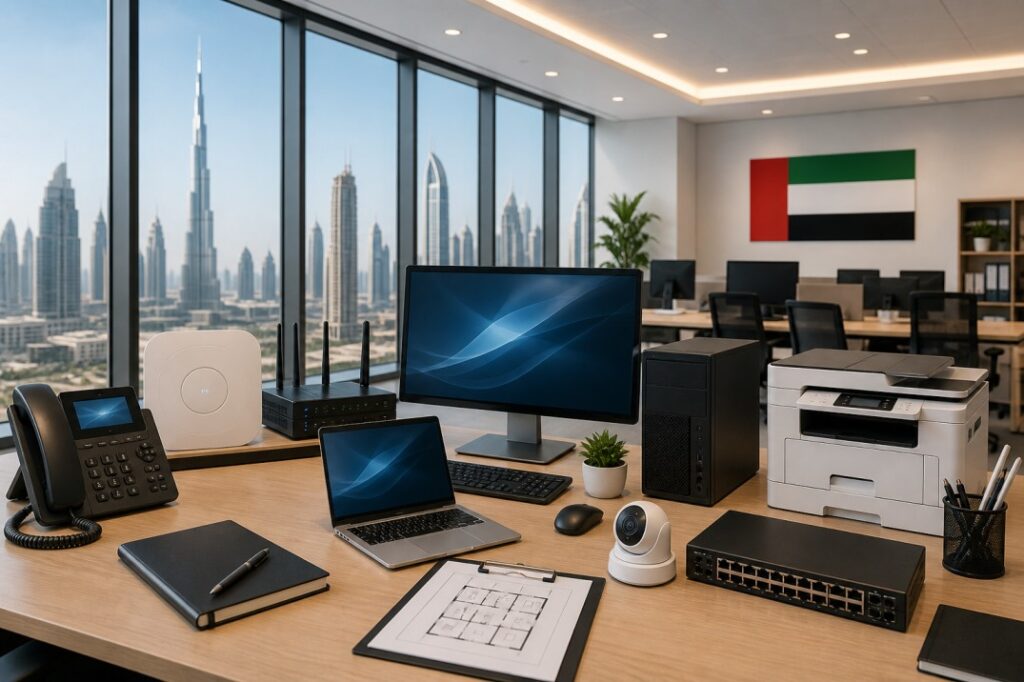 05
May
05
May
Starting an office in the UAE is thrilling; however, making sure that your technology is sorted right from the beginning is key to success. Whether you’re launching a startup in Dubai, expanding to Abu Dhabi, or relocating to a free zone, your IT infrastructure is the backbone of everything you do.
This guide walks you through exactly what you need, in plain language, so you can set up your office IT without confusion or costly mistakes.
The UAE has one of the most digitally advanced business environments in the world. SMEs account for 94% of the country’s businesses, and most of them depend on reliable technology from the first day of operations.
A slow internet connection, a weak network, or poor hardware choices can lose you clients and slow down your entire team. Getting it right upfront saves money, downtime, and frustration later.
The biggest mistake businesses make is buying equipment before planning. Start by asking:
How many employees will work from this office?
Do you need on site servers, or will cloud storage do?
Will staff work remotely or in a hybrid setup?
What software does your business rely on daily?
By connecting with specialists in IT infrastructure setup, you can develop a detailed and configured plan for your new office IT setup and they can also provide an estimated budget for the move.
Planning even a basic IT layout before spending a dirham will save you significantly in the long run.
In the UAE, your main providers are Etisalat (e&) and du. Both offer fiber optic broadband, which is the recommended choice for any business office.
Why fiber? It’s fast, stable, and handles video calls, cloud applications, and multiple users simultaneously without lagging.
For a team of up to 10 people, a 100–500 Mbps fiber plan is usually sufficient. Larger offices should consider 1 Gbps or above, especially if you’re running VoIP phones or heavy cloud applications.
Also, always have a backup internet line. A dual WAN router allows you to switch between connections automatically if one goes down so your business never stops.
Once you have internet sorted, the next step is building a solid internal network. This includes:
Routers and Switches A business grade router (not the basic one your ISP provides) manages your traffic and keeps things secure. Switches distribute the connection across your office devices.
Wi Fi Access Points Don’t rely on a single router for Wi Fi coverage. For a medium sized office, deploy at least 2–3 access points strategically placed to ensure every corner has strong signal.
Structured Cabling Structured cabling complies with industry norms, delivering a trustworthy and scalable foundation for your IT structure.
Cat6 ethernet cables are the standard for UAE offices in 2025. They support speeds up to 10 Gbps and are future proof for most business needs.
Here’s a practical breakdown of what most UAE office setups need:
Computers and Laptops Decide whether your team needs desktops (better performance, lower cost) or laptops (flexibility for hybrid work). For most UAE businesses, a mix of both works well.
Printers and Scanners A multifunction printer that handles printing, scanning, and copying is standard. Look for models with wireless printing and support for Arabic fonts essential for UAE businesses.
Monitors and Peripherals Dual monitors improve productivity significantly for roles involving data, design, or finance. Invest in quality keyboards, mice, and headsets, especially if staff are on calls regularly.
UPS (Uninterruptible Power Supply) Power fluctuations can damage equipment and cause data loss. A UPS keeps your machines running safely during outages and protects hardware from voltage spikes.
You can browse a wide range of business ready laptops, monitors, and networking accessories at GadgetlyUAE to find the right fit for your office budget and size.
Smaller offices in the UAE can often skip expensive on site servers entirely and go fully cloud based with Google Workspace or Microsoft 365. These platforms give you:
Business email with your domain
Cloud storage (Drive or OneDrive)
Video conferencing (Meet or Teams)
Collaborative documents
For larger businesses or those handling sensitive data (finance, healthcare, legal), an on site NAS (Network Attached Storage) or a hybrid cloud server setup gives more control.
Server installation services help select and install the most appropriate servers for your business requirements which may include incorporating cloud solutions to improve adaptability and scalability.
Cybersecurity is not optional in the UAE. The country has strict data protection laws, and businesses are increasingly targeted by phishing, ransomware, and data theft.
Here’s your essential UAE office cybersecurity checklist:
Firewall Install a hardware firewall at the network level
Antivirus Software Deploy on every machine in the office
VPN Essential if staff work remotely or access sensitive systems
Strong Password Policy Use a password manager and enable two factor authentication
Regular Backups Back up data daily, both locally and to the cloud
Employee Training Most breaches happen because of human error, not software failure
A trustworthy IT system ensures your team can work in a secure zone, especially if you have work from home, remote work, or a hybrid work module in your plan.
Your team needs to communicate efficiently from day one. Here’s what most UAE offices set up:
VoIP Phones Internet based phone systems cost far less than traditional lines and offer features like call recording, extensions, and international calling
Messaging Platforms Microsoft Teams, Slack, or WhatsApp Business for internal communication
Video Conferencing Zoom or Google Meet for client calls and remote meetings
Business Email Always use a domain based email ([email protected]) it looks professional and builds trust
Working with a trusted IT solutions provider in UAE can help select the best licensed software based on your budget.
Using pirated software is not only illegal in the UAE it also exposes your business to massive security risks. Common licensed tools UAE businesses use include:
Microsoft 365 Word, Excel, Teams, Outlook
Zoho or QuickBooks Accounting and CRM
Adobe Creative Cloud For design focused businesses
Industry specific software ERP, POS, or project management tools
Your IT infrastructure must be scalable and expandable to accommodate the growth of your organization. When purchasing switches, routers, and cloud services, make sure you only purchase scalable equipment.
Buy switches that come with additional ports, consider upgrading cloud services easily, and use modular servers in case you prefer going on premises.
Having a proper IT infrastructure will save you lots of money in the future.
Even with a solid setup, things break. Having a reliable IT support partner in the UAE means:
Quick response in case something goes wrong
Maintenance and upgrades
Onboarding assistance for new employees
An IT expert who understands your infrastructure well
By working with IT support partners, you can save a lot of time, but most importantly, prevent potential issues that were experienced by a marketing startup in Business Bay who worked with a managed services provider and set up their office in less than 2 weeks.
Whichever route you choose, be sure not to go at it alone.
Here’s a quick reference for a 5-10 person office:
Item | Recommended Spec |
Router | Business grade dual WAN (TP Link ER605 or similar) |
Switch | 24 port Gigabit managed switch |
Wi Fi Access Points | Ubiquiti UniFi or TP Link EAP series |
Computers | Core i5/Ryzen 5, 16GB RAM, SSD |
Printer | HP LaserJet Pro multifunction |
UPS | APC Back UPS 1500VA |
NAS (optional) | Synology DS923+ |
Internet Speed | Minimum 200 Mbps fiber (1 Gbps recommended) |
For the best deals on these and similar products, check out the latest offers at GadgetlyUAE your go to destination for business tech in the UAE.
For a team of up to 10 people doing standard tasks (emails, video calls, cloud apps), a 100-300 Mbps fiber connection works well. For larger teams or data heavy work, go for 500 Mbps or 1 Gbps.
For startups and small businesses, cloud storage (Google Drive or OneDrive) is more cost effective and easier to manage. Larger businesses with compliance or data control needs should consider hybrid setups with both cloud and local servers.
At minimum: a hardware firewall, antivirus on all devices, VPN for remote access, two factor authentication on all accounts, and regular cloud backups. UAE data protection laws make security a legal requirement, not just a best practice.
Basic setups can be done in house, but for structured cabling, server installation, or network design, it’s worth hiring a professional. Mistakes in network setup can cost more to fix than the initial installation.
Microsoft 365 (most popular), Google Workspace, Zoho CRM, QuickBooks for accounting, and Slack or Teams for communication. Always use licensed versions to stay compliant with UAE regulations.
A basic 5-10 person office setup including hardware, networking, and software typically costs between AED 15,000 to AED 50,000 depending on quality and scale. Cloud first setups are on the lower end; server based setups are higher.
Free zone infrastructure is generally well developed, with IT support services including telephone and high speed internet connections. Free zone authorities also provide different support services and facilities to help investors and entrepreneurs establish their businesses. However, internal office IT setup computers, internal networks, security is still your responsibility.
Getting your company IT set up in the UAE does not have to be such a daunting task. Simply take your time and walk yourself through every single component, starting with the internet and networking, followed by the actual hardware, cybersecurity, and finally the necessary support.
Begin by assessing your current requirements, and plan ahead for your future in two years. In the process, ensure that you do not make compromises in terms of cybersecurity and back-up systems.
If you are now in the market for your office technology equipment, then look no further than GadgetlyUAE.
 05
May
05
May
A business network is only as safe as the protection around it. Today, even a small office depends on internet connected devices for email, cloud apps, file sharing, online meetings, and customer communication. That is why a firewall is not a luxury item anymore. It is one of the most important parts of a business IT setup.
For UAE businesses, the challenge is not just buying any firewall. The real challenge is choosing one that fits your office size, your team’s daily work, your internet usage, and your future growth. A firewall that is too basic may leave your business exposed.
This guide will help you understand what a firewall does, why it matters, what features to look for, and how to choose the right one for your business. The goal is simple: help you make a practical decision that protects your company without making your network complicated.
A firewall is a security device or software that helps control the traffic entering and leaving your network. You can think of it as a digital gatekeeper. It checks the traffic, allows trusted connections, and blocks unwanted or risky activity.
In a business environment, this matters because your office network is constantly interacting with the internet. Employees open websites, send files, use cloud tools, join video meetings, and connect different devices. Without a firewall, your network has far less control over what is allowed through.
A firewall does not solve every security problem on its own, but it plays a major role in reducing risk. It helps create a safer boundary between your internal business network and the outside world.
Many businesses think security is only a concern for large companies. That is a common mistake. Small and medium businesses are often targeted because they may not have strong security systems in place.
A firewall helps protect your business from unauthorized access, suspicious traffic, and some kinds of malicious activity. It can also help you control how employees use the network. For example, you may want to limit certain types of websites, manage remote access, or separate guest devices from office devices.
For UAE businesses, this is especially important because many offices use a mix of laptops, desktops, mobile devices, printers, cloud services, and remote work tools. The more connected your office becomes, the more important it is to control your traffic properly.
Before buying, it helps to understand the main types of firewalls. You do not need to become technical, but you should know the basics.
A hardware firewall is a physical device placed between your office network and the internet. It is commonly used in business environments because it can protect the whole office at once.
A software firewall is installed on a computer or server. It protects that specific device, not the entire network.
Some businesses use both. That is often the strongest approach. The hardware firewall protects the office network, while software firewalls add another layer of defense on individual devices.
There are also more advanced firewalls designed for businesses that need deeper traffic inspection, application control, VPN support, and detailed reporting. These are often called next generation firewalls or business grade firewalls.
A firewall should do more than just block traffic. It should help your business operate safely and smoothly.
First, it should inspect traffic and filter out anything suspicious. Second, it should support your office structure, whether you have one branch or multiple locations. Third, it should give you enough visibility to understand what is happening on your network.
A good firewall should also allow you to create policies. For example, you may want guest WiFi separated from internal systems, or remote workers limited to certain applications. This kind of control matters because not every device in the office should have the same access.
If your business is still building its network setup, it may help to read your related guides on Best WiFi Router for Office UAE, Access Point vs Mesh WiFi for Office Spaces, and What is a PoE Switch and When Do You Need It?.
The best firewall is not always the most expensive one. It is the one that matches your business needs.
A five person office does not need the same firewall as a fifty person office. More users mean more traffic, more devices, and more strain on the network.
If your team mostly checks email and uses simple cloud tools, your firewall needs may be moderate. If your business uses video conferencing, large file transfers, remote logins, or cloud based software all day, you need stronger performance.
If employees work from home or connect to office systems from outside, your firewall should support secure remote access. This is important for modern business operations.
Your firewall should be able to support future expansion. If your office may grow in the next one or two years, choose a device that can handle more users and more traffic later.
Some firewalls are powerful but complicated. If you do not have a full IT team, choose something manageable. A simple dashboard and clear reports can save a lot of time.
There are many firewall features, but some matter more than others for business buyers.
One important feature is traffic filtering. This helps block unwanted connections and control access.
Another important feature is VPN support. If your staff needs to connect securely from outside the office, VPN capability is very useful.
Logging and reporting are also important. These features help you see what is happening on the network and identify unusual activity.
Some businesses also need application control. This allows you to manage which apps can be used and when.
If your office has guest users, you may also want network segmentation. This keeps guest traffic separate from internal business systems.
These features can sound technical, but the idea is simple. The firewall should help you protect your business without disrupting work.
A firewall is not only about security. It can also affect productivity.
If a firewall is too weak, your network may become unstable or exposed. If it is too complex, your staff may face delays and access problems. The best firewall supports both security and smooth work.
That is why businesses should not buy a firewall in isolation. It should be part of the wider office IT plan. Your router, switch, access points, laptop setup, and firewall should work together.
For example, if you use multiple monitors, docks, and office laptops, your internal setup should already be well planned.
Also Read: Best Laptop Accessories for Business in 2026 and Best Docking Stations for Business Laptops in UAE can support that larger office workflow.
One of the most common mistakes is buying a firewall only because it is popular. A well known brand does not automatically mean it is the right fit for your office.
Another mistake is underestimating future growth. Some businesses choose a small device and then outgrow it within months.
A third mistake is ignoring setup and management. A firewall that is never configured properly will not protect your office well.
Some businesses also forget that firewalls are only one part of security. They still need updates, strong passwords, employee awareness, and backups.
It may seem cheaper to buy a basic firewall and upgrade later. But that often creates more cost in the long run.
If your firewall cannot handle your workload, you may face downtime, poor performance, or another replacement sooner than expected. If your network is poorly protected, the cost of a security incident can be far greater than the price of the hardware itself.
A good firewall is an investment in continuity. It helps keep your office running and reduces the chance of major problems.
Think of the firewall as one layer in a larger system. It works best when supported by the rest of the office setup.
Your router brings the connection in. Your access points spread WiFi around the office. Your switches connect wired devices. Your firewall protects the network boundary. Your laptops, servers, and cloud tools depend on that structure.
That is why a strong network design matters. If you are building your office setup from scratch, your readers may also benefit from your existing guides on How to Choose the Right Server for Your Business in Dubai, Best Business Laptops in UAE for 2026, and SSD vs HDD for Business.
If you run a small office, choose a firewall that is simple, reliable, and easy to manage. If you are a growing business, choose one that can handle more traffic and more users in the future. If your work involves remote access, customer data, or sensitive internal files, choose a firewall with stronger control and better visibility.
The right firewall should make your business safer without making life harder for your team. That is the real goal.
A smart purchase today can prevent a lot of trouble tomorrow. For UAE businesses, that makes a firewall one of the most practical technology decisions you can make.
A firewall is a security tool that controls the traffic going in and out of your network. It helps block unwanted or suspicious connections.
Yes. Even small businesses use internet connected devices and cloud tools, so a firewall helps reduce risk and protect the network.
A hardware firewall protects the whole office network, while a software firewall protects one device. Many businesses use both for stronger security.
Look for traffic filtering, VPN support, logging, reporting, application control, and the ability to separate guest and internal traffic.
No tool can guarantee complete protection. A firewall is an important layer of defense, but it should be part of a wider security strategy.
Think about how many users, devices, and cloud tools your office uses now, and how much it may grow in the future.
Some firewalls are simple to manage, while others need technical support. Choose one that matches your team’s experience and IT support level.
Yes. If your traffic, users, or security needs increase, your firewall should grow with your business.
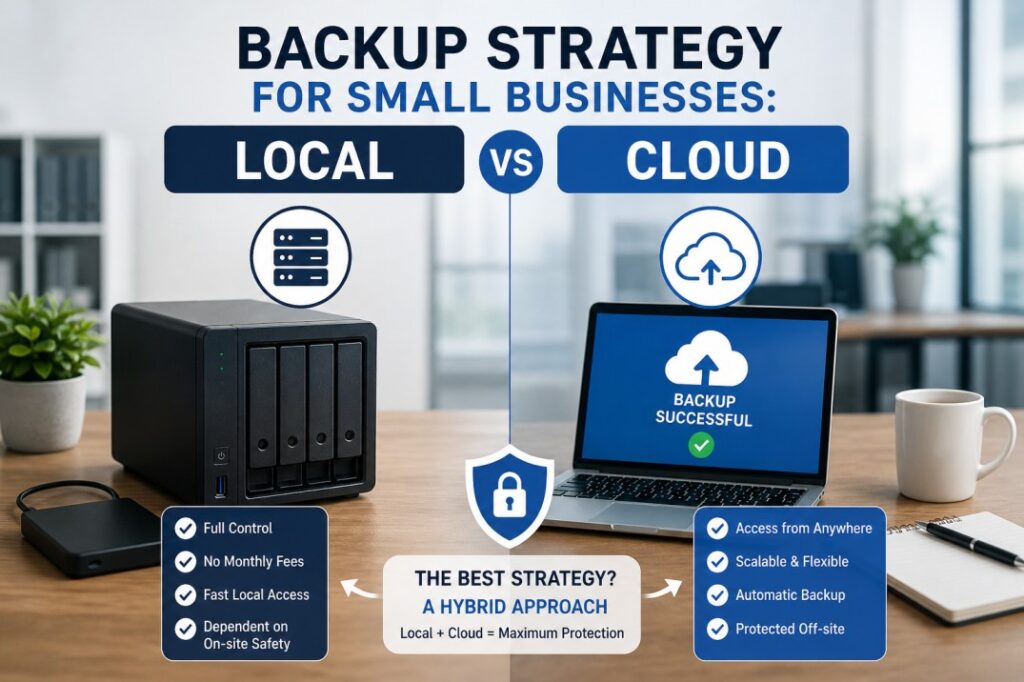 05
May
05
May
A proper backup strategy is a crucial component of an IT setup for any samll businesses. This approach will secure your information including all documents, personal data, invoices, project related materials, and operational files.
In case of the laptop breakdown, hard drive damage, or encryption by the ransomware, your backups may be your last hope in terms of avoiding serious consequences for your company.
CISA advises small businesses to follow a particular strategy which is called 3-2-1: i.e. have three copies of critical data, two different media of storage and at least one copy stored off site.
NIST also encourages SMBs to perform regular backups and protect their backups. The key concern of every small business in relation to the discussed matter is fairly straightforward: what type of backup should you implement: cloud, local or hybrid?
The answer depends on how your business works, how much data you handle, how quickly you need to restore files, and how much risk you are willing to accept. In many cases, the strongest answer is not local backup or cloud backup alone, but a well planned hybrid backup strategy.
Creating a backup does not simply mean moving files to other locations. It requires a strategy for safeguarding company information and recovering it in case of failure. This involves determining which information will be backed up, the frequency of the backups, their storage location, retention period, and the process of restoring them quickly.
Both NIST and CISA stress that a backup should form part of a more comprehensive recovery process, rather than being a storage approach.
In smaller organizations, this is crucial since data loss occurs in various ways. For instance, a laptop may be stolen, information accidentally deleted, servers become faulty, files may be encrypted by a ransomware attack, and even a mere power disruption may lead to an outage. An efficient backup solution decreases the impact of such problems and enables organizations to recover faster. According
CISA’s ransomware guidance specifically warns that attackers often try to delete or encrypt backups that are still accessible, which is why backup design matters so much.
A local backup is simply a duplicate of the data saved at your workplace premises or in close proximity to it. It can be stored in an external hard disk, USB drives, network attached storage, a local server, or any other similar device within the reach of your office.
According to the cloud and on premise solutions guide from Microsoft, an on premise system is controlled directly by the organization, whereas a cloud based system is run by the provider but accessible over the internet. The distinction here is crucial because you will have complete control over your local backup.
Local backups are often attractive because they are simple to understand and can be restored quickly when the data is nearby.
For example, if one employee deletes a folder or one computer fails, a local backup can often be easier to access immediately than a remote copy.
That is a practical advantage for small offices that need fast recovery without depending fully on internet speed. This is an inference based on the fact that the data is stored on site and managed locally.
A cloud backup is a form of backup where your business data is stored by an external company and allows you to access it via the internet.
According to Microsoft, cloud storage is an arrangement where the data is provided and managed by a service provider in their data centers and accessed by the business through the internet.
Cloud backups are particularly beneficial to small companies due to their off site nature. In the event that the offices of a business are destroyed by fires, floods, theft, and ransomware attacks, backups can still exist in cloud based form.
CISA emphasizes that at least one backup should remain off site and offline in case of any ransomware attacks.
The fundamental distinction lies in the difference between convenience and control. A local backup system allows direct and instant access to your data. It might prove effective in restoring data quickly and function without an internet connection. However, it becomes vulnerable if your backup and your system are located in the same office and subject to threats.
According to CISA, the best practice is to store one of the copies off site. The cloud backup system provides off site security and disaster recovery services. It serves its purpose when physical damage or loss is expected and when the company uses cloud applications extensively. The disadvantage is that restoration is impossible without an internet connection.
Microsoft’s guidance on cloud storage and backup shows that these systems are managed remotely and accessed over the internet, which is both a strength and a dependency.
For most small businesses, the better question is not “which one wins?” but “which one fits our recovery needs?”
In case you require rapid restoration services in case of any accidental data loss, local backup becomes an effective tool. If disaster recovery, ransomware attack, or any kind of theft is a concern, then it might be more effective to choose cloud based backups. If you wish to get the best of both worlds, go for a hybrid approach.
Hybrid backups work out as the most efficient solution for a small business. They offer the advantage of having both speed and security. In case downtime is unacceptable for a company, then it makes perfect sense.
Local backup will suit well in the scenario when quick and simple recovery is needed along with minimal data to back up. Local backup works efficiently in the context of dynamic office files that require swift restoration.
In addition, local backup is recommended in case of poor connectivity or when there is a requirement to have backup available even during a network failure.
Local backup will be appropriate for small groups of users seeking total control over data storage location. In case an organization requires its internal data files to be backed up within the same office premises, local backup will appear simpler to use.
But even then, it should not be your only backup layer because CISA warns that accessible backups can be targeted by attackers.
There are several reasons why cloud backup might be the best option for a business in a situation where it desires protection away from the local environment but does not need to have a backup system.
For example, businesses with remote workers or multiple offices benefit significantly from cloud based backup. Another scenario in which cloud based protection becomes an excellent solution is when one seeks to lower the risk of losing their production files and backup due to an office related incident.
CISA’s guidance on offline and off site backups is very clear on this point: backups should not be sitting in the same place, exposed in the same way.
A hybrid backup strategy combines local and cloud backup. In practice, this means you keep one fast local copy for quick restores and one cloud copy for disaster recovery. That is very close to the 3-2-1 backup idea recommended by CISA and NIST-related guidance.
For small businesses, hybrid backup offers the best balance. You are protected if a laptop fails, if a user deletes a file, if a server crashes, or if something much bigger affects the office. CISA’s ransomware guidance also stresses offline backups and restoration testing, which is another reason not to rely on a single method.
The right frequency depends on how much data changes. If your business handles daily invoices, client files, or operational records, backups should run daily or even more often for critical systems. The important point is that backups must be regular and tested. NIST says small businesses should regularly back up data and establish measures to protect and test those backups.
A backup that cannot be restored is not a useful backup. This is why testing matters. CISA and NIST both emphasize restoration readiness, because a backup plan only works when you know the recovery process actually works.
One common mistake is backing up data to a device that stays connected all the time and is not separated from the main system. That can make the backup vulnerable during a ransomware attack. CISA specifically warns that accessible backups are often targeted.
Another mistake is not testing restores. Many businesses assume the backup is fine because the file copy exists. NIST and CISA both recommend testing and maintaining the backup process so recovery is actually possible.
A third mistake is keeping only one backup type. If the office copy is lost, or the cloud account is inaccessible, there is no fallback. That is exactly why the 3-2-1 method is so widely recommended.
Also read: How to Choose the Right Server for Your Business in Dubai,
Best Business Laptops in UAE for 2026,
How Cybersecurity Risks Are Increasing for Small Businesses in UAE,
Best WiFi Router for Office UAE.
For the majority of small companies, the ideal option will be to develop a hybrid backup strategy. One should retain a local copy for swift data retrieval and store copies on the cloud for remote accessibility. Adhere to the 3-2-1 principle, practice restore operations on a regular basis, and incorporate backup procedures into your overall business continuity and cybersecurity framework.
A hybrid backup strategy is often the best choice because it combines a local copy for fast restores with a cloud copy for off site protection. The approach aligns with the 3-2-1 backup rule.
Cloud backup is stronger for off site disaster recovery, while local backup is often faster for immediate restores. Many small businesses use both.
It means keeping three copies of important data, using two different storage media, and storing one copy off site. CISA recommends this rule for backup planning.
Backups should be made regularly based on how often data changes. NIST advises small businesses to back up data regularly and protect and test those backups.
Offline backups are harder for ransomware attackers to reach, delete, or encrypt. CISA recommends keeping backups offline and separately stored.
Yes, but relying on only one method can increase risk. A hybrid approach usually gives better protection and recovery flexibility.
Start with critical business data such as client files, invoices, financial records, email data, project documents, and any system settings needed for recovery. This follows the general NIST and CISA guidance to protect the most important data first.
ABOUT US
Gadgetly is an IT trading company based in the UAE supplying computer systems, networking products, peripherals, and technology accessories across the region. Through our online platform, customers can source genuine IT products with reliable delivery options and competitive pricing.

Gadgetly ©2026 . All Rights Reserved. TL No – 2306964
Get an instant 10% off on 1st Purchse