Shopping Cart (0)
Close


No products in the cart.
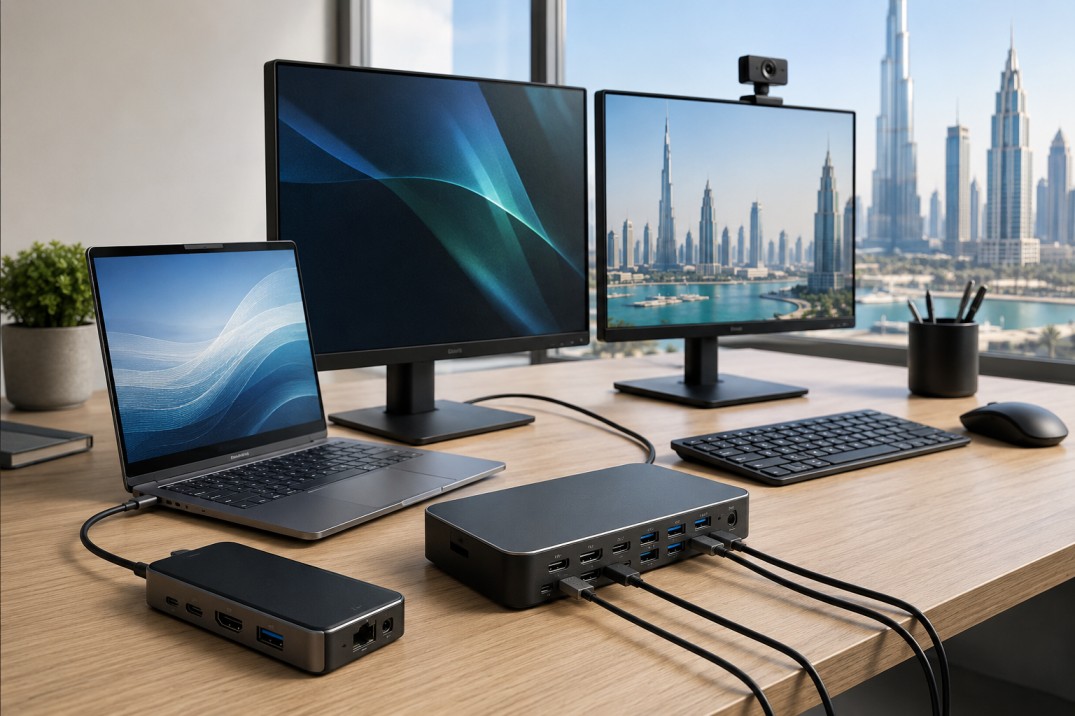
Docking stations can greatly simplify office work.
They facilitate transforming your laptop into a desktop computer. This allows connecting a monitor, keyboard, mouse, Ethernet cable, speaker, and power supply to a laptop from one gadget. This simplifies the process, eliminates clutter, and increases efficiency.
The use of docking stations is highly beneficial for most enterprises in the UAE.
If your office is still building its setup, this topic connects well with our guides on Best Laptop Accessories for Business in 2026, Office IT Setup Guide UAE for Small Businesses, and Best WiFi Router for Office UAE.
A docking station is a tool which increases the number of ports on a laptop computer.
Modern laptops designed to be used in business environments are usually lightweight and compact. This makes them convenient for traveling but not so useful when working from a desk.
Docking stations can solve this issue.
You plug one cable into the laptop, and the dock connects everything else. This makes the desk simpler and faster to use.
A docking station becomes handy when you use your laptop as a primary workstation.
It becomes extremely useful when you:
have one or two monitors
require wired internet connectivity
prefer working at the same table often
utilize keyboard and mouse
want to keep a clean workspace.
It saves time too. You do not need to connect every device separately each time you sit down.
There are a few types of docking stations.
This is the most popular type.
It serves well for the majority of modern laptops used for business purposes and is often sufficient for office needs.
It will suit users requiring higher speeds and display performance.
It is a suitable option for people using several monitors or complex programs.
This is useful in offices with different laptop brands.
It gives flexibility when not everyone uses the same machine.
Before buying a docking station, check a few things.
Not every dock works with every laptop.
Check whether your laptop supports USB-C, DisplayPort, or Thunderbolt.
Consider how many monitors you have.
In case you use just one monitor, almost all types of docks can be used.
For dual monitors, a dock that can support dual displays should be considered.
There are some docks that also charge the laptop.
This feature is very convenient because you don’t have to carry an extra charger.
Look at the devices you use every day.
You may need:
USB ports
HDMI or DisplayPort
Ethernet
audio jack
SD card slot
Docking stations are meant to be used daily. Hence, their durability is important. Buying an inexpensive one can save money for now, but in most cases, a higher quality product pays off in the long run.
The best setup depends on your work style.
If you work on emails, documents, and web browsing, the USB-C dock might do just fine.
In case your office uses large files, multiple monitors, or design software, the Thunderbolt dock might be the way to go.
For an office where there are multiple types of laptops used by different users, a universal dock is generally the best choice.
Many offices in the UAE use compact desks and hybrid work setups.
A docking station helps keep the desk clean and work efficient. It also makes it easier to move between office and home.
People often buy the wrong dock because they do not check the details.
Here are some common mistakes:
buying without checking laptop compatibility
purchasing docks that cannot accommodate more than two monitors
neglecting the charging capacity of the dock
opting for inexpensive models with poor quality
buying extra features that the office does not require
It is always better to choose based on real use, not just on brand name or price.
A USB-C dock is usually enough.
A Thunderbolt dock is better.
A universal dock gives more flexibility.
A dock with multiple ports and easy plug in support is a good choice.
A docking station is one of the most useful accessories for a business laptop.
It makes the desk neater, saves time, and improves the daily work experience.
The right choice depends on how your team works, how many monitors you use, and what laptop ports you have.
For many UAE businesses, a good docking station is not just an extra accessory. It is part of a better office setup.
It connects many office devices to a laptop through one setup.
No. Compatibility depends on the laptop’s port type and support.
Thunderbolt is usually better for heavy use, but USB-C is enough for many office users.
Yes, many docking stations support charging.
That depends on the model. Some support one screen, while others support two or more.
Yes, especially if different laptop brands are used in the same office.
If you use a laptop daily with monitors, keyboard, mouse, and Ethernet, then yes, it is very useful.
ABOUT US
Gadgetly is an IT trading company based in the UAE supplying computer systems, networking products, peripherals, and technology accessories across the region. Through our online platform, customers can source genuine IT products with reliable delivery options and competitive pricing.

Gadgetly ©2026 . All Rights Reserved. TL No – 2306964
Get an instant 10% off on 1st Purchse