Shopping Cart (0)
Close


No products in the cart.
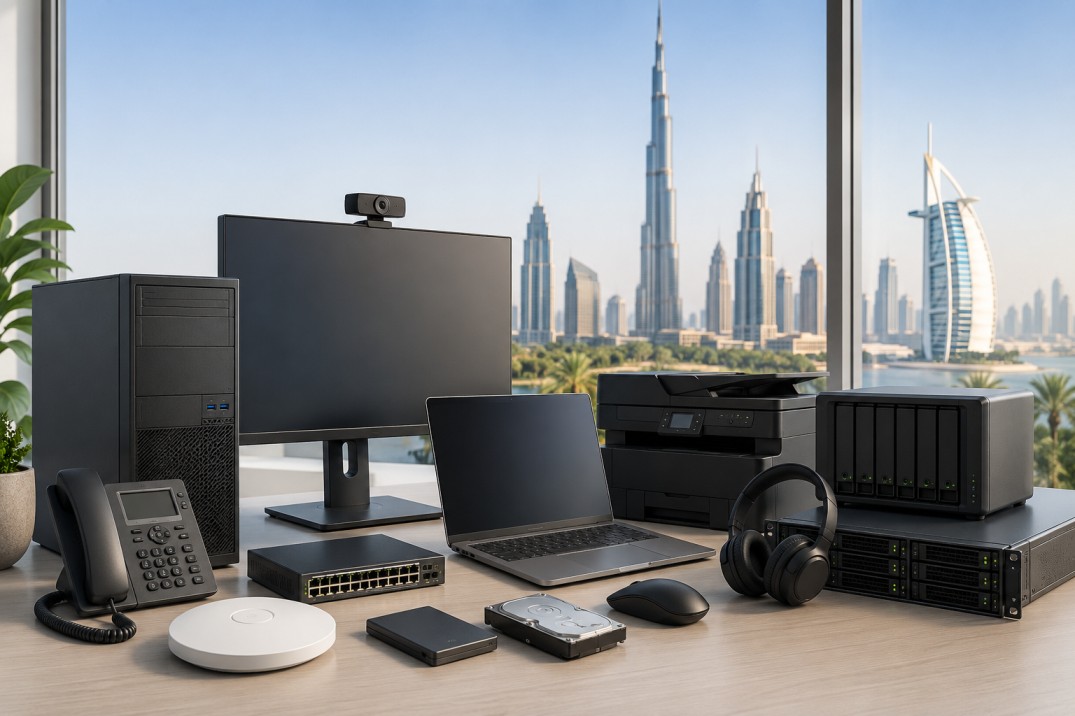
Buying IT hardware for a business is not easy anymore. It is due to the large number of available options and technical terminologies, which may be overwhelming for a business owner. Often times, firms invest in equipment that is either too costly for their requirements or too underpowered to meet the demands of day to day operations.
The good news is that selecting the right office hardware becomes much simpler when you focus on how your business actually works.
If you are planning a new office setup or upgrading old devices, this guide will help you make smarter decisions.
Best WiFi Router for Office UAE, Firewall Buying Guide for UAE Businesses, and Backup Strategy for Small Businesses: Local vs Cloud.
Good hardware helps employees work faster and with fewer problems.
Slow laptops, weak WiFi, poor storage, and unstable office networks waste time every day. Over time, those small delays reduce productivity and increase frustration.
The right setup improves:
work speed
communication
security
collaboration
reliability
This is why IT hardware should be seen as a business investment, not just an expense.
Before making any purchase, consider these factors:
How many employees will use the system?
Will employees work remotely?
Do you use heavy software or mostly web applications?
How much storage do you need?
Will the business grow soon?
These questions help you avoid buying the wrong equipment.
A small office with five employees does not need the same setup as a company with fifty employees.
Here are the main hardware categories most UAE businesses should focus on.
Hardware | Why It Matters |
Business laptops | Main work device |
Monitors | Better productivity |
Docking stations | Cleaner desk setup |
Routers & WiFi | Stable internet |
Switches & access points | Better office networking |
Backup storage | Protects business data |
Firewall | Improves security |
UPS backup | Prevents sudden shutdown issues |
A good office setup does not always mean buying expensive products. It means buying the right products.
The laptop is the most important device for most businesses.
A good business laptop should be:
reliable
fast enough for daily work
easy to carry
future ready
For normal office work, most businesses should focus on:
Intel Core i5 or higher
16GB RAM
SSD storage
Windows 11 compatibility
Avoid buying the cheapest consumer laptops for office work. They may save money at first but often create more issues later.
If you are comparing processors, our guide on Intel Core i5 vs i7 vs Ultra Series can help you understand the differences.
You can also read:
Organizations often overlook the necessity of having high quality monitors. Employees who work on spreadsheets, emails, reports, or design tasks usually work faster with larger screens.
The use of dual monitors is rapidly increasing since it allows employees to multitask effectively.
For Office Tasks:
24 inch monitors are perfect for most individuals
27 inch monitors are recommended for multitasking
IPS monitors offer improved visual quality.
A good monitor setup reduces eye strain and makes work more comfortable.
Modern laptops are thin and portable, but they often have limited ports.
That is why docking stations are useful.
A docking station allows employees to connect:
monitor
keyboard
mouse
Ethernet
charger
storage devices
through one connection.This creates a cleaner desk setup and saves time every day.
If your office uses hybrid work or shared desks, docking stations become even more useful.
Even powerful laptops feel slow if the office network is weak.
A proper business network should include:
business router
access points
switches
structured cabling
Small offices may only need one router and one access point. Larger offices may need multiple access points for stable WiFi coverage.
If your office has dead zones or weak internet, it usually means the WiFi setup is not designed properly.
Our networking guides can help:
Many small businesses think firewalls are only for large companies.
That is not true.
A firewall helps protect the office network from:
cyberattacks
suspicious traffic
unauthorized access
malware
As businesses rely more on cloud apps and online work, network security becomes more important.
A firewall is especially useful if employees:
work remotely
access shared business files
use online systems daily
One of the biggest mistakes businesses make is ignoring backup planning.
Business data includes:
invoices
customer records
contracts
project files
emails
financial data
If that data is lost, work may stop completely.
That is why every business should have a backup strategy.
There are three common backup options:
Backup Type | Best For |
External SSD | Quick local backup |
NAS Storage | Office file sharing |
Cloud Backup | Off-site protection |
Most businesses should use a combination of local and cloud backup.
This gives better protection if:
a laptop fails
ransomware attacks happen
files are deleted accidentally
hardware gets damaged
A UPS (Uninterruptible Power Supply) protects devices during power issues.
Many businesses ignore this until something goes wrong.
A UPS helps protect:
routers
servers
NAS devices
desktop PCs
from sudden shutdowns and data corruption.
Even a small UPS can prevent major problems during power interruptions.
Many people ask:
“Can I just buy normal consumer devices?” Sometimes yes, but business hardware is usually better for office use.
Business grade devices are designed for:
longer daily usage
better reliability
improved support
stronger security
A home router may work for a tiny office, but a business router usually performs better when many users are connected.
The same applies to laptops and networking devices.
Here are some common mistakes businesses make.
Buying only based on price – Cheap devices may create long term problems.
Ignoring future growth – Always think about the next 2-3 years.
Choosing consumer grade networking – Office networks need stability.
No backup planning – Data loss can stop operations completely.
Ignoring security – Security should be part of the setup from day one.
Office Size | Recommended Setup |
1-5 users | Business laptops, router, cloud backup |
5-20 users | Docking stations, access points, firewall |
20+ users | Managed network, NAS storage, UPS, advanced security |
This is not a fixed rule, but it gives a good starting point.
The best IT hardware setup is not the most expensive one.
It is the setup that helps your business work smoothly every day.
A strong office setup should focus on:
reliability
security
productivity
future growth
Start with the basics:
good laptops
stable networking
proper backup
strong security
Then improve the setup as the business grows.
When the right hardware works together properly, employees work faster, downtime reduces, and the whole office becomes more efficient. That is why smart IT buying decisions matter.
Most small businesses need laptops, WiFi networking, backup storage, and basic security tools.
Usually every 3-5 years depending on performance and business needs.
Yes. Business laptops are generally more reliable and better for long-term office use.
Backup protects important business data from accidental deletion, hardware failure, or cyberattacks.
It depends on office size, but most businesses need a business router, access points, and stable WiFi coverage.
Cloud backup is useful, but many businesses benefit from both local and cloud backup together.
Docking stations make it easier to connect monitors, keyboard, mouse, and charging through one setup.
Ignoring backup and security planning is one of the biggest mistakes.
ABOUT US
Gadgetly is an IT trading company based in the UAE supplying computer systems, networking products, peripherals, and technology accessories across the region. Through our online platform, customers can source genuine IT products with reliable delivery options and competitive pricing.

Gadgetly ©2026 . All Rights Reserved. TL No – 2306964
Get an instant 10% off on 1st Purchse