Shopping Cart (0)
Close


No products in the cart.
 05
May
05
May
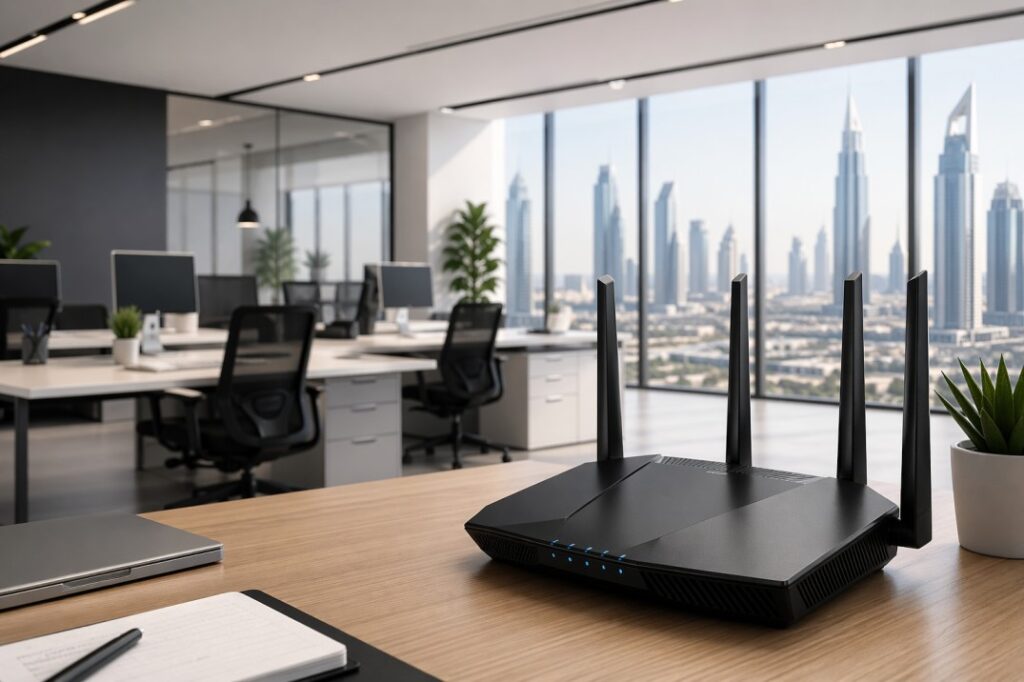
A business WiFi router is one of the most important parts of an office network. It decides how fast your team works, how stable video calls feel, how well files move across devices, and how safe your network stays.
For small businesses, the right router often comes down to four things: speed, security, flexibility, and the number of devices you need to support.
If your office is small, a strong single router may be enough. If your team works across multiple rooms, floors, or device heavy spaces, a mesh system or a router plus access point setup may be the better choice because it helps reduce dead zones and handle more connected devices.
A WiFi router connects your office to the internet and shares that connection with all your devices.
This includes:
Laptops
Phones
Printers
CCTV cameras
VoIP phones
In a business environment, a router must handle multiple users and heavy traffic at the same time.
You should upgrade your router if you face:
Slow internet speed
Frequent disconnections
Poor WiFi coverage
Video call issues
Too many connected devices
You also need a better router when your office depends on real time work. That includes
VoIP calling,
cloud applications,
shared drives,
CCTV,
printers, and
conference room systems.
In those cases, QoS support, VPN support, and stable wired ports become more important than just the top headline WiFi speed.
Here is the easiest way to understand the setup:
Internet
↓
Office Router
↓
PoE Switch
├── Ceiling Access Points
├── IP Cameras
├── IP Phones
└── Access Control Devices
This layout is common in business environments because it separates internet routing from device distribution.
A PoE switch can power access points and other devices through Ethernet, which reduces cable clutter and makes installation cleaner.
Gadgetly’s Ubiquiti Switch Lite 16 PoE and U6 Enterprise Access Point fit this kind of office design well.
You can also explore networking solutions here:
https://gadgetlyuae.com/product-category/networking-products/
The best office router is not always the most expensive one. It is the one that matches your space, your staff size, and your traffic pattern. For business use, the most useful features are strong security, enough Ethernet ports, good wireless standards, QoS, VPN support, and easy management.
A good router should also support modern WiFi standards. Wi Fi 7 brings wider channels, more capacity, and better support for dense environments, while Wi Fi 6 and 6E are still very practical for many offices.
Office type | Best setup | Why it works |
Small office with few users | High quality single router | Simple, cost effective, and enough for lighter use. |
Growing office with meetings and cloud apps | Router, PoE switch and access points | Better coverage, easier expansion, cleaner wiring. |
Large or multi room office | Mesh or multiple access points | Helps reduce dead spots and supports more connected devices. |
Security focused office | Business router with firewall, VPN, and QoS | Better control over traffic, remote access, and network safety. |
In case of small offices, a single high performance router will be good enough. In case of large offices with thick walls, many rooms, or even many floors, it might be better to use a mesh network since it provides better coverage.
On the other hand, there is another scenario where many businesses would benefit from a combination of office router and access points.
That is where access points like Gadgetly’s Ubiquiti U6 Enterprise become useful.
Before you buy, think about your office size, the number of users, and the devices that need stable internet.
Then check whether the router has enough Ethernet ports, supports secure access, and offers QoS or VPN features.
Also look for WiFi 6, 6E, or 7 depending on how future ready you want the network to be. These are the same core factors most business router guides mention again and again.
If your office also uses cameras, access points, or VoIP phones, consider a PoE switch as part of the setup. It can deliver both data and power over a single Ethernet cable, which simplifies installation and reduces clutter.
Gadgetly’s server and networking category is a useful starting point for office infrastructure planning.
Small Office : A single high quality router is enough.
Medium Office : Router + access points is better.
Large Office : Mesh WiFi or multiple access points is ideal.
Mesh systems help eliminate dead zones.
Conclusion: The best WiFi router for office UAE buyers is not just the fastest one on paper. It is the one that supports your real work: smooth meetings, secure data, stable coverage, and room to grow. If your office is small, a strong router may be enough. If your office is growing, a router plus access point setup with PoE is usually the smarter investment.
The best office router is the one that matches your team size, office layout, and security needs. For small offices, a strong router with good security and QoS is usually enough. For larger offices, a router plus access points or mesh is often better.
A home router may work for very small offices, but business routers are designed with better security, management, and traffic handling in mind. Cisco, Verizon, and HPE all frame business routers around growth, security, and multi user performance.
Wi Fi 7 is worth considering if you want a more future ready setup, especially in a busy office with many devices. Cisco says Wi Fi 7 improves capacity in dense environments, and its 320 MHz channel support is one of the major technical gains over earlier standards.
Mesh would be a wise choice due to its easier full coverage capacity; however, access points would be a more favorable option in office environments due to their increased flexibility and compatibility with PoE switches.
The most critical aspects include QoS, steady bandwidth capacity, reliable security, and dependable wired connections. Business oriented networking experts always recommend routers based on QoS capabilities and VPN support.
Use access points or a mesh system instead of a single router. That said, both types are designed to enhance coverage, but the access points are more relevant in an office setting where there are ceilings, corridors, and different rooms.
Not always, but it becomes very handy when you add ceiling access points, IP cameras, or IP phones. A PoE switch is sending data and power over one cable, which makes office installations neater and easier to manage.
 04
May
04
May
If you are setting up an office network, CCTV system, or WiFi infrastructure, you have probably come across the term PoE switch.
So what is a PoE switch? Do you really need one?
This guide explains everything in terms without any technical confusion.
By the end of it you will know what a PoE switch does when to use a PoE switch and how to choose the PoE switch, for your business
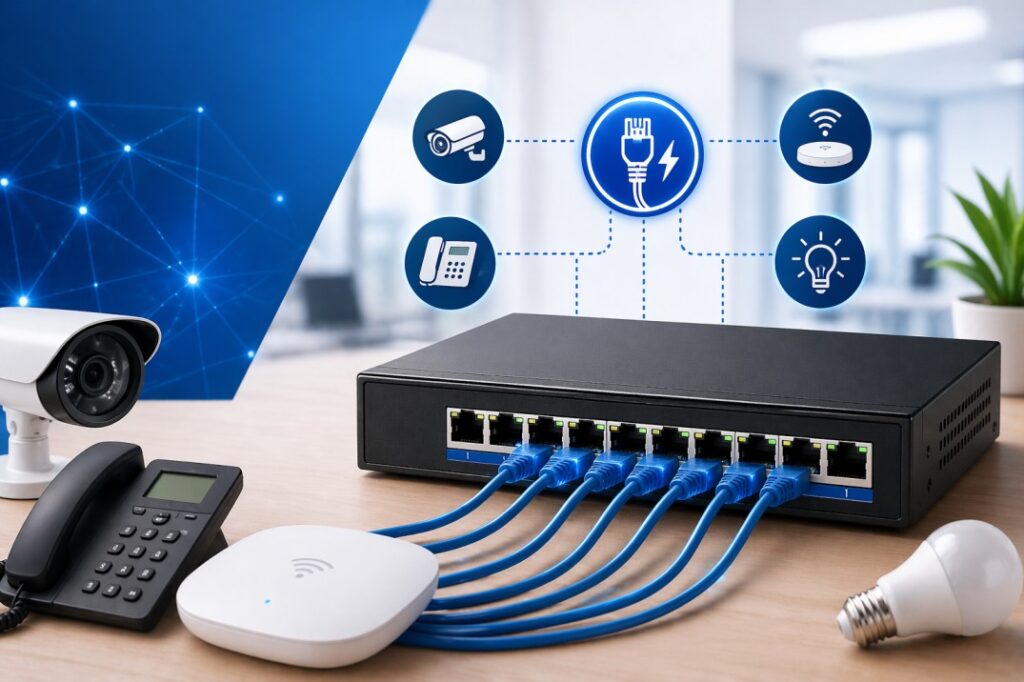
A PoE (Power over Ethernet) is a network switch that can send data and power through one Ethernet cable.
This is really useful for devices like IP cameras and access points.
Normally these devices need two cables:
* One cable for data
* One cable for power
But a PoE switch can do both jobs with one cable. This makes things a lot easier.
Imagine you want to install a security camera on the ceiling.
Without a PoE switch you need:
* A network cable to send data
* A power socket nearby to plug in the camera
With a PoE switch you only need one Ethernet cable from the switch. This cable powers the camera. Sends data at the same time.
That is why PoE switches are used a lot in offices and businesses.
A PoE switch is a help when you are setting up a network.
You can use a PoE switch to power devices, like
IP cameras and
Access points.
This is really convenient. That is why people like to use PoE switches.
A PoE system has two main parts:
This is the PoE switch itself.
It sends power through the Ethernet cable.
This is the device receiving power:
IP cameras
Wireless access points
VoIP phones
The PoE switch checks if a device supports PoE.
|If it does, the switch safely delivers power to that device. The PoE switch and Powered Device work together to make sure power is delivered safely.
The PoE switch is a part of a PoE system. It helps to make sure devices get the power they need.
Not all PoE switches are the same. There are different standards:
Type | Power Output | Use Case |
PoE (802.3af) | Up to 15.4W | IP phones, basic devices |
PoE+ (802.3at) | Up to 30W | Access points, cameras |
PoE++ (802.3bt) | Up to 60-100W | High power devices |
For most offices, PoE+ is the ideal choice.
You don’t always need a PoE switch. But in many business situations, it becomes essential.
Modern offices use ceiling-mounted access points for better coverage.
These devices:
Need power
Are placed far from power sockets
PoE makes installation clean and simple.
PoE is widely used in surveillance systems.
Benefits:
No need for electrical wiring
Easier installation
Centralized power control
In modern offices, VoIP phones replace traditional landlines.
PoE allows:
Clean desk setups
No extra adapters
Central power backup using UPS
PoE is also used for:
Smart lighting systems
Sensors
Access control systems
Only one cable is needed for both power and data.
No need to install power outlets near devices.
Reduces electrical work and infrastructure cost.
You can control power from one location.
Install devices anywhere without worrying about power sockets.
Feature | PoE Switch | Normal Switch |
Power Supply | Yes | No |
Cable Requirement | Single cable | Separate power + data |
Installation | Easy | Complex |
Cost | Higher upfront | Lower upfront |
If your devices need power, a PoE switch is the smarter long-term choice.
Here’s what you should consider:
Choose based on how many devices you will connect.
Example:
Small office: 8 ports
Medium office: 16-24 ports
Each switch has a total power limit.
Example:
8 port PoE switch: 120W total
If each device uses 15W: You can power 8 devices
Unmanaged: Plug and play (simple setups)
Managed: Advanced control (VLAN, monitoring)
Businesses should consider managed switches.
Trusted brands include:
Ubiquiti
Cisco
TP Link
Let’s say you have:
2 WiFi access points
4 IP cameras
2 VoIP phones
Total devices = 8
You would need:
8 port PoE switch
Minimum 120W power budget
1. Ignoring Power Budget : Many users only check port count, not power capacity.
2. Buying Non PoE Devices : Ensure your devices support PoE.
3. Overbuying Advanced Features : Don’t choose managed switches unless needed.
4. Poor Cable Quality : Use good quality Ethernet cables (Cat6 recommended).
If you are planning your setup, explore these categories:
Business IT and infrastructure solutions:
https://gadgetlyuae.com/
Server and networking related equipment:
https://gadgetlyuae.com/product-category/server/
Accessories and connectivity solutions:
https://gadgetlyuae.com/product-category/accessories/
These will help you build a complete professional setup.
Conclusion: A PoE switch is one of the smartest investments for any modern office or business network.
It simplifies installation, reduces cost, and makes your infrastructure cleaner and more scalable.
If your setup includes:
Access points
Security cameras
VoIP systems
Then a PoE switch is not optional it’s essential.
A PoE switch is used to power devices like IP cameras, access points, and VoIP phones using a single Ethernet cable.
Not always. But if you are using security cameras or access points, it is very useful.
Yes. PoE switches automatically detect devices and only send power when required.
PoE provides up to 15.4W, while PoE+ provides up to 30W. PoE+ supports more powerful devices.
Yes. Modern PoE switches are designed to detect compatible devices and prevent damage.
PoE works up to 100 meters using standard Ethernet cables.
No. Standard Ethernet cables (Cat5e or Cat6) work perfectly.
 04
May
04
May
Modern workspaces are evolving fast. In 2026, a powerful laptop alone is not enough to stay productive. No matter whether you perform your tasks in the office environment, hybrid model, or from home, the right laptop accessories will make an enormous difference in your productivity.
From docking stations to external monitors and ergonomic tools, business professionals today rely on a complete setup, not just a device.
This guide will help you choose the best laptop accessories for business in 2026,taking into account various aspects of their practical application.
A laptop is just the starting point. Accessories will help you with:
Enhanced efficiency and multitasking
Reduce physical strain during extended work hours
Expand connectivity options
Create a professional and efficient workspace
For businesses in the UAE and globally, investing in the right accessories means better employee performance and fewer workflow interruptions.
A docking station is one of the key accessories for business users. It turns your laptop into a full workstation instantly.
Connect multiple monitors.
Add USB ports, Ethernet, and audio.
Provide fast charging.
Reduce cable clutter.
Remote workers .
Office professionals.
IT teams managing multiple devices.
Brands like Dell, HP, and Lenovo offer high-performance docking stations compatible with most business laptops.
If you are building a professional setup, pairing your laptop with a docking solution is essential. You can explore compatible options in our server and infrastructure category:
https://gadgetlyuae.com/product-category/server/
With just one laptop screen, you cannot maximize your efficiency. But by using an external monitor or even two, you can easily enhance your efficiency.
Easier multitasking.
Better visual clarity.
Reduced eye strain.
Improved workflow.
24”-27” monitors for office work.
QHD or 4K resolution for clarity.
IPS panels for better viewing angles.
Professionals often prefer brands like Samsung and LG for business displays.
Check out high quality display solutions in our product listings:
https://gadgetlyuae.com/product-category/accessories/
Constant use of the laptop keyboard may lead to discomfort. Using wireless keyboards & mice will help you be more productive and comfortable while typing.
For better typing posture.
For increased productivity.
For a cleaner workspace.
Ergonomic designs are especially important for professionals working long hours.
A laptop stand helps align your screen with eye level, reducing neck and back strain.
Correct posture.
Enhanced airflow (to prevent overheating).
More desk space.
Portable aluminum rises are strongly recommended for professional users.
Data is crucial to any organization. You can keep all your data safe through external storage.
Portable SSDs for speed.
External HDDs for bulk storage.
Cloud backup integration.
Brands like Seagate and Western Digital remain popular choices.
If you are upgrading storage for performance, read our guide:
https://gadgetlyuae.com/best-server-processor-for-virtualization-2026-guide/
In hybrid and remote work environments, clear communication is essential.
Better audio quality during calls
Reduced background noise
Professional communication
Active noise cancellation
Long battery life
Comfortable ear cushions
Modern laptops often come with limited ports. USB C hubs solve this problem.
HDMI or DisplayPort.
USB A ports.
SD card readers.
Ethernet.
This is especially useful for business travelers and mobile professionals.
Power interruptions can cause data loss and hardware damage. A UPS is crucial for businesses.
Prevents sudden shutdowns.
Protects hardware.
Ensures workflow continuity.
Check enterprise grade power solutions here:
https://gadgetlyuae.com/product-category/server/
Even though many laptops include webcams, external webcams offer much better quality.
Online meetings.
Client presentations.
Remote interviews.
Pairing a webcam with proper lighting improves your professional image significantly.
For professionals who travel more, protection and portability matter.
Shockproof design.
Water resistance.
Organized compartments.
A good laptop bag protects your investment while keeping accessories organized.
Before buying, consider:
1. Your work style : Are you remote, hybrid, or office based?
2. Compatibility : Ensure accessories work with your laptop ports and OS.
3. Budget vs value : Focus on long term productivity rather than just cost.
4. Scalability : Choose accessories that support future upgrades.
Here’s a simple setup for a professional workstation:
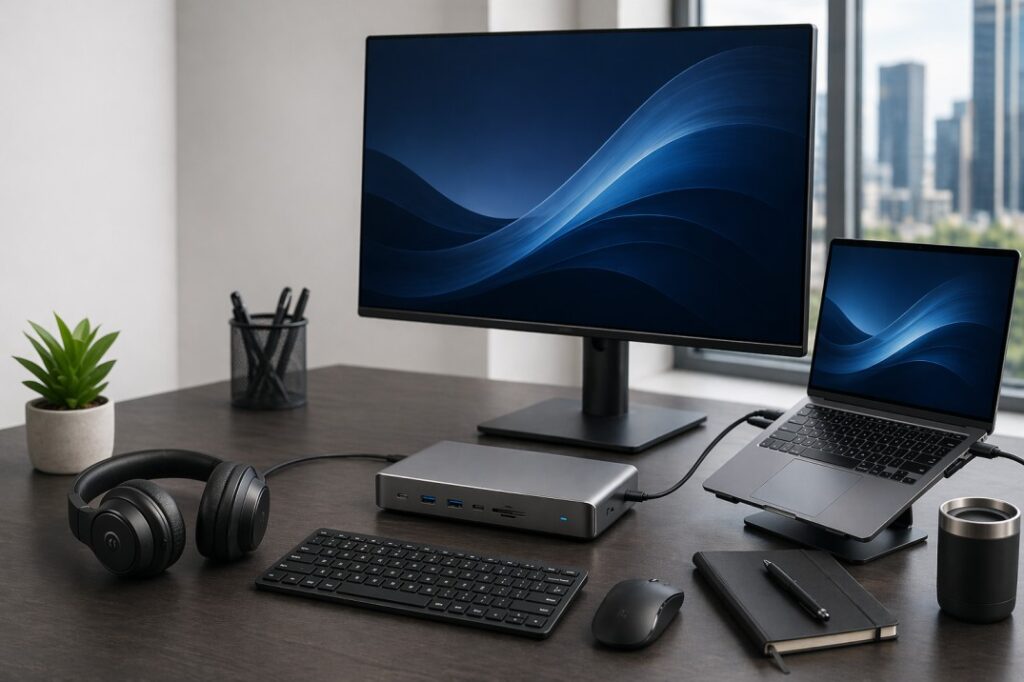
Laptop & Docking Station.
Dual Monitors.
Wireless Keyboard & Mouse.
Laptop Stand.
External SSD.
Noise Cancelling Headset.
This setup improves efficiency, reduces fatigue, and creates a professional workspace.
At Gadgetly, we focus on business grade IT solutions tailored for professionals and companies in the UAE.
What we offer:
Enterprise level products.
Reliable brands.
Competitive pricing.
Fast availability.
Browse all categories here:
https://gadgetlyuae.com/
The most important accessories include a docking station, external monitor, wireless keyboard and mouse, and external storage. These improve productivity and workflow efficiency.
Yes, a docking station allows you to connect multiple devices and monitors, making your setup more efficient and organized.
Most professionals benefit from dual monitors. It improves multitasking and reduces time spent switching between applications.
A USB C hub is portable and basic, while a docking station offers more power, connectivity, and performance for a full workstation setup.
If you work with important data or critical systems, a UPS is highly recommended to prevent data loss during power outages.
24 to 27 inches is ideal for most office tasks. Larger screens or ultrawide monitors are better for multitasking heavy roles.
Yes, modern wireless keyboards and mice are highly reliable and reduce desk clutter while improving usability.
Conclusion: In 2026, productivity is no longer just about having a powerful laptop. It’s about building a complete, efficient workspace.
The right accessories will help you to work faster, stay comfortable, and maintain professionalism.
If you are serious about improving your workflow, start upgrading your setup today with the right tool.
 04
May
04
May
Gadgetly was built around a simple idea: buying business technology in the UAE should be easier, clearer, and more reliable. We are a Dubai based IT trading company supplying genuine computer systems, laptops, networking products, peripherals, and technology accessories across the region, with a strong focus on B2B support and bulk requirements.
The essence behind most successful businesses is usually that someone keeps identifying the same problem until solving it becomes their best option.
This is how Gadgetly was started.
In B2B tech, the problem is not only price. It is time, compatibility, trust, delivery, product fit, and after sales confidence. Businesses do not just need a laptop or a switch. They need the right device, with the right specifications, for the right use case, delivered at the right time.
That is especially true in the UAE, where businesses move fast and expect professional service, dependable sourcing, and clean procurement support.
A lot of businesses are forced to choose between two bad options.
The first is buying quickly without enough guidance, then ending up with the wrong configuration. The second is spending too much time comparing products and still feeling uncertain.
We saw how often buyers needed a better process. They needed someone who could understand the requirement first, then recommend the product second. That is a major difference in B2B technology.
A home user may care only about brand or price. A business buyer cares about the full picture. Will this laptop handle daily office work? Will this networking device scale with the team? Will this hardware fit the office setup? Will the same model be available again later for standardization?
These are the questions that shaped Gadgetly’s approach.
A strong B2B tech supplier does not simply list products. It helps buyers make better decisions.
And to do that, you need to know how each of those products is suitable for real working conditions. The laptop must be portable, stable, and energy efficient. The server should meet all requirements and future prospects. The network must be reliable, compatible, and manageable. The accessories must help, rather than hinder productivity.
Which is why our website cannot limit itself to mere product listings. It is also about helping businesses find the right match for their operations. Gadgetly’s store and enquiry process will cater precisely to the business buyer searching for systems, hardware, accessories, and other technologies.
With time, there comes one clear understanding: UAE firms place great importance on efficiency, dependability, and consistency.
They want clear specifications, efficient inventory management, and clear communication. And practical hardware should be prioritized over marketing promises. Another factor to consider when dealing with the UAE’s B2B technology market is that it comprises diverse customer types. For instance, there are startups that are establishing their business. Then there are bigger companies looking to replace outdated systems. Additionally, there are IT specialists procuring equipment for different departments. There are also resellers, purchasing agents, and project-based buyers. Regardless of their specific needs, all these groups have one thing in common: they want efficient products and services.
That is the part of the market we focus on.
In consumer retail, a bad purchase may be inconvenient. In B2B, it can disrupt work.
For example, a wrong laptop specification might reduce the efficiency of a team while working on tasks. Similarly, a wrong network connection setup might impact the connection throughout the workplace. Storage and memory capacity discrepancies might lead to performance issues each day. These little issues become costly when repeated by various users.
It is for this reason that trust becomes very important in business to business technology.
Gadgetly aims at providing a reliable experience through the provision of real items, accurate categories, and business based assistance services.
The business is positioned as an IT trading company serving computer systems, networking products, peripherals, and accessories, which reflects the kind of purchasing decisions many UAE businesses need to make every day.
Our approach is simple.
First, understand the requirement.
Second, shortlist the right product range.
Third, keep the recommendation practical.
That means thinking about processor choice, RAM, storage, screen size, form factor, office compatibility, and long term usability.
It will also include looking at the bigger picture, which includes docking stations, monitors, servers, switches, peripherals, and other equipment needed to build a complete office setup.
For most businesses, an individual piece of equipment can rarely stand alone. This is precisely where our B2B expertise comes into play.
A good B2B tech partner should make work easier. Not harder.
It should save time in selection. It should reduce risk in purchasing. It should be able to support different kinds of hardware needs without forcing the buyer to start over every time.
That is especially important for UAE buyers who often deal with multiple projects, evolving office setups, and changing workforce requirements.
The best suppliers help customers move from “What should I buy?” to “This is the right solution for my business.” That shift is what creates real value.
We want Gadgetly to stand for more than product availability.
We want it to stand for clarity, practical advice, and business friendly support. We want people to feel that they can come to us for a real solution, not just a checkout page.
In a market as active and competitive as the UAE, that matters.
Businesses do not need more noise. They need better guidance.
They need a supplier who understands that a laptop is part of a workflow, a server is part of an operation, and a network device is part of an environment that has to keep running.
That is the space we want to own.
In Short: Gadgetly started with a simple belief, B2B tech buying should be smarter and easier for UAE businesses.
As a Dubai based IT trading company, our role is to support that process with genuine products, business ready categories, and a service mindset that respects the needs of professional buyers.
If this is your first time discovering Gadgetly, we hope this gives you a better sense of who we are and what we care about.
Gadgetly is an IT trading company based in the UAE, focused on supplying computer systems, networking products, peripherals, and technology accessories.
Gadgetly is best suited for businesses, IT buyers, office teams, and organizations looking for professional technology products and B2B support. This is reflected in the company’s B2B enquiry setup and business focused product categories.
The focus is on practical business requirements, not just product listings. The goal is to help customers choose products that fit real office and infrastructure needs.
Gadgetly offers a wide range of IT products including laptops, desktops, servers, networking equipment, and accessories, making it easier for businesses to source everything from one place.
Gadgetly focuses on genuine products, business oriented solutions, and practical guidance. The goal is to simplify IT procurement for businesses and provide a more dependable buying experience.
Delivery timelines depend on product availability and order size, but Gadgetly focuses on fast and reliable delivery to meet business timelines.
 04
May
04
May
Finding the right business laptop is not only about price. It is about getting a device that can handle work comfortably, look professional, and stay reliable through long hours of use.
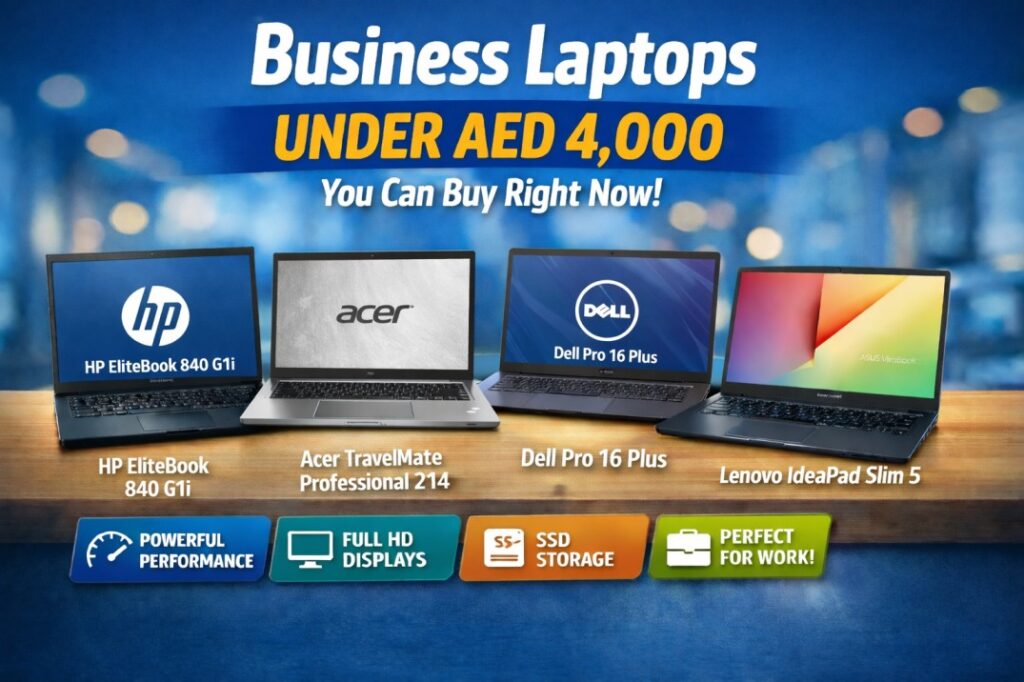
For many buyers in the UAE, the ideal budget sits around AED 4,000. That range is strong enough to cover premium business design, fast SSD storage, modern processors, and enough memory for smooth everyday productivity.
The good news is that you do not need to cross your budget to get a laptop that feels premium. In fact, several current options on Gadgetly UAE deliver excellent value for office users, business owners, students, consultants, and remote workers.
A good business laptop should feel responsive, reliable, and portable. Besides that, a good business laptop should not experience any performance hits when running everyday software like email clients, instant messaging, video calls, spreadsheets, CRM solutions, accounting programs, browsing, etc.
While there are various options for each user to choose the configuration suitable for their needs, we recommend starting with the combination of modern CPU, at least 8 GB of RAM, and an SSD drive. In case of multitasking with numerous applications, 16 GB of RAM is the minimum requirement.
Besides that, a business laptop should come with an ergonomic keyboard, an excellent screen, and enough battery capacity to handle a working day.
Laptop | Best for | Key specs | Approx. price |
Premium mobile professionals | Intel Core Ultra 5, 16GB RAM, 512GB SSD, Windows 11 Pro | AED 3,299 | |
Users who want power and storage | Intel Core Ultra 7, 16GB DDR5, 1TB SSD, vPro | AED 3,699 | |
Everyday productivity and value | Intel Core Ultra 7, 16GB RAM, 512GB SSD, 16 inch | AED 3,349 | |
Larger screen business work | Intel Core Ultra 7, 16GB RAM, 512GB SSD, 16 inch FHD | AED 3,859 | |
Budget friendly office use | Intel Core i5 13420H, 8GB RAM, 512GB SSD, 15.6 inch | AED 2,649 |
HP EliteBook 840 G1i would be a good selection if you need a professional laptop with high quality design and performance. This device offers Intel Core Ultra 5 processor, 16 GB of RAM, and 512 GB of SSD drive, making it a great choice for productive daily use. Gadgetly’s listing also shows Windows 11 Pro, which is a useful plus for business users who care about productivity and security.
This is a very sensible pick for managers, sales teams, consultants, and users who move between meetings and need a laptop that looks professional.
The Acer TravelMate Professional 214 stands out because it brings a strong mix of modern performance and generous storage. The current listing shows Intel Core Ultra 7, 16GB DDR5 memory, 1TB SSD, and vPro support. That combination makes it especially attractive for users who want more headroom for multitasking and future use.
If you often keep large files, project folders, presentations, or business apps on your laptop, this model gives you more storage room than a typical 512GB option.
The Lenovo IdeaPad Slim 5 is a right pick for users who want a modern business style laptop without overspending. The current listing shows Intel Core Ultra 7, 16GB RAM, 512GB SSD, and a 16 inch display, all at AED 3,349.
This one is ideal for people who need a bigger screen for documents, online meetings, content work, or everyday productivity. It offers a good balance between portability and screen comfort.
The Dell Pro 16 Plus is a strong business laptop for users who want a more spacious display and a premium work feel. The current listing shows Intel Core Ultra 7, 16GB RAM, 512GB SSD, and a 16 inch FHD screen, with a price of AED 3,859.
This is a smart option for people who work with spreadsheets, dashboards, long documents, and multiple windows at the same time. A larger screen can make a real difference in day to day comfort and productivity.
The Lenovo V15 G3 is the most affordable option in this list, and that makes it very attractive for budget conscious buyers. The listing shows Intel Core i5 13420H, 8GB RAM, 512GB SSD, and a 15.6 inch display at AED 2,649.
It is a solid choice for office work, admin tasks, calls, browsing, document editing, and general productivity. If you need a reliable business laptop without stretching your budget, this is one of the best value picks.
The right choice depends on how you work.
If you want the most premium feel, the HP EliteBook 840 G1i is a very strong option. If you care most about storage and future ready power, the Acer TravelMate Professional 214 is an excellent pick. If you prefer a bigger screen for day to day productivity, the Dell Pro 16 Plus makes a lot of sense.
For users who want a balanced all rounder, the Lenovo IdeaPad Slim 5 is a smart middle ground. And if price matters most, the Lenovo V15 G3 gives you the strongest entry point into a business class laptop setup.|
Conclusion: If you are shopping for a business laptop under AED 4,000, you have more good options than many buyers expect.
For premium users, the HP EliteBook 840 G1i is a standout. For storage and performance, the Acer TravelMate Professional 214 is excellent. For an affordable workhorse, the Lenovo V15 G3 is the easiest recommendation. The Lenovo IdeaPad Slim 5 and Dell Pro 16 Plus fill the middle ground very well.
The best laptop is the one that matches your workload, your budget, and your daily habits. Choose based on that, and you will get far more value from your purchase.
It depends on your needs. For premium business use, the HP EliteBook 840 G1i is a strong choice. For value, the Lenovo V15 G3 is excellent. For more power, the Acer TravelMate Professional 214 stands out.
Yes, for basic office work, email, browsing, and meetings, 8GB RAM is usually enough. For heavier multitasking, 16GB RAM is better.
In general, Ultra series chips are newer and usually better optimized for modern efficiency and productivity features. Core i5 is still a very capable option for everyday business use.
512GB is enough for many users. Buy 1TB if you work with large files, many projects, or want more storage headroom.
The HP EliteBook 840 G1i is a great travel friendly option as it is a compact business laptop with premium positioning.
The Lenovo V15 G3 is the most budget friendly choice in this list and still offers solid productivity performance.
 04
May
04
May
✅ | Excellent build quality, full aluminium chassis | ⚠️ | Hinge can wobble during touch input |
✅ | Outstanding security suite, HP Wolf Security | ⚠️ | No SD card reader |
✅ | Up to 15 hours battery (claimed), full day cover | ⚠️ | Single M.2 slot limits storage upgrades |
✅ | AI capable Intel Core Ultra with dedicated NPU | ⚠️ | 300 nit display struggles outdoors in bright light |
✅ | 4 USB ports, including 2x Thunderbolt 4 | ⚠️ | No discrete GPU, not for heavy creative work |
The HP EliteBook series has been the go to business laptop for enterprise IT teams for over two decades. With the 840 G11, HP has packed Intel’s latest Core Ultra processor, AI acceleration, and its own Wolf Security platform into a slim 1.46 kg chassis, and aimed it squarely at professionals who work in hybrid or mobile environments.
But is it actually worth the price for a business in 2026? We reviewed the Core Ultra 5 configuration that arrives at Gadgetly customers regularly across the UAE. Here is our honest, detailed verdict.
Here is what you are getting in the most common UAE B2B configuration:
Component | Specification |
Processor | Intel Core Ultra 5 125U / Ultra 7 155U (12 core, NPU included) |
RAM | 16 GB DDR5 5600 MHz (upgradeable to 64 GB via 2x SO-DIMM) |
Storage | 512 GB / 1 TB PCIe NVMe M.2 SSD (single slot) |
Display | 14 inch WUXGA 1920×1200 IPS, 16:10, 300 nits (anti glare) |
Graphics | Intel Arc integrated graphics |
Ports | 2× Thunderbolt 4 USB-C · 2× USB-A 3.2 · HDMI · 3.5 mm audio |
Wireless | Wi Fi 6E · Bluetooth 5.3 · optional 4G LTE / eSIM |
Battery | 56 Whr · HP Fast Charge (50% in 30 min) · up to 15 hrs claimed |
Weight | 1.41 – 1.46 kg depending on configuration |
OS | Windows 11 Pro (standard on all business SKUs) |
Security | HP Wolf Security · TPM 2.0 · IR camera · fingerprint reader · camera shutter |
Durability | MIL-STD-810H military grade durability testing certified |
The EliteBook 840 G11 features a sleek design and professional look with its aluminium alloy case and Glacier Silver color scheme. As for its portability, it’s hard not to be impressed: at only 16.1mm and less than 1.5kg in weight, you won’t feel tired of carrying this laptop around all day in your backpack. The build quality of this unit is solid. Even pushing on the keyboard housing and lid does not cause any flexing, which is an important factor for mobile business people who work in multiple locations like offices, clients’ sites, or airports.
What’s even better, the laptop’s manufacturer has made several eco friendly decisions. It has recycled magnesium covers (90%), ocean bound plastics used for the speaker housing, and key caps made of post consumer recycled plastics (50%). This may come handy for those companies who report on their sustainability practices.
One genuine concern: the hinge. Under real world use, particularly when using the touchscreen, the display wobbles more than you would expect from a premium business laptop. It is not a deal breaker, but it is noticeable and worth mentioning honestly.
MIL-STD-810H certifiedThe EliteBook 840 G11 passes military grade durability tests covering drops, dust, humidity, temperature extremes, and vibration. This is particularly relevant for UAE teams who work across construction sites, warehouses, or in vehicles. |
The keyboard is genuinely one of the best on any 14 inch business laptop. The keys have a comfortable 1.5 mm travel, clear tactile feedback, and a backlit option. Reviewers and users consistently praise it for long typing sessions.
The lack of the Numeric Pad is obvious due to the size limitations, yet it should be mentioned specifically if you work in the financial sector. In that case, there is a variant of 860 G11 with it included. The trackpad is spacious, silky smooth, and reactive. Multi finger gestures work smoothly.
The physical mouse buttons under the keyboard are another feature inherited from ThinkPad by HP’s EliteBook lineup, which professionals appreciate for accurate clicking.
The standard configuration ships with a 14 inch WUXGA (1920×1200) IPS display at 300 nits. The 16:10 aspect ratio is the right choice for business, that extra vertical screen space makes documents, spreadsheets, and email noticeably more comfortable to work with than a 16:9 panel.
Text looks crisp. Colours are accurate enough for presentations and video calls. The anti glare coating handles indoor lighting well.
The limitation is brightness. At 300 nits, working near a window in direct sunlight becomes difficult. If your team works outdoors, in vehicles, or in bright Gulf climate environments, HP offers a 400 nit and a 1,000 nit Sure View privacy display option on upgraded SKUs. The Sure View model also has a built in privacy filter, useful in open offices, airports, and client meetings where screen content should stay private.
If you want better colour accuracy for creative work, a WQXGA 2560×1600 panel with 100% sRGB coverage is available on higher configurations. For standard business use, the base display is perfectly adequate.
The Intel Core Ultra 5 125U and Core Ultra 7 155U processors in the 840 G11 are efficiency focused chips, they prioritise long battery life and quiet operation over raw power. For the typical business workload, they are more than capable.
In day to day use: Microsoft 365 apps, browser heavy workflows, Teams or Zoom calls, PDF editing, and CRM software all run smoothly. You can have 20+ browser tabs open alongside Teams and Outlook without any slowdown.
The built in NPU (Neural Processing Unit) is what makes this an AI PC. It handles background AI tasks, Teams noise cancellation, real time captions, Windows Copilot features, without touching the CPU or GPU. That keeps the rest of the system fast and efficient even when AI features are active.
Limitation: This is not a workstation. Video editing, 3D rendering, data science, or AutoCAD heavy work will push its limits quickly. The Intel Arc integrated graphics is a meaningful step up from older Intel UHD, but it cannot replace a discrete GPU. For those workloads, consider the HP ZBook series.
Workload | Performance | Fan noise | Temperature |
Office 365 multitasking | Excellent | Silent | Cool |
Video calls (Teams/Zoom) | Excellent | Silent | Warm |
Sustained CPU load | Good | Audible ~50 dB | Hot 90–110°C |
Light photo editing | Good | Quiet | Warm |
4K video editing | Struggles | Loud | Very hot |
This is where the HP EliteBook 840 G11 genuinely earns its premium price over consumer grade laptops. The security stack is among the most comprehensive available on any business laptop in this class.
HP Wolf Security for Business is a hardware enforced, always on security platform, not just software. Here is what it includes:
HP Sure Start Gen7 – a self healing BIOS that automatically recovers from firmware attacks without IT intervention
HP Sure Click Pro – isolates every browser tab and email attachment in a micro VM, so a malicious file cannot infect the host system
HP Sure Sense Pro – AI powered malware detection that catches zero day threats without needing signature updates
HP Sure Run Gen5 – keeps critical security processes running even if malware tries to shut them down
HP Sure Recover Gen6 – allows full OS recovery over the network even if the hard drive is wiped
HP Tamper Lock – physically detects if the device has been opened without authorisation
TPM 2.0, Secured Core PC, IR facial recognition, fingerprint reader, camera privacy shutter
For UAE businesses with compliance obligations – PDPL, NESA, ISO 27001, or sector specific frameworks in finance or healthcare, this security stack is not just a nice to have. It provides a documented, auditable defence posture that IT teams can demonstrate to regulators.
HP Sure Start, why it mattersIf a firmware attack targets the BIOS, increasingly common in advanced attacks Sure Start automatically detects and restores it to a known good state without any action from the user or IT team. No other mainstream laptop brand offers this level of below OS protection at this price point. |
HP quotes up to 15 hours and 15 minutes in controlled conditions. Real world usage is more modest, but still impressive for the chip class:
Video playback (brightness 250 nits): approximately 12 hours
Office and browser work (moderate load): 8-10 hours
Heavy CPU tasks sustained: 5-6 hours
For most business users, someone attending meetings, writing emails, using Teams, and working in Microsoft 365, a full working day is entirely achievable without reaching for a charger. That matters especially for Dubai professionals who split time between office, commute, and client locations.
HP Fast Charge is a practical feature: the laptop reaches 50% charge within 30 minutes. If you have a 30 minute break between meetings, you can recover half a day’s worth of battery.
For a 14 inch laptop, the port selection is genuinely generous. You get four USB ports in a compact chassis, unusual at this size.
Port / Feature | Detail |
Thunderbolt 4 (USB C) × 2 | Power delivery · DisplayPort · 40 Gbps data · supports 4K@60Hz external monitors |
USB A 3.2 Gen 1 × 2 | Backwards compatible with all USB A peripherals |
HDMI | Direct external monitor / projector connection |
3.5mm audio jack | Headset / headphone / microphone |
Wi Fi 6E | Fastest available Wi Fi standard, low latency for video calls |
Bluetooth 5.3 | Stable peripheral and audio connections |
Optional 4G LTE / eSIM | Available on higher SKUs, cellular connectivity without hotspot |
Notable omission: no SD card reader. For most business users this is irrelevant. But for anyone in media, photography, or fieldwork who transfers data from cameras or equipment using SD cards, this will require a USB adapter.
The 5 MP webcam is the best in its class for a business laptop at this size. Most competing laptops still ship with 2 MP cameras. In video calls, which represent a major part of modern business communication, the quality difference is immediately obvious. Faces are sharper, colours are more accurate, and the auto framing keeps you centred even when you move.
HP’s AI noise cancellation removes background sounds effectively, keyboard typing, HVAC noise, traffic, keeping your voice clear on calls. This works on device via the NPU, so it functions without an internet connection.
The dual speakers with HP’s Poly Studio tuning are clear and adequately loud for personal use. They are not exceptional for media consumption, but for calls and occasional playback they are entirely sufficient.
This laptop is the right choice for specific types of buyers. Here is an honest breakdown:
Buyer type | Our recommendation |
Managers, executives, sales teams | Strong buy. Portability, security, and all day battery are exactly right |
Finance, legal, and compliance roles | Strong buy. HP Wolf Security and Secured Core PC meet strict compliance needs |
IT managed enterprise fleet | Strong buy. HP Autopilot, Intune integration, and remote management are excellent |
Hybrid and remote workers | Strong buy. Excellent webcam, Wi Fi 6E, optional LTE, and reliable battery |
Architects or 3D designers | Not recommended. No discrete GPU. Consider HP ZBook Ultra instead |
Video editors / creative professionals | Not recommended. Integrated graphics will limit performance on heavy workflows |
SMBs buying 10+ units | Strong buy. Enterprise bulk pricing, consistent specs, long lifecycle support |
The HP EliteBook 840 G11 is not the cheapest business laptop you can buy. But it is one of the most complete.
The combination of a premium aluminium build, all day battery life, an AI capable Intel Core Ultra processor, a genuinely excellent security stack, and a sharp 5 MP webcam makes it one of the strongest choices for business professionals in 2026.
The weaknesses are real but narrow: the hinge wobble, the lack of an SD card reader, and the single M.2 slot are limitations worth knowing about. The display’s 300 nit brightness requires an upgrade if outdoor use matters to you. And integrated graphics means it is not a device for creative heavy lifters.
For the business audience it is designed for, executives, managers, sales professionals, finance teams, and IT managed enterprise fleets, it is excellent value. The security features alone justify the premium over consumer grade alternatives.
8.5/ 10 | Gadgetly VerdictAn outstanding business laptop for professionals who need portability, security, and all day battery. Best for office, hybrid, and enterprise deployments. Not ideal for creative or engineering workflows requiring GPU power. |
Available on Gadgetly UAEThe HP EliteBook 840 G11 is available through Gadgetly with UAE warranty, bulk B2B pricing, and standard delivery across Dubai. Contact our team for more details. |
The 840 G11 is the 14 inch version; the 860 G11 is 16 inches. The 860 adds a NumPad to the keyboard and a slightly larger battery, but shares the same processor options, security stack, port selection, and cooling system. Choose the 840 for maximum portability and the 860 if screen real estate and the NumPad matter more than weight.
Standard configurations ship with 16 GB DDR5 RAM. The laptop has two SO DIMM slots, and memory is user upgradeable up to 64 GB. Unlike many thin and light laptops, RAM is not soldered, this is a significant advantage for businesses that want to extend device life by upgrading memory in the future.
Yes, it is one of the best business laptops for video calls at this price point. The 5 MP webcam is significantly sharper than the standard 2 MP cameras on most competitors. HP’s AI powered noise cancellation removes background sounds using the on device NPU. The result is clear, professional video and audio quality for Teams, Zoom, or Google Meet without any additional accessories.
HP Wolf Security for Business is HP’s hardware enforced security platform. It includes HP Sure Start (self healing BIOS), Sure Click Pro (browser isolation), Sure Sense Pro (AI malware detection), Sure Recover, and Tamper Lock. The standard Wolf Security for Business suite is included on all EliteBook 840 G11 units. Wolf Pro Security Edition, a more advanced version with HP managed threat response, is available on select SKUs as an optional paid subscription.
It can run AutoCAD in 2D mode for drafting and documentation tasks reasonably well. However, for 3D modelling, rendering, or BIM heavy workflows in Revit or SolidWorks, the integrated Intel Arc graphics will struggle under sustained load. For those workloads, the HP ZBook series with professional grade NVIDIA RTX Pro GPUs is the correct choice.
No, the 840 G11 does not include an SD card reader. This is the most commonly cited omission in user reviews. If you regularly transfer files from cameras or equipment via SD cards, you will need a USB-A or USB-C SD card adapter. These are inexpensive and compact, so it is not a significant obstacle for most users.
HP’s official claim is up to 15 hours and 15 minutes under optimised conditions. In real world business use, a mix of video calls, browser work, and Office 365, most users report 8 to 10 hours. Under heavy sustained CPU loads (large data sets, video encoding), expect 5 to 6 hours. HP Fast Charge reaches 50% in 30 minutes, which meaningfully reduces range anxiety during a busy workday.
Yes, the HP EliteBook 840 G11 is available through Gadgetly UAE with local warranty support. For enterprise fleet orders or custom configurations (specific RAM, storage, or display options), contact the Gadgetly B2B team for a formal quote.
 01
May
01
May
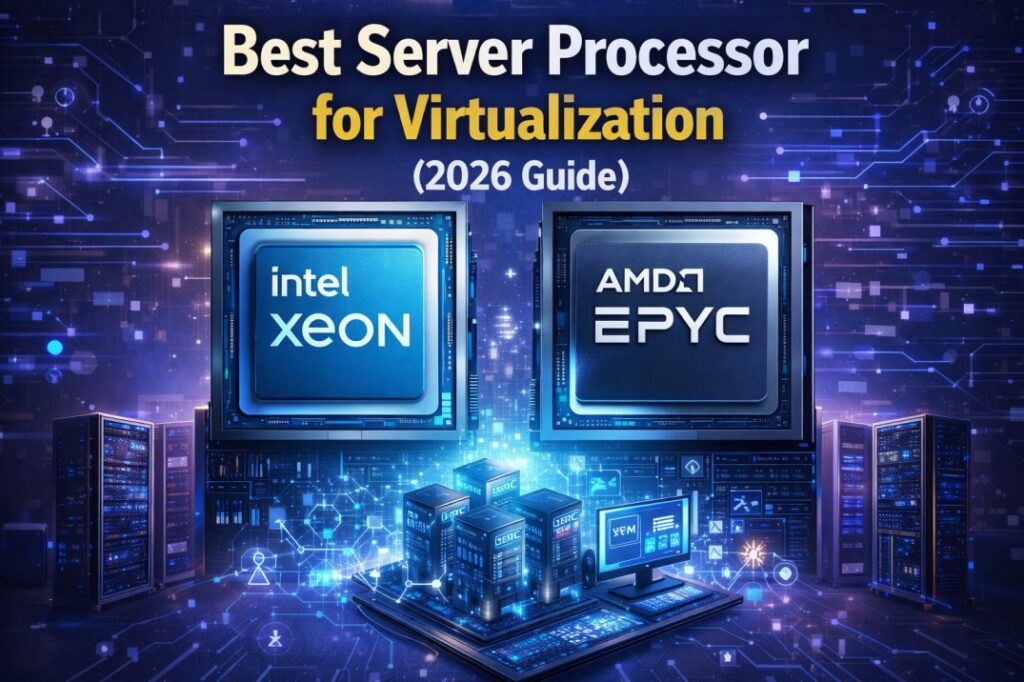
Virtualization has become the backbone of modern IT infrastructure. Whether you are running cloud environments, hosting multiple applications, or managing enterprise workloads, choosing the right server processor for virtualization is critical.
However, with so many options available, Intel Xeon Gold, Silver, AMD EPYC, it can be confusing to decide which CPU is best for your needs.
In this guide, we will break everything down in simple terms. By the end, you will know exactly which server processor to choose for virtualization in 2026.
Virtualization allows you to run multiple virtual machines (VMs) on a single physical server. Each VM acts like an independent system.
Because of this, the processor plays a huge role.
A good virtualization CPU should:
Handle multiple workloads simultaneously
Provide high core and thread count
Support large memory capacity
Deliver stable and consistent performance
In simple terms:
More cores + better efficiency = better virtualization performance
Before selecting a processor, you need to understand what really matters.
Virtual machines rely heavily on cores. The more cores your CPU has, the more VMs you can run smoothly.
Example:
8 cores : small workloads
16 – 32 cores : enterprise virtualization
Clock speed determines how fast each core performs.
Higher GHz = better single task performance
Lower GHz but more cores = better multitasking
For virtualization, you need a balance of both.
Larger cache improves data access speed and reduces latency.
This is especially important when running multiple VMs.
Virtualization requires large RAM.
Your CPU should support:
High memory capacity
Fast memory (DDR4 / DDR5)
If you plan to grow, choose a processor that supports:
Multi socket configurations
Future upgrades
Let’s look at the top CPUs available right now.
The Intel Xeon Gold series is one of the most popular choices for virtualization.
High core count (up to 28+ cores)
Excellent reliability
Strong multi thread performance
Ideal for:
Enterprise virtualization
Cloud environments
Data centers
If you are planning to build a powerful server, you can explore processors like:
Check available options on
gadgetlyuae.com Server Processors Collection
The Xeon Silver series offers a great balance between performance and cost.
Affordable compared to Gold
Good for mid level virtualization
Efficient power usage
Ideal for:
Small to medium businesses
Entry level virtualization setups
AMD EPYC CPUs are known for their extremely high core counts.
More cores than Intel in many cases
Excellent for parallel workloads
Strong price to performance ratio
Ideal for:
Large scale virtualization
High density VM environments
Newer Xeon processors (like 4th Gen) come with:
DDR5 memory support
Better energy efficiency
AI workload optimization
Ideal for:
Future ready infrastructure
Hybrid cloud environments
This is one of the most common questions.
Feature | Xeon Gold | Xeon Silver |
Core Count | High | Moderate |
Performance | Enterprise level | Mid range |
Price | Higher | Affordable |
Best Use | Data centers | SMB servers |
Recommendation:
Choose Xeon Gold for heavy workloads
Choose Xeon Silver for budget setups
Let’s simplify your decision.
Intel Xeon Silver
8 – 12 cores
Cost effective
Intel Xeon Gold
16 – 28 cores
High performance
AMD EPYC or Xeon Gold
High core density
Scalable
Entry level Xeon or Silver
Lower cost setup
If you are looking to buy reliable server processors in the UAE, it’s important to choose a trusted supplier.
At gadgetlyuae.com, you can find a wide range of:
Intel Xeon processors
Server components
Enterprise storage solutions
Whether you need a budget CPU or a high performance processor, you can explore options based on your requirements.
The virtualization landscape is evolving rapidly.
Here’s what to expect:
AI powered workload optimization
Increased adoption of cloud infrastructure
Demand for energy efficient processors
Growth of container based virtualization
This means choosing a future ready CPU is more important than ever
Choosing the best server processor for virtualization depends on your needs.
Xeon Gold : Best for enterprise and heavy workloads
Xeon Silver : Best for budget and mid level setups
AMD EPYC : Best for high core density
If you want a safe and reliable option:
Go with Intel Xeon Gold for long term performance
Intel Xeon Gold and AMD EPYC are the best choices due to high core counts and performance.
For most setups, 16 – 32 cores are recommended.
Yes. Xeon processors are designed for server workloads and support more cores, memory, and stability.
Yes. AMD EPYC processors are excellent for virtualization, especially for high core workloads.
 01
May
01
May
Selecting the appropriate processor is one of the key considerations while purchasing a computer, be it laptop or desktop. Regardless of whether you are a student, business person, or someone using their computers for extensive work, this decision influences efficiency and effectiveness.
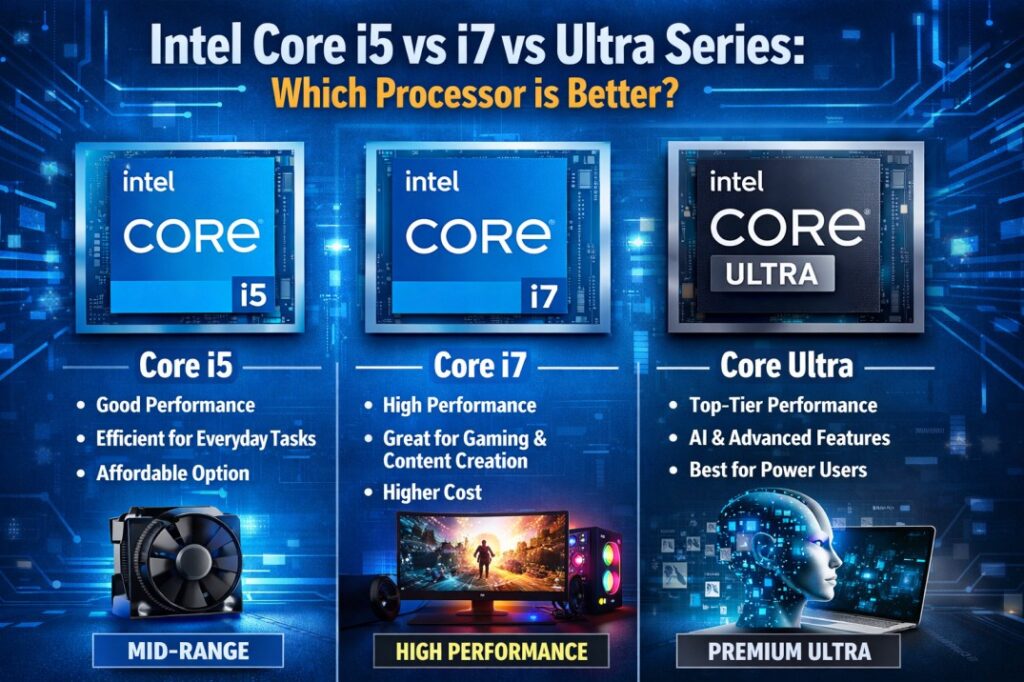
Intel is now making its way into the market with the introduction of its Ultra Series Processors, confusing consumers with the option to select either Core i5, Core i7, or Ultra processors.
This guide will help you clearly understand the differences, real world performance, and which one you should choose based on your needs.
Before comparing, let’s simplify what each processor category represents.
The Intel Core i5 is intended for daily usage as well as for professional and business related tasks. The processors are cost effective and provide decent performance.
The Intel Core i7 is more powerful than the i5 and is intended to execute intensive tasks, such as video editing and multi tasking.
Intel Ultra processors are part of Intel’s latest architecture focused on:
AI powered performance
Better power efficiency
Integrated neural processing (NPU)
Improved graphics
These are designed for modern workloads and future ready computing.
Here’s a quick comparison to understand the core differences:
Feature | Intel Core i5 | Intel Core i7 | Intel Ultra Series |
Performance | Moderate | High | Very High (AI optimized) |
Multitasking | Good | Excellent | Excellent |
Power Efficiency | Good | Moderate | Best |
AI Features | No | Limited | Yes (NPU included) |
Graphics | Standard | Better | Advanced integrated GPU |
Best For | Office work | Heavy workloads | Future ready users |
Let’s break this down based on actual usage scenarios.
Tasks:
Microsoft Office
Browsing
Emails
Video calls
Best Choice: Intel Core i5
Core i5 is more than enough for daily office work. It handles multiple tabs and applications smoothly without unnecessary cost.
Tasks:
Excel with large data
CRM tools
Accounting software
Multiple applications running together
Best Choice: Intel Core i7
If your work involves heavy multitasking, i7 gives you smoother performance and faster processing.
Tasks:
Video editing
Graphic design
AutoCAD
3D modeling
Best Choice: Intel Core i7 or Ultra
i7 is still very powerful, but Ultra processors are better optimized for modern creative workloads, especially with AI tools.
Tasks:
AI tools
Machine learning
Smart automation apps
Best Choice: Intel Ultra Series
Ultra processors include NPU (Neural Processing Unit) which helps in handling AI tasks efficiently.
Best Choice: Intel Ultra Series
Ultra processors are designed for better power efficiency, making them ideal for:
Remote work
Travel
Long battery usage
This is one of the most common questions.
You use laptop for basic work
You want budget friendly option
You don’t run heavy software
You multitask heavily
You use professional tools
You want longer performance life span
In simple terms:
i5 = Enough for most users
i7 = Power users
Intel Ultra is not just a performance upgrade, it’s a technology shift.
AI acceleration
Better integrated graphics
Improved thermal efficiency
Future proof architecture
Not everyone needs Ultra right now.
If your work doesn’t involve AI or advanced workloads, i5 or i7 is still a smart choice.
Let’s simplify your decision.
For Business Users : Go with core i5 or i7 depending on workload.
For Students : Core i5 is perfect and cost effective.
For Creators : Choose Core i7 or Ultra.
For Future Proof Buyers : Go with Intel Ultra Series.
Processor choice also depends on budget.
Core i5 : Best value for money
Core i7 : Balanced performance upgrade
Ultra : Premium investment
Don’t overspend unless your work demands it.
When choosing a processor, also consider:
RAM (Minimum 16GB recommended)
SSD storage (NVMe preferred)
Cooling system
Brand reliability
A powerful processor alone won’t guarantee performance.
If you are planning to buy a laptop or workstation, you can explore reliable business grade options from Gadgetly UAE.
For example, their collection of business laptops and high performance systems is suitable for professionals looking for performance and reliability: https://gadgetlyuae.com/
Here is the simplest way to decide:
Choose Core i5 : For everyday tasks
Choose Core i7 : For heavy multitasking
Choose Ultra Series : For AI and future ready performance
There is no “best processor”, only the right processor for your needs.
Yes, especially in multitasking and heavy workloads. However, for basic tasks, the difference is not very noticeable.
Yes, in terms of efficiency, AI capabilities, and future readiness. But for regular users, i7 is still more than enough.
Core i5 is ideal for general business use, while Core i7 is better for advanced workloads.
If you want future proof performance and use AI based tools, then yes. Otherwise, i5/i7 still offer great value.
Intel Ultra processors generally offer better battery efficiency compared to i5 and i7.
 08
Apr
08
Apr
Selecting the appropriate business laptop is not only related to price considerations or brand names but rather performance, quality, durability, and comfort.
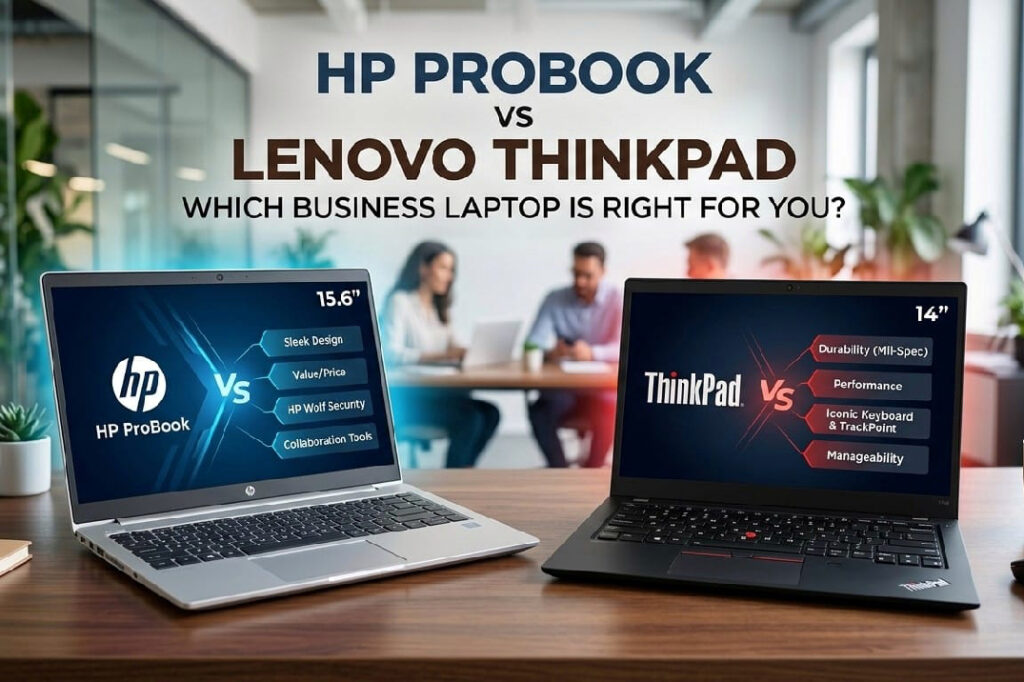
The two main competitors in this category of devices are the HP ProBooks and Lenovo ThinkPads.
Both cater to professionals but are suited to slightly different purposes.
To help you sort out the confusion between them, we have come up with a comparison of both. This will allow you to select the correct laptop according to your needs.
For more information about business laptops, visit us here: https://gadgetlyuae.com/
Before comparing, let’s understand what each series represents.
HP ProBook laptops are designed for:
Small to mid sized businesses
Budget conscious professionals
Everyday office work
These laptops offer affordable prices, good performance, and modern designs.
ThinkPads are well known for there :
Enterprise level reliability
Strong build quality
Comfortable typing experience
They are widely used in corporate environments and are built for long term durability and heavy usage.
Feature | HP ProBook | Lenovo ThinkPad |
Target Users | Small businesses | Enterprise users |
Build Quality | Good | Excellent (rugged design) |
Performance | Balanced | Slightly better in most cases |
Design | Modern and sleek | Classic and functional |
Keyboard | Comfortable | Best-in-class typing experience |
Price | More affordable | Slightly expensive |
Durability | Good | Military grade durability |
ThinkPad is known for durability, while ProBook is known for affordability and value.
Sleek and modern design
Lightweight and portable
Professional look
HP pays more attention to the appearance and portability.
Strong and rugged build
Spill resistant keyboard
Designed for tough environments
ThinkPads are tested for durability and long term use, making them ideal for business professionals who need reliability.
Both laptops offer similar configurations like:
Intel Core i5 or i7 processors
8GB to 16GB RAM
SSD storage
However:
ThinkPads often deliver slightly better performance and optimization
Some models show improved CPU performance and battery efficiency
HP ProBook → Good for everyday office tasks
ThinkPad → Better for heavy workloads and multitasking
Industry leading keyboard
Comfortable typing for long hours
Includes TrackPoint (unique feature)
Users and experts consistently highlight ThinkPad keyboards as one of the best.
Comfortable keyboard
Good trackpad experience
Good, but not as refined as ThinkPad
Both have Full HD displays
ThinkPad models could be brighter and better quality screens than HP
HP ProBook provide superior web camera quality, essential for video conferencing
ThinkPad laptops usually have bigger batteries
Better optimization for long working hours
Best choice for professionals who travel frequently.
Lighter and more compact in some models
Easy to carry daily
Slightly heavier but more durable
Choose based on whether you prioritize portability or durability
Both laptops offer business level security features:
BIOS protection
Security tools for business users
Fingerprint reader
Advanced enterprise security
Trusted platform module
ThinkPad is slightly stronger in enterprise level security
More budget friendly
Great for startups and small businesses
Slightly premium pricing
Better for long term investment
If budget matters → ProBook
If durability matters → ThinkPad
You want an affordable business laptop
Your work is basic to moderate
You prefer modern design
You need a lightweight device
You need long term durability
You work long hours typing
You want better performance
You need enterprise level reliability
Use Case | HP ProBook | Lenovo ThinkPad |
Office work | Excellent | Excellent |
Multitasking | Good | Very Good |
Programming | Good | Better |
Business travel | Good | Excellent |
Long term usage | Good | Excellent |
If you are still confused, here is a simple answer:
For budget and everyday business use -HP ProBook
For premium business experience -Lenovo ThinkPad
Most professionals who want long term reliability prefer ThinkPad.
Most small businesses choose ProBook for cost efficiency.
If you are planning to buy a business laptop, make sure to choose a trusted platform.
You can explore:
Business laptops
Upgrade ready devices
Latest configurations
Here: https://gadgetlyuae.com/
Both HP ProBook and Lenovo ThinkPad are excellent business laptops, but they serve different users.
HP ProBook focuses on affordability and modern design
Lenovo ThinkPad focuses on durability, performance, and comfort
If your priority is budget and daily work, ProBook is a great choice.
Or if your priority is performance, durability, and long term use, then ThinkPad is the better investment.
ThinkPad is better for durability and performance, while ProBook is better for affordability.
Yes, it is suitable for small businesses and everyday office work.
ThinkPads offer better build quality, keyboard experience, and long term reliability.
Yes, if you need durability and long term performance ThinkPad is the right choice.
Lenovo ThinkPad is widely known for having one of the best keyboards.
Yes, but ThinkPad performs slightly better under heavy workloads.
For travel ThinkPad offers better battery life, while ProBook is lighter.
ThinkPad is a better for long term investment.
 03
Apr
03
Apr
If your laptop is slow, freezes when you try to do more than one thing at once, or has trouble with more than one tab, adding more RAM can make a big difference. Adding RAM to a laptop is one of the easiest and cheapest ways to make it better.
This guide will show you step by step how to install RAM in a laptop. It will also give you tips on how to pick the right memory and avoid common mistakes.
Here you can also look for laptops and memory solutions that work with your laptop: https://gadgetlyuae.com/
Random Access Memory (RAM) is the temporary memory that your laptop uses to run programs and tasks.
More RAM lets your laptop:
Faster opening of apps
Do multi task at once without a hitch
Reduce lag while using
Overall make the system work better
If your laptop is slow but otherwise fine, adding more RAM can make a big difference.
It’s important to pick the right type of RAM before you install it. Not all RAM will work with all laptops.
This is the type used in laptops. It is smaller in size and specifically made for portable devices.
Desktop RAM is bigger and can’t be used in laptops.
Server RAM is designed for enterprise systems and servers. It is not compatible with standard laptops.
Always look at:
RAM type (DDR4 or DDR5)
Supported speed
Maximum capacity
Number of RAM slots
If you are unsure, explore memory options and compatible devices here:
https://gadgetlyuae.com/
You should consider upgrading RAM if:
Your laptop slows down with multiple apps
Browser tabs cause lag
Video calls stops or lag
It takes while for software to load
Multitasking feels difficult
For most people, going from 8GB to 16GB can make a big difference.
You don’t need a lot of tools to put in RAM. Some basic things are:
Small screwdriver
Plastic pry tool
Compatible RAM module
Clean workspace
Optional but useful:
Anti static wrist strap
Turn off the laptop completely. Disconnect the power cable and other external devices.
If the battery is removable, remove it. Otherwise, you have to remove the battery internally by removing the back panel.
Turn the laptop upside down. Remove the screws at the back. Using a pry tool, remove the back panel.
Locate the RAM slot on the motherboard. It is the part of the motherboard covered by metal clips on both sides.
Push the clips outward. The RAM will pop up at an angle. Remove it gently.
Align the notch and insert the RAM at a slight angle.
Press the RAM down until the clips click into position.
Close the back panel and screw it back securely.
Switch on the laptop and see if everything works normally.

Follow the diagram above to understand how RAM fits into the slot and how it locks in place.
After installation:
Open Task Manager
Go to Performance
Click on Memory
You should see the updated RAM capacity.
If not, reinstall the RAM properly.
Avoid these errors while installing RAM:
Buying incompatible RAM
Forcing RAM into the slot
Not grounding yourself
Ignoring RAM type (DDR4 vs DDR5)
Not checking laptop upgrade support
Taking your time will prevent damage.
Choosing RAM can be confusing, especially if you are not familiar with technical specifications.
Here is what you can do:
Check your laptop model details
Verify supported RAM type and capacity
Consult a professional
You can also explore available memory and laptops here:
https://gadgetlyuae.com/
Upgrading RAM improves performance, but sometimes it is better to upgrade the entire laptop.
Consider a new laptop if:
Your laptop is very old
Processor performance is weak
RAM is not upgradeable
You need better performance for gaming or work
Explore latest laptops and configurations here:
https://gadgetlyuae.com/
Yes, in most cases.
A RAM upgrade:
Improves speed
Enhances multitasking
Extends laptop lifespan
Costs less than buying a new laptop
It is one of the best upgrades you can make for performance improvement.
Adding RAM to your laptop is not a difficult task if you know the right steps to follow.
Before adding RAM to your laptop, it is necessary to check the specifications of your laptop. With the right RAM and the right steps in adding the RAM to your laptop, you can increase the performance of your laptop without spending too much.
For those planning to upgrade or replace their device, you can explore options here:
https://gadgetlyuae.com/
No. Some laptops have soldered RAM that cannot be upgraded. Always check your model specifications.
Check your laptop’s specifications for RAM type, speed, and maximum capacity.
Yes, if done carefully with proper precautions.
8GB is basic, but 16GB is recommended for smoother performance.
The laptop may not boot or may not detect the RAM properly.
No, upgrading RAM does not affect your operating system.
The RAM may not be properly seated or may be incompatible.
If your laptop is otherwise good, upgrading RAM is a cost effective solution.
ABOUT US
Gadgetly is an IT trading company based in the UAE supplying computer systems, networking products, peripherals, and technology accessories across the region. Through our online platform, customers can source genuine IT products with reliable delivery options and competitive pricing.

Gadgetly ©2026 . All Rights Reserved. TL No – 2306964
Get an instant 10% off on 1st Purchse

