A slow laptop can impact your productivity whether you are working, studying, or gaming. Applications take longer to open, switching between applications can be frustrating, and even browsing can be slow.
The good news is that most laptop performance issues can be fixed without buying a new laptop. In most cases, small changes or upgrades can make a big difference.
If you are facing performance issues, this guide will help you understand why your laptop is slow and how to fix it step by step.
You can also find performance ready laptops and upgrade friendly laptops here:
https://gadgetlyuae.com/
Common Reasons Why Your Laptop Is Slow
Understanding the cause is the first step toward fixing the problem.
Too Many Startup Programs
Many applications automatically start when you turn on your laptop. These programs run in the background and slow down the boot process.
If your laptop starts up slowly, then this might be one of the main causes.
Low RAM Capacity
The RAM has a big role to play in the process of multitasking. If your laptop has a low RAM capacity, it will find it difficult to multitask.
This leads to:
Lag while switching apps
Slow browser performance
Freezing during heavy tasks
Storage Is Almost Full
If your storage is nearly full, your laptop has limited space to handle temporary files and system processes.
This can cause:
Slower performance
Delays in opening files
Reduced system responsiveness
Using an HDD Instead of SSD
Old laptops normally use an HDD, which is relatively slower compared to an SSD.
This affects:
Booting time
Application loading time
Overall system performance
Overheating Issues
Heat can reduce your laptop’s performance. When the system gets too hot, it slows down to protect internal components.
Common causes include:
Dust buildup
Blocked air vents
Poor airflow
Background Apps and Processes
Some apps continue running in the background even when you are not using them.
These consume:
RAM
CPU power
Battery
Outdated Software or Drivers
Old software may cause your system to run slower.
Updating your system ensures smooth performance.
Malware or Unwanted Programs
Malicious software or unwanted programs may run in the background and cause your laptop to run slower.
How to Fix a Slow Laptop
Now let’s look at practical solutions that actually work.
Restart Your Laptop
A simple restart can clear temporary processes and refresh the system.
If your laptop has been running for a long time, this can instantly improve performance.
Disable Startup Programs
You can disable unnecessary startup apps from Task Manager.
This helps:
Faster boot time
Reduced background load
Only keep essential programs enabled.
Free Up Storage Space
Delete:
Temporary files
Unused apps
Old downloads
Make sure your laptop has enough free space to run smoothly.
Upgrade Your RAM
If your laptop struggles with multitasking, upgrading RAM is one of the best solutions.
For most users:
8GB is basic
16GB is recommended
32GB is ideal for heavy tasks
If you are considering upgrading, you can explore options here:
https://gadgetlyuae.com/
Switch to SSD Storage
Replacing an HDD with an SSD can dramatically improve performance.
Benefits include:
Faster boot time
Quick app loading
Better overall responsiveness
This is one of the most effective upgrades for older laptops.
Update Your System
Always keep your:
Operating system
Drivers
Applications
up to date.
Updates often include performance improvements and bug fixes.
Scan for Malware
Run a full system scan using antivirus software.
This helps detect and remove harmful programs that slow down your laptop.
Reduce Background Apps
Close apps you are not using.
You can also check Task Manager to identify apps using high CPU or RAM.
Improve Cooling
To prevent overheating:
Clean air vents
Use your laptop on a flat surface
Avoid blocking airflow
If overheating continues, consider professional cleaning.
Quick Fix Summary
Issue | Cause | Solution |
Slow startup | Too many startup apps | Disable startup programs |
Lag during multitasking | Low RAM | Upgrade RAM |
Slow performance overall | Full storage | Free up space |
Slow loading apps | HDD | Upgrade to SSD |
Sudden slowdowns | Malware | Run antivirus scan |
Heating issues | Dust and airflow | Clean vents |
When Should You Upgrade Your Laptop?
Sometimes fixing is not enough.
You should consider a new laptop if:
Your device is very old
RAM cannot be upgraded
Performance is still poor after fixes
You need better speed for work or gaming
In these cases, it would be better to invest in a new laptop.
Explore latest laptops here:
https://gadgetlyuae.com/
Final Thoughts
A slow laptop does not necessarily mean you need a new laptop. There are many instances where you can fix your slow laptop just by doing a few things, such as cleaning storage or disabling startup applications.
If you have an old laptop, you can make a huge difference by upgrading to SSD and upgrading your RAM. This will increase the life of your laptop.
If your laptop is still slow after trying all these solutions, you can upgrade to a better laptop.
FAQs
1) Why is my laptop slow all of a sudden?
It could be due to background apps, malware, updates, or low storage space.
2) How do I make my laptop faster?
You can improve performance by disabling startup apps, freeing storage, upgrading RAM, and switching to SSD.
3) Does more RAM make a laptop faster?
Yes, more RAM helps with multitasking and reduces lag.
4) Is SSD better than HDD?
Yes, SSD is much faster and improves overall system performance.
5) Why is my laptop slow even after restart?
The issue may be due to low RAM, full storage, or outdated hardware.
6) How much RAM do I need?
16GB is recommended for smooth performance, especially for multitasking.
7) Can overheating slow down a laptop?
Yes, overheating reduces performance to protect internal components.
8) Should I upgrade or buy a new laptop?
If your laptop is old and not upgradeable, buying a new one is a better option.
Selecting a suitable GPU is considered one of the most critical factors in selecting a gaming laptop in 2026. The difference between an RTX 4060, RTX 4070, and RTX 4080 might impact your gaming experience, performance, and how long your laptop will remain relevant.
If you are planning to buy a gaming laptop, this guide will help you understand which GPU is right for your needs and budget.
You can check out gaming laptops with these GPUs on https://gadgetlyuae.com
Why GPU Matters in Gaming Laptops
The GPU or graphics card controls:
Game performance or FPS
Visual quality and graphics settings
Ray tracing ability
Future proofing
Having a superior GPU means a smoother gaming experience and a longer lifespan for your gaming laptops.
RTX 4060 vs RTX 4070 vs RTX 4080 Quick Comparison
Feature | RTX 4060 | RTX 4070 | RTX 4080 |
Performance Level | Mid range | High | Premium |
Best For | Casual and budget gamers | Serious gamers | Hardcore users |
VRAM | 8GB | 8GB | 12GB |
Ray Tracing | Good | Better | Excellent |
Gaming Resolution | 1080p | 1440p | 1440p and 4K |
Price Range | Lower | Medium | High |
Future Proof | 2 to 3 years | 3 to 4 years | 4 to 5 years |
This table gives a quick overview, but your choice should depend on how you plan to use your laptop.
RTX 4060 Best Budget Gaming GPU
Who should buy RTX 4060?
Casual gamers
Students
Budget buyers
Esports gamers
What you get:
Smooth 1080p gaming experience
Good performance in most modern games
Lower cost laptops
Better power efficiency
Limitations:
Not suitable for 4K gaming
Not suitable for playing with with ultra settings in future titles
RTX 4060 is the perfect GPU if you are looking for strong value for money without spending too much.
RTX 4070 Best Balance for Most Users
Who should choose RTX 4070?
Regular gamers
Content creators
Professionals who also game
What you get:
Higher FPS than RTX 4060
Smooth 1440p gaming
Better multitasking performance
Longer usable life
Limitations:
Higher price than RTX 4060
Not a full 4K powerhouse
RTX 4070 is the most recommended option because it offers the best balance between price and performance.
RTX 4080 High End Performance Option
Who should choose RTX 4080?
Hardcore gamers
Streamers
Video editors
Professional users
What you get:
Ultra settings gaming
Strong 1440p and 4K performance
Advanced ray tracing capabilities
Longer future proof usage
Limitations:
Expensive
Higher power usage
RTX 4080 is ideal if you want maximum performance and do not want to upgrade soon.
Real World Performance Comparison
Game Type | RTX 4060 | RTX 4070 | RTX 4080 |
Esports games | Excellent | Excellent | Excellent |
AAA games high settings | Good | Excellent | Excellent |
Ray tracing performance | Average | Good | Excellent |
1440p gaming | Good | Excellent | Excellent |
4K gaming | Limited | Moderate | Excellent |
RTX 4070 and RTX 4080 provide a much smoother experience for demanding modern games.
How to Choose the Right GPU
Step 1 Decide your budget
Lower budget choose RTX 4060
Mid range budget choose RTX 4070
High budget choose RTX 4080
Step 2 Think about the type of games you play
Esports titles RTX 4060 is enough
AAA games RTX 4070 is better
High end gaming RTX 4080 is ideal
Step 3 Consider long term usage
RTX 4060 works for short term needs
RTX 4070 offers balanced longevity
RTX 4080 gives long term performance
Step 4 Check other specifications
Also consider:
RAM with minimum 16GB
SSD storage preferably 1TB
Cooling system quality
The GPU is important, but overall system balance matters.
Price vs Performance
RTX 4060 gives best budget value
RTX 4070 gives best overall value
RTX 4080 gives best performance
For most users, RTX 4070 is the best choice.
Which GPU Should You Choose?
Choose RTX 4060 if:
You have a limited budget
You play lighter or esports games
You want an entry level gaming laptop
Choose RTX 4070 if:
You want smooth AAA gaming
You want a balanced system
You want longer usage without upgrading
Choose RTX 4080 if:
You want top performance
You do heavy gaming or creative work
Budget is not a concern
Final Verdict
In 2026, your ideal GPU depends on your needs.
RTX 4060 is suitable for budget gaming.
RTX 4070 offers the best balance for most users.
RTX 4080 is the best choice for maximum performance and future proofing.
For most buyers, RTX 4070 remains the most practical and value driven option.
If you are planning to buy a gaming laptop, visit https://gadgetlyuae.com/ to explore the latest models and configurations.
FAQs
1.What is the difference between RTX 4060 and RTX 4070?
RTX 4070 offers better performance, higher frame rates, and smoother gameplay compared to RTX 4060.
2.Is RTX 4060 good for gaming in 2026?
Yes, it is suitable for 1080p gaming and can handle most modern games at good settings.
3.Is RTX 4080 worth the price?
It is worth it for users who need high performance, 4K gaming, or long term usage.
4.Which GPU is best for future proofing?
RTX 4080 offers the best future proof performance due to higher power and memory.
5.Is 8GB VRAM enough for gaming?
Yes, for most current games, but higher VRAM is better for future titles.
6.Which GPU is best for 1440p gaming?
RTX 4070 and RTX 4080 are both strong options for 1440p gaming.
7.Can RTX 4060 run AAA games?
Yes, but you may need to adjust settings for smoother performance.
8.Which GPU offers best value for money?
RTX 4070 offers the best balance between cost and performance.

Gaming laptops are more powerful, more capable, more efficient, and yes, more confusing in 2026. With new processors, AI enhanced performance, and the most powerful GPUs, choosing a laptop is no longer just about spending the most money. This guide will tell you what to look for when buying a gaming laptop in the UAE and what to avoid as well as which laptops are worth your hard earned cash.
You can also take a look at the latest gaming laptops on Gadgetly if you want to compare models and prices.
Why Gaming Laptops Are Better in 2026
Gaming laptops have come a long way in the last few years.
Better cooling systems,
More power efficient graphics cards.
High refresh rate screens.
Portable yet powerful designs.
A good gaming laptop today can handle
AAA Gaming,
Video Editing,
3D designing.
Streaming and heavy multitasking
These features makes it a multipurpose investment rather than just something for gaming.
What Makes a Good Gaming Laptop?
Before you start comparing models, it is important to know the main parts.
1) GPU (Graphics Card Most Important)
The GPU is the heart of a gaming laptop.
RTX 4050 / 4060 – Entry to mid level gaming
RTX 4070 – High performance
RTX 4080 / 4090 – Ultra gaming
If your budget allows, go for at least RTX 4060 or 4070 for long term value.
2) Processor (CPU)
A strong CPU ensures smooth performance.
Intel Core i7 / i9
AMD Ryzen 7 / Ryzen 9
Avoid low end CPUs if you want stable FPS.
3) RAM
16GB – Minimum for gaming
32GB – Recommended for future proofing
8GB is not enough in 2026.
4) Storage (SSD Only)
512GB – Minimum
1TB -Recommended
SSD is a must for fast loading and smooth gameplay.
5) Display Quality
144Hz – Standard gaming
165Hz / 240Hz – Competitive gaming
OLED – Best visuals
Higher refresh rate = smoother gameplay.
6) Cooling System
Gaming laptops generate heat.
Look for:
Dual fan systems
Advanced cooling design
Good airflow
Poor cooling = performance drop.
Best Gaming Laptops to Buy in 2026
Here are some of the best options based on performance, value, and reliability.
1) High Performance All Rounder
Lenovo Legion Series
Excellent cooling system
Strong RTX 4060 / 4070 performance
Durable build quality
Best for: Serious gamers + professionals
2) Premium Gaming Laptop
Razer Blade Series
Premium design
OLED display options
High end RTX GPUs
Best for: Luxury + performance users
3) Budget Gaming Laptop
HP Victus Series
Affordable pricing
Good for entry level gaming
Decent performance
Best for: Students and beginners
4) Competitive Gaming Laptop
ASUS ROG Strix Series
High refresh rate displays
Strong cooling
Great performance
Best for: Esports and high FPS gaming
5) Portable Gaming Laptop
ASUS ROG Zephyrus Series
Lightweight design
Powerful performance
Stylish build
Best for: Travel + gaming
Comparison Table
Laptop Type | Performance | Price | Best For |
Lenovo Legion | ⭐⭐⭐⭐⭐ | Mid High | All round use |
Razer Blade | ⭐⭐⭐⭐⭐ | Premium | Luxury gaming |
HP Victus | ⭐⭐⭐ | Budget | Entry level |
ASUS ROG Strix | ⭐⭐⭐⭐⭐ | Mid High | Competitive gaming |
ASUS Zephyrus | ⭐⭐⭐⭐ | Premium | Portability |
How to Choose the Right Gaming Laptop
Step 1: Set Your Budget
- Under budget – RTX 4050 / 4060
- Mid range – RTX 4060 / 4070
- High end – RTX 4080+
Step 2: Define Your Usage
- Casual gaming – Budget laptop
- AAA gaming – Mid range
- Pro gaming – High end
Step 3: Check Future Needs
- Want 3- 5 years usage?
Choose higher specs now
Step 4: Compare Models
Always compare:
- GPU
- RAM
- Cooling
- Display
Never buy based on brand alone.
Mistakes to Avoid
- Buying 8GB RAM laptops
- Ignoring cooling system
- Choosing HDD instead of SSD
- Overpaying for unnecessary specs
- Ignoring display quality
Final Verdict
In 2026, the best gaming laptops are those that balance performance, cooling, and value.
Most users should choose:
- RTX 4060 / 4070
- 16GB or 32GB RAM
- 1TB SSD
This setup gives you:
- Smooth gameplay
- Better lifespan
- Strong performance
If you want to explore gaming laptops for your needs, check out Gadgetly for the latest options.
Frequently Asked Questions
Which gaming laptop is best in 2026?
Lenovo Legion, ASUS ROG, and Razer Blade are top choices due to performance and reliability.
Is RTX 4060 good for gaming in 2026?
Yes, it can handles most modern games at high settings smoothly.
How much RAM is needed for gaming?
Minimum is 16GB while 32GB is recommended for better performance.
Are gaming laptops good for work?
Yes, great for editing, coding, and multitasking.
How long does a gaming laptop last?
Most gaming laptops last around three to five years.
Is SSD necessary for gaming?
Yes, SSD improves loading speed and performance significantly.
Which is better: gaming laptop or desktop?
Laptop is portable, desktop gives more power for the same price.
What should I check before buying?
Check GPU, CPU, RAM, storage, and cooling system.
.
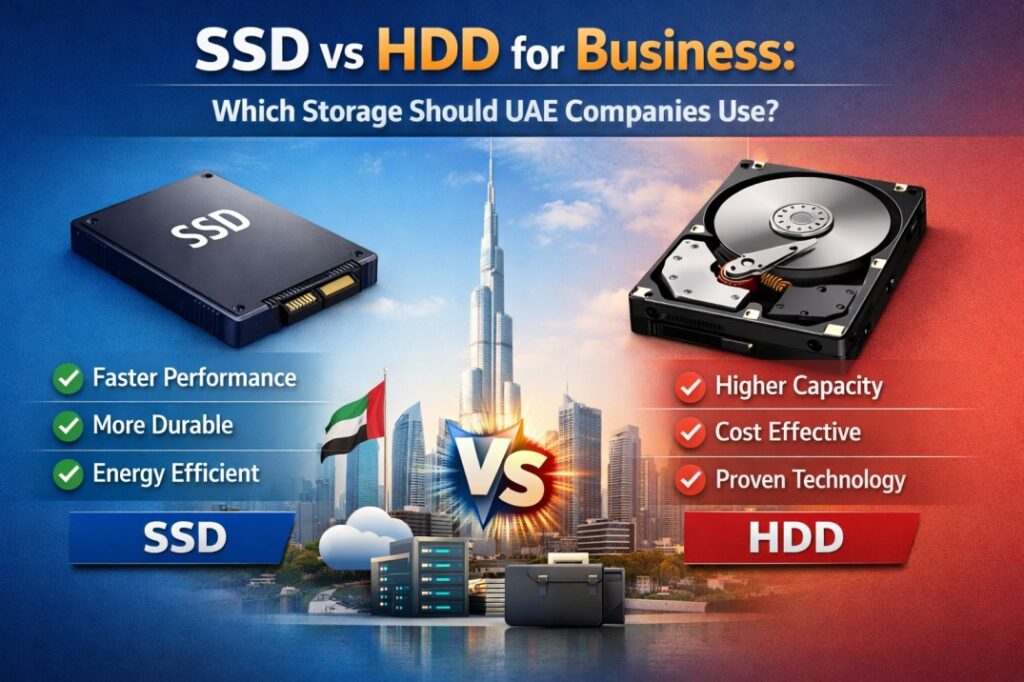
When UAE companies buy laptops, desktops, workstations, or servers, storage is one of the most important choices. The two main options are SSD and HDD. In simple terms, SSD is faster and more responsive, while HDD offers more storage for less money.
According to Microsoft, SSD is smaller and faster than HDD. Additionally, according to Western Digital, SSD is best for active work, while HDD is best for scalable capacity, backups, and archives.
So which one should a business use? For most UAE companies, the best answer is not “only SSD” or “only HDD.” It is usually a mix. SSDs should be the default choice for employee laptops, office PCs, and systems that need speed. HDDs still make sense for large backup libraries, archives, and low cost bulk storage. That recommendation is an inference from Microsoft’s performance guidance and Western Digital’s business use case breakdown.
If you are planning a business hardware upgrade, you can also explore more options on Gadgetly.
What is the difference between SSD and HDD?
An SSD, or solid state drive, stores data on flash memory. An HDD, or hard disk drive, stores data on spinning magnetic platters. Microsoft notes that SSDs are the common modern choice and are faster than HDDs, while Kingston explains that both do the same basic job, but SSDs offer faster access and better responsiveness.
That difference changes how the device feels every day. With SSD, the laptop boots faster, apps open faster, and file transfers feel smoother. Kingston says SSDs can be up to 100 times faster than HDDs in some scenarios, with shorter boot times and more immediate data transfer.
Why SSD is usually the better choice for business laptops
For office users a solid state drive or SSD makes more sense. If your team uses email, Excel, Teams, browsers, cloud apps, CRM tools and documents all day SSDs make the computer feel more responsive.
Microsoft says SSDs are smaller and faster. Kingston also says they are the choice when speed and responsiveness matter in modern business use. SSDs are important for businesses in the UAE that want employees to work without delays.
A slow laptop wastes time every day. A faster SSD helps the system open, search, save and switch tasks smoothly. SSDs are usually the storage option, for business computers.
This conclusion comes from the speed and responsiveness guidance provided by Microsoft and Kingston.
Do HDD still makes sense
HDDs are not dead. They still have an important role in business storage. Western Digital says HDDs give you space for less money than SSDs. They are great for:
backups
archives
libraries
storing lots of data
They are also good for:
1. Storing large files
2. CCTV storage
3. Keeping documents
4. Media storage
5. Storing lots of data at a cost
For these tasks it’s not about being super fast. It’s about having lots of space and saving money. A business may not open those files every minute, so paying extra for SSD space is often unnecessary. That is exactly the type of trade off Western Digital highlights in its HDD vs SSD comparison.
What UAE companies should use
For most UAE companies, the practical answer is this:
Use SSD for:
employee laptops
business desktops
accounting systems
CRM workstations
project management devices
design and content workstations
virtual machine hosts and performance critical systems
Use HDD for:
backups
archives
long term storage
media libraries
low priority files
budget heavy bulk storage needs
Use both together when a company wants the best balance. This is often the smartest setup: SSD for the operating system and active work, HDD for mass storage and backups. Western Digital explicitly describes SSDs as ideal for operating systems and active projects, while HDDs are better for scalable capacity.
What about servers and business critical systems?
For servers and systems that run important business tasks, SSDs are often the better investment. Kingston’s enterprise SSD guidance says enterprise SSDs are a distinct category designed for server purchasing decisions, and Western Digital notes that SSDs shine where fast access is required, especially in modern data center workloads.
That does mean HDDs have no place in servers. It means the best server design often uses SSDs for speed sensitive workloads and HDDs for less active, high volume data. Western Digital’s data center guidance describes exactly that balance.
What about durability and reliability?
SSDs have an advantage because they do not rely on spinning disks and moving parts. According to the Western Digital website, SSDs are a more durable, energy efficient, lightweight and quieter storage option than HDD. Similarly, Lenovo states that because of their ability to handle more shocks and drops, SSDs tend to be more durable than HDDs.
So, as for SSDs versus HDDs for laptops, this matters very much when considering employees that travel very frequently or who attend meetings or who move around between home and office (because there is much less mechanical wear on portable devices). This is one key reason many organizations are converting their laptops to use only SSDs.
Are there any benefits to using an HDD?
Yes. The main advantage of HDD is capacity per dirham. Western Digital states that HDDs provide greater capacity at lower cost than SSDs. That makes them useful when a company needs a lot of storage but does not need top speed for every file.
Hence, they continue to be used on a regular basis in backup systems, file repositories and Storage Arrays. In cases where the requirement is ‘to store a large amount of data securely & economically’, then an HDD is the best logical choice to use. In contrast, if the requirement is to “make the computer feel quick,” then you need to use a Solid State Disk (SSD).
A simple buying guide for UAE businesses
Here is the easiest way to choose:
Go for SSD if the device is used daily by an employee. Microsoft and Kingston both show that SSDs are the faster, more responsive option for general computing.
Select HDD if the device is mainly for storage, backup, or archives. Western Digital clearly positions HDD as the lower cost, higher capacity option.
Choose a mix if the business needs both speed and large storage. Western Digital’s business guidance supports this hybrid approach.
Pick enterprise SSDs for critical servers and heavy workloads. Kingston’s enterprise SSD guidance supports making that distinction.
Do SSDs need different maintenance?
Yes, SSDs are handled differently from HDDs in Windows. Microsoft’s support documentation shows that HDDs are defragmented through Optimize Drives, while SSDs use TRIM style optimization rather than the same kind of defragmentation.
That is another reason businesses should not treat all storage the same way. A modern SSD is not just a faster HDD. It is a different kind of storage with a different maintenance pattern.
Final recommendation
For most UAE companies, the best choice is SSD for work devices and HDD for bulk storage and backups. SSDs are faster, more responsive, and better for daily productivity. HDDs are cheaper per gigabyte and still useful when storage size matters more than speed.
SSDs are recommended by Microsoft, Kingston, and WD for use in mobile computers such as notebooks and laptops as well as server computers for data center use.
Therefore, if you are purchasing laptops for your employees, you should select SSDs. Conversely, if you are developing a backup library or archiving solution, HDDs can be used again as a viable option, as well.
If your goal is to have the best of both types of drives, using both SSD and HDD can provide the best overall versatility, value, and future compatibility for businesses in the United Arab Emirates.
FAQs
1) Is SSD better than HDD for business?
Yes, for most business laptops and desktops, SSD is better because it is faster and more responsive. Microsoft says SSDs are smaller and faster than HDDs, and Kingston says they deliver quicker boot times and data transfer.
2) Should businesses still buy HDDs?
Yes, but mostly for storage heavy tasks like backups, archives, and large file libraries. Western Digital says HDDs offer greater capacity at lower cost.
3) Can a business laptop use only SSD?
Absolutely. In fact, that is the most common recommendation for employee laptops because SSDs improve speed and daily responsiveness.
4) Is 256GB SSD enough for office use?
For many office users, yes. If the work is mostly documents, email, CRM, and cloud apps, 256GB can be enough, though businesses with larger files may want more. This is an inference based on the general SSD vs HDD storage trade off and Microsoft’s performance guidance.
5) Which lasts longer, SSD or HDD?
It depends on the usage pattern, but SSDs generally have fewer moving parts and are more durable in portable devices. Western Digital and Lenovo both point to that durability advantage.
6) Do servers need SSD or HDD?
Many servers benefit from SSDs for fast access and performance critical tasks, while HDDs are still useful for large capacity storage. Kingston’s enterprise SSD guidance and Western Digital’s data center material support that mixed approach.
7) Does SSD make a laptop faster?
Yes. Kingston says SSDs offer shorter boot times, faster transfers, and much better responsiveness than HDDs.
8) Do SSDs need defragmentation?
No, not in the same way as HDDs. Microsoft explains that HDDs are defragmented through Optimize Drives, while SSDs use different optimization behavior such as TRIM.
9) What is the best storage setup for a UAE business?
For many businesses, the best setup is SSD for user devices and HDD for backups or archives. That gives a good balance of speed, cost, and storage capacity.
10) Which is better for value, SSD or HDD?
If you want speed and productivity, SSD gives better overall business value. If you want the lowest cost per terabyte, HDD is better. Western Digital’s comparison captures that trade off clearly.
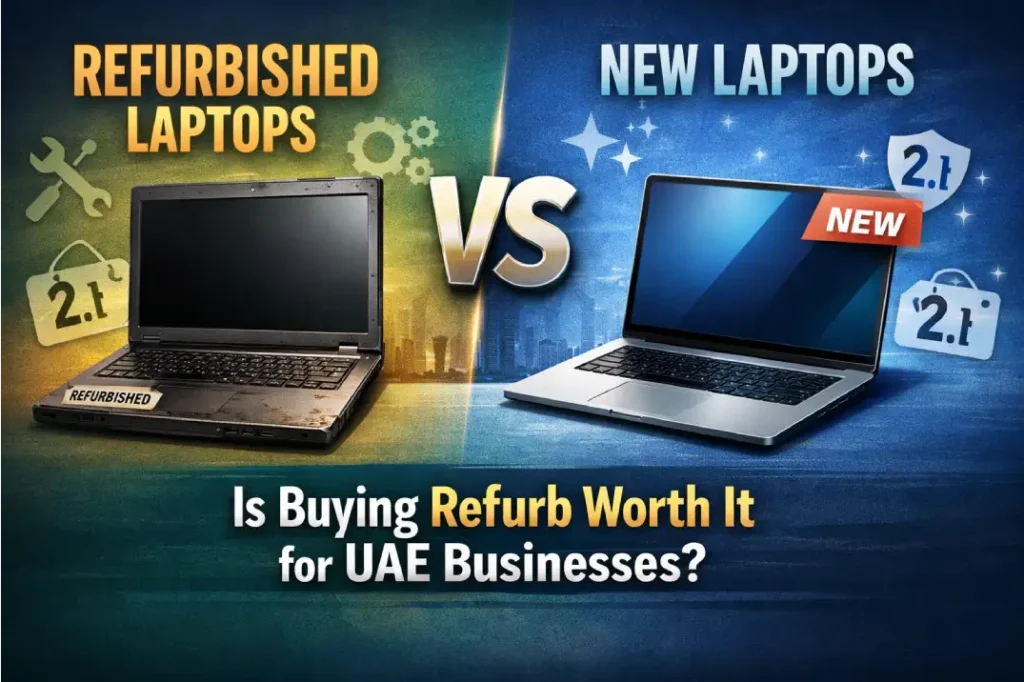
If there is a business in the UAE and they require laptops for their employees, the first major question that comes in mind is: Should they go for brand new laptops or refurbished ones? The answer is that both options can be good for the business, but they can be good for different businesses.
A startup in Dubai, a growing agency in Sharjah, or a large company in Abu Dhabi may all have different budgets, performance requirements, and long term plans.
This blog can help you decide whether it is worth buying refurbished laptops for your business in the UAE or not.
If you are already thinking of comparing business devices, then there are more options available on Gadgetly.
What is a refurbished laptop?
A refurbished laptop is not just any used laptop sold “as is.”
It is one that has been used before, inspected, possibly repaired, cleaned, and refurbished for resale. In fact, many laptops sold as “refurbished” were originally business laptops that were returned, leased, or upgraded by businesses.
A laptop sold as “refurbished” could be one:
with a new battery
with an upgraded hard drive or RAM
with a new operating system
with a warranty from the seller
As such, it is very different from just any used laptop bought from anywhere.
What is a new laptop?
A New Laptop is one which has never been used before. In other words, it is a laptop which has never been opened before, comes in original packaging, and has the latest design, the latest hardware, and the full warranty right out of the box.
For businesses, new laptops often mean:
no previous wear and tear
the newest processor generation
full official support
longer expected lifespan
Refurbished laptops vs new laptops: the quick comparison
Factor | Refurbished Laptop | New Laptop |
Price | Lower | Higher |
Performance | Often very good | Latest and best |
Warranty | Depends on seller | Full manufacturer warranty |
Condition | Pre owned but restored | Brand new |
Ideal for | Budget conscious businesses | Performance focused businesses |
Environmental impact | Lower waste | Higher manufacturing footprint |
Risk level | Moderate, if seller is poor | Lower |
This table gives the basic idea. But the real answer depends on how your business works.
Why refurbished laptops are attractive for UAE businesses
For many UAE businesses, refurbished laptops are attractive simply because they solve a very real problem: cost.
Business technology can become expensive very quickly. If you need 5, 10, 20, or more laptops at once, buying brandnew machines may stretch the budget.
1) Lower upfront cost
This is the biggest advantage.
Refurbished laptops have the advantage of costing a great deal less than new ones with similar business class specs.
This is great for:
startups
SMEs
project teams
training centers
businesses with a large staff onboarding needs
2) Better value for money
A lot of refurbished business laptops tend to be high end models. Even after being refurbished, they tend to be built to last, have good keyboards, strong hinges, and professional grade features.
In simple words, you get to save money, but still get something built to last.
3) Good for basic business work
If your team mainly uses:
email
spreadsheets
Zoom or Teams
CRM systems
web based tools
document editing
then a refurbished laptop can do all the job well.
4) Faster expansion for growing teams
If a business is expanding rapidly, buying refurbished laptops can be beneficial in terms of providing new employees with equipment more rapidly, without overstretching cash flow.
This is a significant advantage in a competitive environment like Dubai or Abu Dhabi.
5) Better for sustainability
One of the benefits of refurbished laptops is that it helps in reducing electronic waste.
Rather than discarding good working machines, refurbishment gives them a second life. For organizations that value sustainability and responsible purchasing, this is a big plus.
Why new laptops are still important
Refurbished laptops are useful, but they are not always the best choice.
Sometimes, a new laptop is simply the safer and smarter investment.
1) Latest hardware
One of the advantages of new laptops is that they come with the latest hardware.
This matters if your business uses:
design software
video editing tools
3D applications
engineering software
advanced data work
heavy multitasking
2) Full warranty and support
New laptops usually come with a proper manufacturer warranty.
That gives peace of mind. If something goes wrong, the support process is usually simpler and more reliable.
3) Longer expected lifespan
A brand new laptop starts from zero. This means that there is no battery degradation, no damaged keyboard from previous use, and no stress on the hardware.
For businesses that require a 3 to 5 year lifespan, or even longer, on a laptop, new laptops may be a better option
4) Better for brand consistency
Some companies prefer all employees to use the same model, same spec, and same warranty coverage.
This makes IT management easier and helps maintain a professional standard across the company.
When refurbished laptops make sense for UAE businesses
Refurbished laptops are worth it when your business wants to save money without sacrificing too much reliability.
They are a smart option if:
your budget is limited
your team needs standard office performance
you want to buy in bulk
you need temporary devices
you are setting up a new office
you want to reduce upfront capital spending
your employees mainly use cloud tools and light software
For many businesses, this is the sweet spot. You get usable, professional devices at a more affordable price.
When new laptops are the better choice
New laptops are usually the right choice when performance, longevity, and support matter most.
Choose new laptops if:
your team uses demanding software
you need the latest specs
your staff works long hours on laptops daily
you want maximum warranty security
your business has strict IT standards
you want fewer risks with hardware condition
For example, a creative agency, software company, engineering firm, or executive team may benefit more from brand new systems.
The hidden risks of refurbished laptops
Refurbished laptops can be a smart buy, but only if you buy from a trusted seller.
1) Shorter or limited warranty
Some refurbished devices come with only a short warranty. Others may not have proper support at all.
2) Battery health may vary
Even after refurbishment, battery life may not be the same as a new laptop.
3) Older hardware
A refurbished laptop may still be based on an older generation processor or graphics chip.
That is fine for office work, but not ideal for heavy workloads.
4) Quality depends on the seller
This is very important.
A good refurbished laptop seller tests the device carefully. A poor seller may only clean the outside and resell it without proper inspection.
That is why trust matters more than price alone.
What UAE businesses should check before buying refurbished laptops
Before you buy, make sure you check a few key things.
1) Warranty
Always ask how long the warranty lasts and what it covers.
2) Battery condition
Battery health is one of the most important things in a refurbished laptop.
3) Processor and RAM
Make sure the specs match your team’s daily work.
4) SSD instead of HDD
An SSD makes a laptop much faster and more responsive.
5) Physical condition
Check the screen, keyboard, ports, hinges, and touchpad.
6) Return policy
A proper return policy gives you safety if the laptop is not as expected.
7) Trusted seller
This matters most.
A reliable business laptop seller should provide clear product details, warranty information, and after sales support.
Which is better for different types of businesses?
Here is a simple guide.
Business Type | Better Option | Why |
Startups | Refurbished | Lower cost, good for basic work |
Small offices | Refurbished or new | Depends on budget |
Large enterprises | New | Easier standardization |
Creative agencies | New | Better for demanding software |
Training centers | Refurbished | Cost effective bulk purchase |
Remote teams | Either | Depends on workload and support needs |
This is not a hard rule, but it gives a clear direction.
Is buying refurb worth it for UAE businesses?
Yes, refurbished laptops can absolutely be worth it for UAE businesses.
But only in the right situation.
If your business wants to save money, equip staff quickly, and use laptops for everyday office work, refurbished devices can be a smart and practical investment.
If your business needs the latest performance, long term reliability, and full warranty protection, new laptops may be the better choice.
So the question shouldn’t be refurbished or new?
The question should be:
“What do you really need more, money or performance?”
Simple decision guide
Choose refurbished laptops if you want:
lower cost
bulk buying
office based productivity
quicker expansion
better value on a budget
Choose new laptops if you want:
latest specs
full warranty
longer life
strong performance
minimal hardware risk
Final thoughts
For many UAE businesses, refurbished laptops are a smart and budget friendly option. They are especially useful for startups, SMEs, and office teams that do not need high end computing power.
For businesses that require the best in class, new laptops are the way to go.
The best option for you would be determined by your needs, budget, and the duration of usage.
If you are comparing business laptop options for your company, explore more through Gadgetly and choose the setup that matches your team’s real needs.
Frequently Asked Questions
1) Are refurbished laptops good for office work?
Yes. Refurbished laptops are usually good for email, browsing, office apps, video calls, and CRM work.
2) Do refurbished laptops last long?
They can last well if they are properly tested and sold by a trusted seller. Battery life and overall condition matter a lot.
3) Are refurbished laptops safe to buy for businesses?
Yes, if you buy from a reliable seller with warranty, return options, and clear product details.
4) Do refurbished laptops come with warranty?
Many do, but the warranty length varies by seller. Always check before buying.
5) Is a new laptop always better than refurbished?
Not always. A new laptop is better for performance and warranty, but refurbished can be better for budget and value.
6) Can refurbished laptops handle multiple business apps?
Yes, if the specifications are good enough. Look for a fast processor, enough RAM, and an SSD.
7) What is the biggest advantage of refurbished laptops?
The biggest advantage is cost savings without completely sacrificing quality.
8) What is the biggest risk of buying refurbished laptops?
The biggest risk is poor quality from an unreliable seller.
Selecting the right server for business in Dubai is one of the most critical technology decisions that any business can take. Whether you are a start up, small to medium sized business, or an enterprise, having the best server for your business can significantly enhance its performance.
In the UAE market, businesses are rapidly adopting digital systems, cloud integration, and data driven operations. That makes choosing the right enterprise server UAE solution even more critical.
This guide will help you understand:
Types of servers
Key features to consider
How to choose based on your business
Buying tips for UAE businesses
Why Your Business Needs the Right Server
A server is the backbone of your IT infrastructure.
It helps you:
Store and manage data
Run business applications
Handle user access and security
Support websites and internal systems
Choosing the wrong server can lead to:
Slow performance
Downtime
Security risks
Higher long term costs
Types of Servers for Business in Dubai
Before choosing a server, you need to understand the main types available.
1. Rack Servers (Most Popular in UAE)
Rack servers are widely used in Dubai businesses.
Best for:
Data centres
Medium to large businesses
Scalable environments
Features:
Installed in racks
Space efficient
Easy to scale
If you are searching for a rack server UAE, this is the most common choice.
2. Tower Servers
Tower servers look like desktop PCs.
Best for:
Small businesses
Offices with limited IT setup
Features:
Affordable
Easy to install
No rack required
3. Blade Servers
Blade servers are high density systems.
Best for:
Large enterprises
Data heavy operations
Features:
High performance
Compact
Expensive
Server Type Comparison Table
Server Type | Best For | Cost | Scalability | Space Usage |
Tower Server | Small business | Low | Limited | High |
Rack Server | Medium & enterprise | Medium | High | Low |
Blade Server | Large enterprise | High | Very High | Very Low |
Key Factors to Choose the Right Server
1. Performance (CPU Power)
Choose processors based on workload:
Entry level – Intel Xeon E series
Mid range – Xeon Silver
High end – Xeon Gold / Platinum
More users + more applications = higher CPU requirement
2. RAM (Memory)
RAM determines how many tasks your server can handle.
Recommended:
Small business – 16GB – 32GB
Medium business – 32GB – 64GB
Enterprise – 128GB+
3. Storage Type
Storage impacts speed and reliability.
Options:
HDD – Cheap but slow
SSD – Fast and reliable
SAS – Enterprise grade
For most UAE businesses:
Use SSD + SAS combination
4. Security Features
Security is critical in Dubai’s business environment.
Look for:
RAID configuration
Secure boot
Encryption
Remote management (iDRAC / iLO)
5. Scalability
Your server should grow with your business.
Check:
RAM upgrade slots
Storage expansion
CPU scalability
6. Remote Management
Modern servers allow remote monitoring.
Examples:
Dell iDRAC
HPE iLO
Helps IT teams manage servers remotely
Best Server Brands in UAE
Dell Servers
If you want reliability and performance, Dell is a top choice.
Popular models:
PowerEdge series
Reason:
Strong performance
Advanced management tools
Wide availability
Many businesses search to buy Dell server Dubai due to strong local support.
HPE Servers
HPE is known for enterprise-grade performance.
Popular models:
ProLiant series
Reason:
High reliability
Advanced security
Enterprise features
Many users compare HPE server price UAE before purchasing.
Dell vs HPE Server Comparison
Feature | Dell Servers | HPE Servers |
Performance | High | High |
Management | iDRAC | iLO |
Pricing | Competitive | Slightly premium |
Use Case | SMB to enterprise | Enterprise heavy workloads |
How to Choose Based on Business Size
Small Business
Go for:
Tower server
16GB–32GB RAM
Basic storage
Cost effective
Easy setup
Medium Business
Go for:
Rack server
32GB – 64GB RAM
SSD + RAID
Scalable
Balanced performance
Enterprise
Go for:
Rack or blade servers
128GB+ RAM
Advanced storage
High performance
Supports heavy workloads
UAE Specific Buying Tips
Buy from Trusted Suppliers
Always buy from:
Authorized resellers
Verified IT suppliers
Check Warranty
Recommended:
3 year warranty
Onsite support
Consider Cooling & Space
Dubai climate matters.
Ensure:
Proper cooling
Rack space availability
Plan for Future Growth
Do not buy only for today.
Think about:
Business expansion
Data growth
Additional users
Explore Servers for Your Business
If you are planning to invest in a reliable enterprise server UAE, you can explore a wide range of Dell and HPE servers here:
Find solutions tailored for startups, SMEs, and enterprise businesses in Dubai.
Common Mistakes to Avoid
Buying based on price only
Ignoring scalability
Choosing outdated hardware
Not planning storage properly
Skipping warranty
Final Thoughts
Choosing the right server for your business in Dubai is not just about hardware.
It is about:
Performance
Security
Scalability
Long term value
Best recommendation:
Rack server
Xeon processor
SSD + RAID storage
Minimum 32GB RAM
This setup works for most businesses in UAE.
FAQs
1. Which server is best for business in Dubai?
Rack servers are the most popular choice due to scalability, performance, and space efficiency.
2. What is the best rack server in UAE?
Dell PowerEdge and HPE ProLiant are among the best rack server options available in UAE.
3. How much does an HPE server cost in UAE?
The HPE server price UAE varies depending on configuration, but entry level servers start from a few thousand AED and go higher for enterprise setups.
4. Where can I buy Dell servers in Dubai?
You can buy Dell server Dubai from authorized IT suppliers or online platforms offering business solutions.
5. What is the difference between tower and rack servers?
Tower servers are stand alone and suitable for small businesses, while rack servers are scalable and used in enterprise environments.
6. How much RAM do I need for a business server?
Small business – 16GB – 32GB
Medium – 32GB – 64GB
Enterprise – 128GB+
7. Which server is best for small businesses?
Tower servers or entry level rack servers are ideal due to affordability and ease of use.
8. What should I consider before buying a server in UAE?
Consider:
Performance
Storage
Scalability
Warranty
Local support
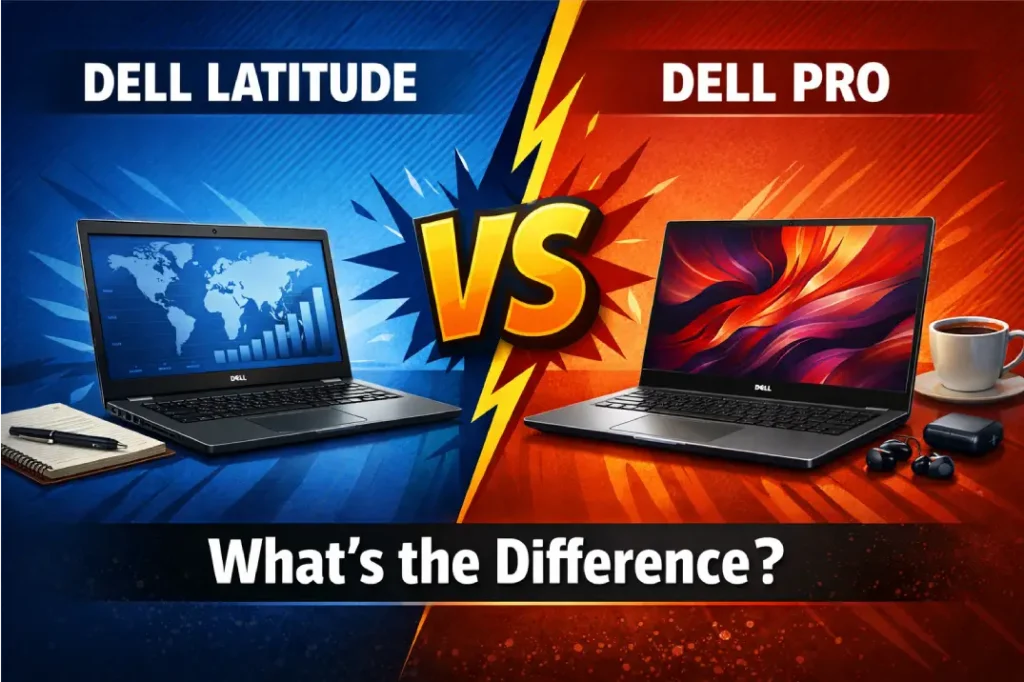
If you are shopping for a Dell business laptop right now, you may be seeing both Latitude and Dell Pro names and wondering which one makes more sense. The short answer is that both are made for work, but Dell has updated its commercial lineup and changed the names. Dell says that the Latitude and Latitude Rugged legacies will live on in the Dell Pro laptops line. The Latitude family of laptops is still described as smart, safe, and business focused, with a focus on getting work done on the go.
The simple way to understand it
Think of Latitude as Dell’s long standing business laptop family. Dell describes Latitude laptops as durable, reliable, and built with business focused features for professional users. They are positioned for enterprise grade use, remote work, and mobility.
Dell Pro is the name of Dell’s new line of business PCs. Dell says that Dell Pro laptops are professional grade PCs that offer scalable performance, top notch security, and easy management. Dell also says that the Dell Pro models are light, strong, and fast, and they come with options for different business needs, like everyday productivity, mainstream knowledge work, and high end executive use.
What changed between Latitude and Dell Pro?
The biggest change is the product naming and lineup structure. If you look at Dells product pages you will see that Latitude is still a family of laptops for business. Now Dell has a bigger group called Dell Pro that includes all of its commercial products. This group has levels like Dell Pro 3, Dell Pro 5, Dell Pro 7, and Dell Pro Premium. Dell also has Dell Pro laptops that are ready for business and have the basic security and management features that businesses need.
So if you are looking at a newer Dell commercial laptop, it may now sit under the Dell Pro umbrella even if, in the past, a similar machine might have been branded Latitude. This is why people might get confused between the two names. But if you look at Dells lineup it is clear that Latitude is still a family of business laptops and Dell Pro is the new way that Dell is branding its commercial products.
Latitude: best known for proven business reliability
Latitude has a strong reputation. Dell says Latitude laptops are recognized for durability, reliability, and business focused features. Dell says that Latitude laptops are great for people who work from home, travel for business and professionals in all kinds of jobs. So if you want a laptop that’s good for business and you want something that you know will work well every day, then Latitude is a good choice.
Latitude also comes in structured series, such as the 9000, 7000, and 5000 series, with Dell describing the 5000 series as its smallest and most scalable mainstream business laptops. For this reason, Latitude laptops are useful for companies that want a simple lineup of laptops, for their employees.
Dell Pro: best known for the newer commercial lineup
Dell Pro laptops focus on performance that can grow with you, keep you safe, and simplify IT management
Dell says their Dell Pro laptops are made to help you work with confidence no matter where you are, while supporting IT teams with stronger manageability and security features. While Dell Pro 3, 5, 7, and Premium help match different user needs.
That means Dell Pro is not just a renamed laptop. It is a refreshed commercial family with a broader tier structure. For many buyers, that makes Dell Pro feel more modern and easier to shop by need.
Which one should you buy?
Choose Latitude if you want a traditional, trusted Dell business laptop family with a long standing reputation for durability and enterprise use.
Choose Dell Pro if you want Dell’s newer commercial naming, clearer tiering, and a lineup built around scalable performance, manageability, and modern business workflows.
Both laptops are made for people who use them for work. The difference between them is not about which one is better or worse. It is more about how Dell’s changing its lineup of laptops. Latitude is the established brand for businesses. Dell Pro is the way Dell is organizing its business laptops. Latitude laptops have been around, for a time. Dell Pro laptops are part of the structure that Dell is using for all its business laptops.
Which is better for office work?
For office work, either can be a good fit. Dell says the Latitude is made for getting work done when you are away from the office, while the Dell Pro is made for getting work done working with others and doing things simultaneously. Dell Pro pages also emphasize lightweight designs, durable builds, and streamlined IT support.
If your office team needs a familiar business laptop with strong durability and a long track record, Latitude is an easy recommendation. If your team prefers Dell’s latest commercial structure and wants models grouped under the new Pro family, Dell Pro may be the better direction.
Which is better for remote work?
Latitude has a powerful remote work story. Dell says that Latitude laptops are made for people who need to work from places, and they have features like long battery life, a design that is not too heavy, and the option to connect to the internet from anywhere using cellular connectivity. This makes Latitude laptops a good choice for people who work from home or for people who are always on the move or for people who like to work from shared office spaces.
Dell Pro laptops are also a fit for people who work from remote. They are lightweight, can withstand rough handling, are fast, and can keep up with a full day of work. So if you are looking for a commercial laptop from Dell with their new way of naming things, then Dell Pro laptops are also a perfect option.
Is Dell Pro replacing Latitude?
Dell’s current product pages suggest that Latitude’s legacy continues under the Dell Pro product line. That does not mean Latitude instantly disappears everywhere, but it does mean Dell is actively moving its commercial laptop portfolio into the Dell Pro family.
So in shopping terms, the answer is: yes, Dell Pro is the new commercial direction, and Latitude is part of the legacy that continues within that broader shift.
What about security and manageability?
Both lines focus on business. Dell clearly markets Dell Pro with a strong message on security and manageability. Dell claims that Dell Pro laptops offer top notch security and easy manageability. Dell Pro Essential systems come with built in TPM encryption and straightforward manageability. The Latitude line is also portrayed as secure and business oriented with high quality materials and rigorous testing.
If your purchase decision is heavily influenced by IT manageability, Dell Pro’s current positioning is especially strong. If your team values durability and a proven enterprise laptop name, Latitude still has a lot going for it.
Which is better for long term business use?
For long term business use, both are suitable, but the best choice depends on what you want from your laptop fleet. Latitude is the established line with a reputation built around reliability and business use. Dell Pro is the newer structure and is being promoted as scalable, secure, and easier to manage for business environments.
A simple rule works well here: if you want the most familiar corporate choice, pick Latitude. If you want the newer Dell commercial family with clearer tiering, pick Dell Pro.
Final verdict
The difference between Dell Latitude and Dell Pro is mostly about brand evolution and product positioning. Latitude is Dell’s trusted business laptop family with a reputation for reliability and durability. Dell Pro is Dell’s newer commercial lineup, designed around scalable performance, top tier security, and simplified manageability.
For most buyers, both are good choices. The right one depends on whether you prefer the classic Latitude identity or the newer Dell Pro structure. If you are building an ecommerce store or publishing a buying guide, this is a great topic because shoppers are clearly trying to understand the naming change before they buy.
FAQs
1. Is Dell Pro better than Latitude?
Not necessarily. Dell Pro is the newer commercial naming structure, while Latitude is Dell’s established business laptop family. Dell Pro focuses on scalable performance, security, and manageability, while Latitude is known for durability, reliability, and business focused features.
2. Is Latitude still a good laptop in 2026?
Yes. Dell still describes Latitude as a secure, intelligent business laptop family designed for productivity on the go, with a strong reputation for durability and reliability.
3. Why did Dell change from Latitude to Dell Pro?
Dell’s current lineup shows that Latitude and Latitude Rugged legacies continue under the Dell Pro laptops product line. The shift appears to be part of Dell’s broader commercial branding refresh.
4. Which Dell series is better for business?
Both are business focused. Latitude is ideal if you want a traditional enterprise laptop family, while Dell Pro is better if you want the newer commercial family with clearer tiering and modern manageability messaging.
5. Which one is better for remote workers?
Latitude is especially strong for remote work because Dell highlights long battery life, lightweight design, and optional cellular connectivity. Dell Pro is also suitable because Dell markets it as lightweight, durable, and fast.
6. Should I buy Latitude or Dell Pro for office use?
If you want the classic business choice, go with Latitude. If you want Dell’s newer commercial lineup with a modern structure and strong manageability focus, go with Dell Pro.
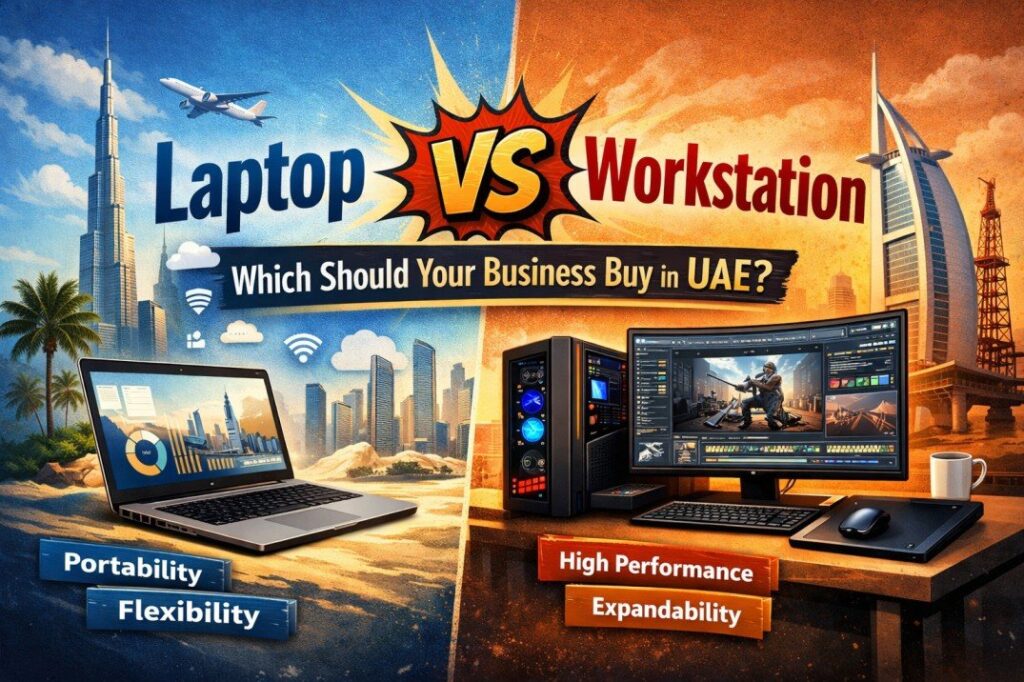
Every IT decision in a UAE business eventually comes down to this question: should we buy business laptops or mobile workstations? On the surface, both look like laptops. Both run Windows. Both fit in a bag. But inside, they are built for completely different jobs, and buying the wrong one costs your business money, time, and productivity.
This guide will explain the differences in simple terms, give you the real costs in AED, and inform you exactly which device is best suited for what task within your business in Dubai.
What is a business laptop?
A business laptop is designed for everyday professional use: emails, video calls, Office 365, CRM tools, cloud apps, and web browsing. Brands like HP, Dell, and Lenovo build these to be thin, light, and long lasting on a single charge.
Top examples in the UAE market include the HP EliteBook series, Dell Latitude, and Lenovo ThinkPad T series. These machines typically come with Intel Core Ultra or AMD Ryzen 5/7 processors, 16 – 32 GB RAM, and enterprise security features like TPM chips and fingerprint readers.
In 2026, AI enabled business laptops with Neural Processing Units (NPUs), such as the Lenovo ThinkPad X1 Carbon Gen 13 or the Dell XPS 13, are becoming the new standard for office use, thanks to Microsoft Copilot+ compatibility and on device AI features.
What is a mobile workstation?
A mobile workstation is a high performance laptop built for demanding professional workflows. Think 3D CAD rendering, architectural design, video editing, data science, engineering simulations, and AI model development.
Leading models in the UAE include the HP ZBook Ultra G1a, Dell Pro Max 16 (which replaced the legacy Dell Precision line in 2025), and the Lenovo ThinkPad P16 Gen 3. These machines pack professional grade GPUs, ECC memory support, up to 192 GB RAM, and ISV certified graphics drivers.
The HP ZBook Ultra G1a, for example, uses AMD’s Strix Halo chip with a unified memory architecture that can allocate up to 96 GB of high speed memory to its integrated GPU, eliminating the memory bottlenecks that commonly crash lesser machines during large dataset visualisation or AI workflows.
Laptop vs workstation: head to head comparison
Here is a straight side by side of how both device categories compare across the factors that matter most to UAE businesses:
Feature | Business Laptop | Mobile Workstation |
Processor | Intel Core Ultra 5/7 or AMD Ryzen 5/7 | Intel Core Ultra 9 HX or AMD Ryzen AI Max+ |
GPU | Integrated graphics or entry level discrete | Professional GPU NVIDIA RTX Pro / AMD Radeon Pro |
RAM | 16 GB – 64 GB | 32 GB – 192 GB (ECC supported) |
Storage | 512 GB – 2 TB NVMe SSD | 1 TB – 8 TB NVMe RAID options |
Weight | 1.1 kg – 1.8 kg | 1.7 kg – 3.2 kg |
Battery life | 10 – 22 hours | 3 – 7 hours |
Price (AED) | AED 3,500 – AED 12,000 | AED 9,500 – AED 45,000+ |
Lifespan | 3 – 5 years | 5 – 8 years |
ISV Certification | Not available | Certified for AutoCAD, SolidWorks, Revit, etc. |
Best for | Managers, sales, admin, finance, HR | Engineers, architects, designers, data scientists |
Who needs a business laptop in the UAE?
If your team’s daily work involves communication, documents, video calls, and cloud based tools, a business laptop is the right choice. It is lighter, more affordable, and far easier to carry across Dubai’s offices, client sites, and airport lounges.
These roles are well served by business laptops:
Sales executives and account managers
Finance and accounting teams
HR, administration, and operations staff
Customer service and CRM users
Executive leadership and management
Remote and hybrid workers
UAE market tip
For businesses deploying 10+ laptops, brands like HP and Dell offer enterprise bulk pricing in the UAE. Gadgetly provides B2B procurement packages that include on site warranty, Arabic OS configuration, and dedicated account management.
Who needs a workstation in UAE?
If your team is using software that pushes the hardware to its limits, like rendering 3D images, processing large datasets, doing engineering simulations, or video editing high-resolution video, a standard laptop will only slow your team down or make the software crash.
These roles justify the investment in a mobile workstation:
Architects and civil engineers using AutoCAD, Revit, or BIM tools
3D visualisation artists and VFX professionals
Data scientists and AI developers running local model training
Video editors and post production professionals
Product designers using SolidWorks, CATIA, or Siemens NX
GIS and urban planning professionals
The construction boom in Dubai, EXPO legacy projects, and the UAE’s National AI Strategy 2031 are generating substantial workstation-grade hardware needs for architecture firms, tech startups, and government contractors in the region.
Cost comparison: AED pricing for UAE businesses
Here is a realistic price guide for both categories in the 2026 UAE market, based on typical B2B configurations:
Model | Category | Price (AED) | Best for |
Dell Latitude 5450 | Business Laptop | AED 4,200 | Office & hybrid work |
HP EliteBook 840 G11 | Business Laptop | AED 5,800 | Executives & managers |
Lenovo ThinkPad X1 Carbon | Business Laptop (AI) | AED 8,500 | AI ready power users |
Lenovo ThinkPad P14s Gen 6 | Entry Workstation | AED 9,800 | CAD & BIM on the go |
Dell Pro Max 16 | Mobile Workstation | AED 16,500 | Design & development |
HP ZBook Ultra G1a | Mobile Workstation | AED 22,000+ | Large dataset & AI viz |
Lenovo ThinkPad P16 Gen 3 | Mobile Workstation | AED 28,000+ | Engineering simulations |
The hidden cost of the wrong choice
Many business organizations in the UAE are unaware of the actual cost of incompatibility between the hardware and the workload. For example, the architect using Revit software on a standard business notebook will experience performance slowdowns, software crashes, and reduced file rendering quality, which amounts to hours of wasted productivity every week.
Research by Autodesk found that employees are 85% more likely to stay with a company when they have the right tools for their roles. In a competitive hiring market like Dubai, giving engineers workstation grade hardware is not just a productivity decision; it is a retention strategy.
Workstations also have the ability to last 5-8 years, whereas business notebooks have a lifespan of 3-5 years. This changes the equation of the total cost of ownership (TCO) if we calculate the numbers over a 5-year budget.
The middle ground when a workstation laptop makes sense
There is a growing category of mobile workstations that bridge the gap. Machines like the Lenovo ThinkPad P14s Gen 6 weigh under 1.6 kg, offer strong CAD performance, and are portable enough for daily commuting across Dubai.
These hybrid options are ideal when:
Your team needs professional GPU performance but also travels frequently
You want ISV certification without the bulk of a 16 inch workstation
Your budget sits between AED 9,000 – AED 14,000 per unit
Decision shortcut
Ask yourself one question: Does your team’s software require a certified professional GPU (NVIDIA RTX Pro or AMD Radeon Pro)? If yes, you need a workstation. If no, a business laptop will serve you well
Browse Gadgetly’s B2B range
Whether you need to equip a team of 5 or a fleet of 500, Gadgetly’s B2B catalogue covers the full spectrum from HP EliteBook business laptops to HP ZBook mobile workstations, all with UAE warranty and bulk procurement options. Explore the full laptops and workstations range on Gadgetly.ae.
Frequently Asked Questions
1. Can I use a business laptop for AutoCAD or SolidWorks?
You can run basic versions of AutoCAD on a high end business laptop, but you will notice sluggish performance on complex assemblies, large 3D models, or rendering tasks. For professional CAD and BIM work, a certified mobile workstation with an NVIDIA RTX Pro or AMD Radeon Pro GPU is strongly recommended.
2. What is the difference between a workstation laptop and a gaming laptop?
Both have powerful GPUs, but they serve different purposes. Gaming laptops use consumer grade graphics (like NVIDIA GeForce RTX) optimised for high frame rates. Workstation laptops use professional grade GPUs (NVIDIA RTX Pro or AMD Radeon Pro) with ISV certified drivers, ECC memory support, and are validated to run engineering and design software without errors or crashes.
3. Is a mobile workstation worth buying in the UAE for a small business?
It depends entirely on your workload. If your team includes architects, engineers, video editors, or data scientists, a workstation pays for itself quickly through increased output and reduced rework. For an office team handling documents, email, and cloud tools, a business laptop is the better investment.
4. How many business laptops can I buy in bulk from Gadgetly UAE?
Gadgetly caters to B2B buyers across the UAE with flexible bulk order options starting from 5 units. Larger enterprise orders include dedicated account management, custom configurations, and on site warranty support across Dubai, Abu Dhabi, and Sharjah.
5. What is the average lifespan of a business laptop vs a workstation in UAE?
In normal business use, a well maintained business laptop lasts 3-5 years. A mobile workstation, built with higher grade components and better thermal management, typically delivers 5-8 years of reliable performance making it a sound long term investment despite the higher upfront cost.
6. Do workstations overheat in Dubai’s climate?
This is a valid concern for UAE businesses. Quality mobile workstations from HP, Dell, and Lenovo are designed with enterprise grade thermal management that handles sustained loads under high ambient temperatures. That said, it is important to ensure adequate office ventilation and to avoid leaving devices in parked vehicles in the Dubai summer heat.
7. Should I buy an AI workstation or use cloud AI services for my business?
Use cloud AI services if you only need AI tools occasionally (ChatGPT, Copilot via browser) a standard business laptop handles that perfectly. Invest in an AI workstation if your team is training local models, processing sensitive data that cannot leave your premises, or running AI workflows more than 40- 50 hours per month.
Selecting the correct business laptops in 2026 has never been more crucial. With the rise of remote working, cloud computing, and cybersecurity threats, businesses in the UAE are in need of laptops that are not only fast but also secure and future proof.
Whether you are running a startup, SME, or an enterprise, investing in the correct laptops for your business can make all the difference to your employees’ productivity and your business’s overall efficiency.
In the following guide, we will show you how to select the best business laptops in the UAE for 2026.
Why Choosing the Right Business Laptop Matters
Business laptops are not like regular consumer laptops. They are built for:
Daily professional use
Long working hours
Secure data handling
Remote and hybrid work environments
A poor choice can lead to:
Slow performance
Frequent breakdowns
Security risks
Higher long term costs
That is why businesses in UAE are now focusing on performance, reliability, and long term value rather than just price.
Key Features to Look for in a Business Laptop (2026)
Before you purchase any laptop for your business, you need to evaluate a few essential features.
1. Processor (Performance Power)
The processor is the brain of the laptop.
For 2026, the best options are:
Intel Core Ultra series
Intel Core i7 (13th Gen or newer)
AMD Ryzen 7
These processors ensure:
Smooth multitasking
Faster data processing
Better performance for business applications
For heavy workloads like analytics or design, always choose higher end processors.
2. RAM (Multitasking Ability)
RAM directly affects how smoothly your laptop runs multiple applications.
Recommended:
Minimum: 16GB
Ideal: 32GB
With higher RAM, your team can:
Run multiple apps without lag
Work on large files
Improve overall efficiency
3. Storage (Speed & Capacity)
Always choose SSD over HDD.
Recommended:
512GB SSD (minimum)
1TB SSD (ideal for business use)
Benefits:
Faster boot times
Quick file access
Better performance
4. Security Features
Security is critical for UAE businesses, especially in finance, healthcare, and corporate sectors.
Look for:
TPM 2.0
Fingerprint reader
IR camera (face recognition)
BitLocker encryption
These features help protect sensitive company data.
5. Battery Life
For hybrid and remote work environments, battery life is essential.
Recommended:
Minimum 8 hours
Ideal 10+ hours
This ensures employees can work without interruptions.
6. Build Quality and Portability
Business laptops should be:
Durable
Lightweight
Easy to carry
Especially important for:
Sales teams
Executives
Remote workers
Business Laptop Specs Comparison Table
Use Case | Processor | RAM | Storage | Recommended For |
Basic Office Work | i5 / Ryzen 5 | 16GB | 512GB SSD | Small businesses |
Standard Business | i7 / Core Ultra | 16-32GB | 512GB-1TB | SMEs |
High Performance | Core Ultra / Ryzen 7 | 32GB | 1TB SSD | Enterprises |
Remote Work | i5 / i7 | 16GB | 512GB SSD | Hybrid teams |
Developers / Analysts | i7 / Core Ultra | 32GB+ | 1TB+ SSD | Technical roles |
Best Business Laptop Categories in UAE (2026)
Instead of focusing on individual models, businesses should focus on categories based on needs.
1. Premium Business Laptops
Best for:
Executives
Senior professionals
Enterprise users
Examples:
Dell Latitude 7000/9000
Dell Pro Series
HP EliteBook
Features:
Premium design
Advanced security
High end performance
2. Mid Range Business Laptops
Best for:
Growing businesses
Office teams
Sales professionals
Examples:
Dell Latitude 3000/5000
HP ProBook
Features:
Balanced performance
Cost effective
Reliable for daily tasks
3. Budget Business Laptops
Best for:
Startups
Bulk purchase
Entry level roles
Examples:
Dell Vostro
Lenovo ThinkBook
Features:
Affordable
Basic productivity
Suitable for light work
Why Windows 11 is Essential in 2026
One of the most important decisions is choosing the right operating system.
Windows 10 is no longer supported.
So, businesses should always choose:
Windows 11 Pro
Benefits:
Better security
Improved performance
Advanced device management
Future compatibility
Security Considerations for UAE Businesses
Data protection is a major concern in UAE.
Key security features to prioritize:
BitLocker encryption
Multi factor authentication
Secure boot
These features ensure:
Data safety
Compliance with regulations
Reduced cyber risk
B2B Laptop Buying Tips for UAE Businesses
Here are some practical tips when buying laptops in bulk:
Buy in Bulk
Reduces cost per unit
Ensures consistency across teams
Easy IT management
Choose Business Warranty
Always go for:
3 year warranty
Onsite support
This reduces downtime and repair delays.
Consider Keyboard Layout
In UAE:
English keyboard
Arabic keyboard
Choose based on your workforce.
Plan for Future Needs
Do not buy only for current requirements.
Think about:
Software upgrades
Business expansion
Long term usage
Explore Business Laptops for Your Company
If you are planning to purchase laptops for your business, you can explore a wide range of options here:
https://www.gadgetly.ae/
You will find business ready laptops with the right configurations for startups, SMEs, and enterprise teams.
Final Thoughts
The best business laptops in UAE for 2026 are not just about specs.
They should:
Match your business needs
Improve productivity
Ensure data security
Offer long term reliability
Ideal configuration:
Core Ultra / i7 processor
16GB – 32GB RAM
SSD storage
Windows 11 Pro
This combination works for most businesses.
FAQs
1. Which laptop is best for business in UAE in 2026?
Dell Latitude, Dell Pro, and HP EliteBook are among the best options due to their performance, security, and reliability.
2. How much RAM do business laptops need?
16GB is the minimum, but 32GB is recommended for better multitasking and future proofing.
3. Is Windows 11 required for business laptops?
Yes. Windows 10 is no longer supported, so Windows 11 is necessary for security and updates.
4. Which processor is best for business laptops?
Intel Core Ultra, i7, or AMD Ryzen 7 are ideal for modern workloads.
5. Should businesses buy laptops in bulk?
Yes. Bulk purchasing reduces cost and simplifies IT management.
6. What is the best laptop for remote work?
Lightweight laptops with long battery life, SSD storage, and at least 16GB RAM are ideal.
7. Are business laptops worth it?
Yes. They offer better durability, security, and long term value compared to consumer laptops.
Traders require screen space that provides them with both visual comfort and adequate space to work. In the UAE that decision also includes local stock, AED pricing, and fast warranty service.
The guide provides essential information about trading display requirements that traders need to consider when operating in Dubai and Abu Dhabi and Sharjah and throughout the Emirates.
This blog contains short paragraphs for you to easy navigate through the contents in selecting the right sizes, practical multi screen arrangements, UAE buying tips, and a short checklist so you can buy with confidence.
For more gadget guides and UAE focused buying tips, check out Gadgetly, we publish hands on reviews and local retailer comparisons.
Why your monitor choice changes how you trade
Trading is a visual job: charts, order tickets, news feeds, and watchlists all compete for attention.
A proper monitor configuration enables users to maintain visibility of essential windows while decreasing the need for window changes and protecting their eyes from fatigue. The incorrect screen dimensions and display settings, together with inadequate workspace design, require users to adjust their screens repeatedly, which results in productivity loss.
The correct specifications and arrangement of your workspace will enable you to identify patterns more quickly while experiencing improved work performance.
Core priorities when shopping for a trading monitor
Keep this short checklist handy:
Workspace (size + resolution): More pixels let you fit additional charts. For many traders, two 27 inch QHD monitors or a 34″-49″ ultra wide are the most useful.
Panel technology: IPS is the usual choice for clear text and consistent colours across angles.
Connectivity: Look for DisplayPort, HDMI and preferably USB C/Thunderbolt if you use a laptop or docking station.
Ergonomics & mounting: Adjustable height, tilt and VESA compatibility matter for long sessions.
Local warranty & service: Buying from authorised UAE sellers reduces downtime if repairs are needed.
Match your monitors: Using identical models makes window tiling and visual balance much simpler.
Practical setups that actually work
Dual 27 inch QHD: best all rounder
Two matched screens with 27 inch QHD display provide sufficient screen space to meet desk requirements without exceeding the limits of most workspaces. Use one for active charts and the other for order flow, news, and research tabs. Rotate a side monitor to portrait to view long watchlists.
Single ultra wide (34″- 49″) seamless canvas
An ultra wide removes the bezel gap and offers an uninterrupted horizontal workspace. A 34 inch ultra wide is great for 3 chart panels; a 49inch 5120×1440 replaces two screens and can show 4+ charts side by side. Ensure your desk depth and viewing distance fit the larger screen.
Three screen hybrid maximum context
Power users often use a large center display (27″- 34″) plus two smaller side monitors for chat, tickers and news. This setup demands a bigger desk and a GPU capable of driving multiple outputs but gives the greatest situational awareness.
Picking the right specs (quick guide)
27″ QHD (2560×1440): Excellent pixel density for legible numbers and multiple windows.
34″-38″ ultra wide (3440×1440): Wide but still fits many desks; good for layouts with several charts.
49″ super ultra wide (5120×1440): Top choice if you want one continuous workspace and have the budget/desk space.
4K 27″-32″: Extremely sharp, but 27″ 4K often needs OS scaling to keep text readable check scaling behaviour in your OS.
Refresh rate & response time: Not critical for trading; prioritize resolution and ergonomics over high refresh rates unless you also game.
UAE buying considerations
Buying in the UAE adds important variables:
Stock & delivery times vary: Always confirm in store availability if you want to test a model.
Final AED price matters: Compare totals after VAT (typically 5%), shipping and any import fees.
Authorised resellers ease RMAs: Local authorised dealers shorten repair times compared with imported purchases.
Returns on large screens: Ultra wides and very large displays can be expensive to return; check the seller’s restocking policy.
Local retailers, such as large electronics chains and online marketplaces, usually list whether a seller is authorised and whether warranty is local. That information can save you days of downtime if an RMA becomes necessary.
Setup tips for a reliable trading desk
Match resolution and height: Identical panels avoid awkward scaling and eye fatigue.
Use monitor arms: They save desk space and make precise alignment possible.
Confirm GPU outputs: Driving two QHD screens or a 5120×1440 ultra wide may require multiple DisplayPort outputs or a USB C/Thunderbolt dock.
Adjust OS scaling: Make sure numbers and tickers are readable; 4K often needs 125-150% scaling on Windows for clarity.
Protect your eyes: Use low blue modes, reduce excessive brightness, and position monitors to eliminate glare.
Budget guide; what to expect in AED bands
Entry (≤ AED 1,500): Two 24″-27″ 1080p or basic 1440p IPS monitors, good for beginners or secondary screens.
Midrange (AED 1,500-4,000): Two 27″ QHD panels or a solid 34″ ultra wide, the sweet spot for most traders.
Premium (AED 4,000+): 49″ ultra wides, 32″ 4K monitors with Thunderbolt docking, or high end professional displays. Buy these from authorised UAE sellers for faster warranty support.
Model (short) | Type / Size | Why traders buy it | Approx. UAE price (AED) |
Samsung Odyssey Neo G9 (G95NC) | 49″ / 5120×1440 (32:9) curved | Massive continuous canvas for multiple charts; curved reduces eye travel | AED 7,500-10,500 |
Dell UltraSharp U2725QE | 27″ / 4K (Thunderbolt hub) | Business features: USB-C/Thunderbolt dock, sharp text, great as central hub | AED 2,600-3,000 |
LG 34WN / 34″ ultra wide models | 34″ / 3440×1440 | Midrange ultra wide that fits many desks; good for 3 chart layouts | AED 1,800-3,600 |
BenQ / ASUS 27″ QHD models | 27″ / 2560×1440 IPS | Reliable midrange panels for matched dual setups, good value | AED 900-2,200 each |
ASUS ProArt 32″ / Dell 32″ business | 32″ / QHD-4K | Large canvas with factory calibration and strong ergonomics, good if you also edit or design | AED 2,500+ |
Budget 24″-27″ IPS pair | 24″-27″ / 1080p-1440p | Entry setups for new traders; cheaper to buy matched pairs locally | AED ≤ 1,500 total |
Quick local checklist before you buy
Check the size of your desk and monitor size.
Check whether your computer or graphic card supports the output for the desired resolution and refresh rate.
Check whether the seller is authorized and warranty is applicable in UAE.
For large monitor sizes, check return and delivery policies.
For large monitor sizes or multiple monitor setup, consider purchasing a monitor arm.
FAQs
Q: What monitor size is best for day trading in the UAE?
A: Two 27 inch QHD monitors are a practical balance of space and clarity. If you want a single canvas, a 34inch – 49inch ultra wide is the alternative.
Q: Should I buy locally or import?
A: Local purchases offer customers faster warranty support and simpler return processes. Importing can save money but may increase RMA time and shipping complexity.
Q: Will my laptop run a 4K ultra wide monitor?
A: Check whether your laptop supports USB C/Thunderbolt video out or has DisplayPort/HDMI ports that can handle the monitor resolution. A Thunderbolt dock often solves multi monitor needs.
Q: Is ultra wide better than dual monitors?
A: It depends on the workflow. Ultra wides remove bezels and simplify window management; dual monitors give physical separation and portrait rotation options.
Q: How do I reduce eye strain during long trading sessions?
A: Match brightness to ambient light, enable low blue modes, use anti glare screens if needed, and take regular breaks to rest your eyes.