Shopping Cart (0)
Close


No products in the cart.
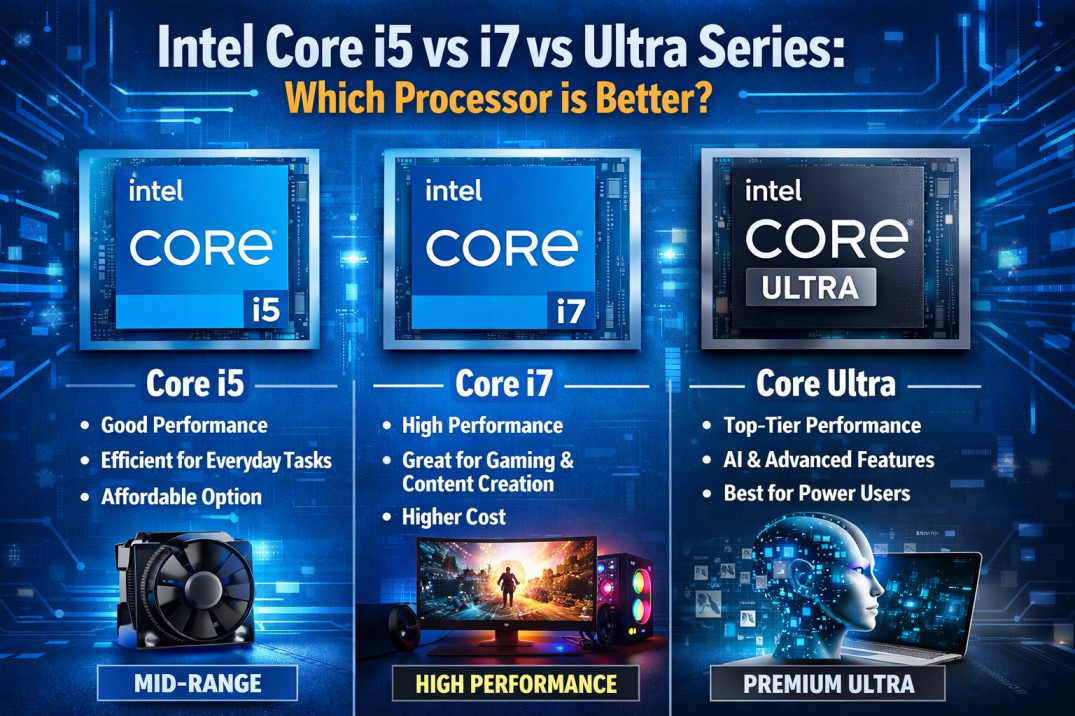
Selecting the appropriate processor is one of the key considerations while purchasing a computer, be it laptop or desktop. Regardless of whether you are a student, business person, or someone using their computers for extensive work, this decision influences efficiency and effectiveness.
Intel is now making its way into the market with the introduction of its Ultra Series Processors, confusing consumers with the option to select either Core i5, Core i7, or Ultra processors.
This guide will help you clearly understand the differences, real world performance, and which one you should choose based on your needs.
Before comparing, let’s simplify what each processor category represents.
The Intel Core i5 is intended for daily usage as well as for professional and business related tasks. The processors are cost effective and provide decent performance.
The Intel Core i7 is more powerful than the i5 and is intended to execute intensive tasks, such as video editing and multi tasking.
Intel Ultra processors are part of Intel’s latest architecture focused on:
AI powered performance
Better power efficiency
Integrated neural processing (NPU)
Improved graphics
These are designed for modern workloads and future ready computing.
Here’s a quick comparison to understand the core differences:
Feature | Intel Core i5 | Intel Core i7 | Intel Ultra Series |
Performance | Moderate | High | Very High (AI optimized) |
Multitasking | Good | Excellent | Excellent |
Power Efficiency | Good | Moderate | Best |
AI Features | No | Limited | Yes (NPU included) |
Graphics | Standard | Better | Advanced integrated GPU |
Best For | Office work | Heavy workloads | Future ready users |
Let’s break this down based on actual usage scenarios.
Tasks:
Microsoft Office
Browsing
Emails
Video calls
Best Choice: Intel Core i5
Core i5 is more than enough for daily office work. It handles multiple tabs and applications smoothly without unnecessary cost.
Tasks:
Excel with large data
CRM tools
Accounting software
Multiple applications running together
Best Choice: Intel Core i7
If your work involves heavy multitasking, i7 gives you smoother performance and faster processing.
Tasks:
Video editing
Graphic design
AutoCAD
3D modeling
Best Choice: Intel Core i7 or Ultra
i7 is still very powerful, but Ultra processors are better optimized for modern creative workloads, especially with AI tools.
Tasks:
AI tools
Machine learning
Smart automation apps
Best Choice: Intel Ultra Series
Ultra processors include NPU (Neural Processing Unit) which helps in handling AI tasks efficiently.
Best Choice: Intel Ultra Series
Ultra processors are designed for better power efficiency, making them ideal for:
Remote work
Travel
Long battery usage
This is one of the most common questions.
You use laptop for basic work
You want budget friendly option
You don’t run heavy software
You multitask heavily
You use professional tools
You want longer performance life span
In simple terms:
i5 = Enough for most users
i7 = Power users
Intel Ultra is not just a performance upgrade, it’s a technology shift.
AI acceleration
Better integrated graphics
Improved thermal efficiency
Future proof architecture
Not everyone needs Ultra right now.
If your work doesn’t involve AI or advanced workloads, i5 or i7 is still a smart choice.
Let’s simplify your decision.
For Business Users : Go with core i5 or i7 depending on workload.
For Students : Core i5 is perfect and cost effective.
For Creators : Choose Core i7 or Ultra.
For Future Proof Buyers : Go with Intel Ultra Series.
Processor choice also depends on budget.
Core i5 : Best value for money
Core i7 : Balanced performance upgrade
Ultra : Premium investment
Don’t overspend unless your work demands it.
When choosing a processor, also consider:
RAM (Minimum 16GB recommended)
SSD storage (NVMe preferred)
Cooling system
Brand reliability
A powerful processor alone won’t guarantee performance.
If you are planning to buy a laptop or workstation, you can explore reliable business grade options from Gadgetly UAE.
For example, their collection of business laptops and high performance systems is suitable for professionals looking for performance and reliability: https://gadgetlyuae.com/
Here is the simplest way to decide:
Choose Core i5 : For everyday tasks
Choose Core i7 : For heavy multitasking
Choose Ultra Series : For AI and future ready performance
There is no “best processor”, only the right processor for your needs.
Yes, especially in multitasking and heavy workloads. However, for basic tasks, the difference is not very noticeable.
Yes, in terms of efficiency, AI capabilities, and future readiness. But for regular users, i7 is still more than enough.
Core i5 is ideal for general business use, while Core i7 is better for advanced workloads.
If you want future proof performance and use AI based tools, then yes. Otherwise, i5/i7 still offer great value.
Intel Ultra processors generally offer better battery efficiency compared to i5 and i7.
ABOUT US
Gadgetly is an IT trading company based in the UAE supplying computer systems, networking products, peripherals, and technology accessories across the region. Through our online platform, customers can source genuine IT products with reliable delivery options and competitive pricing.

Gadgetly ©2026 . All Rights Reserved. TL No – 2306964
Get an instant 10% off on 1st Purchse